
BLUEPRINTCURATION
Efficient factory layouts for optimal production
Last updated: 2026-09-23
Base Layout Reference
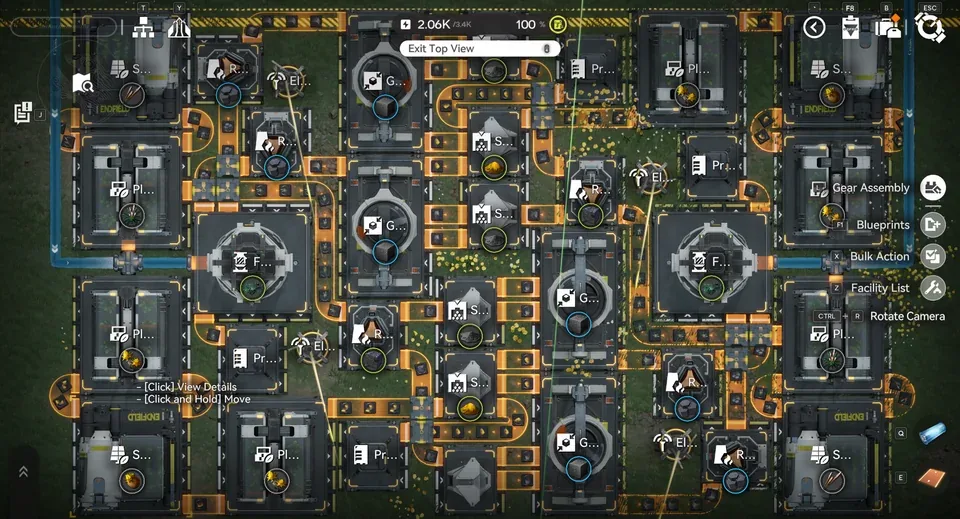
36x21 factory footprint optimized for Xiranite production chains
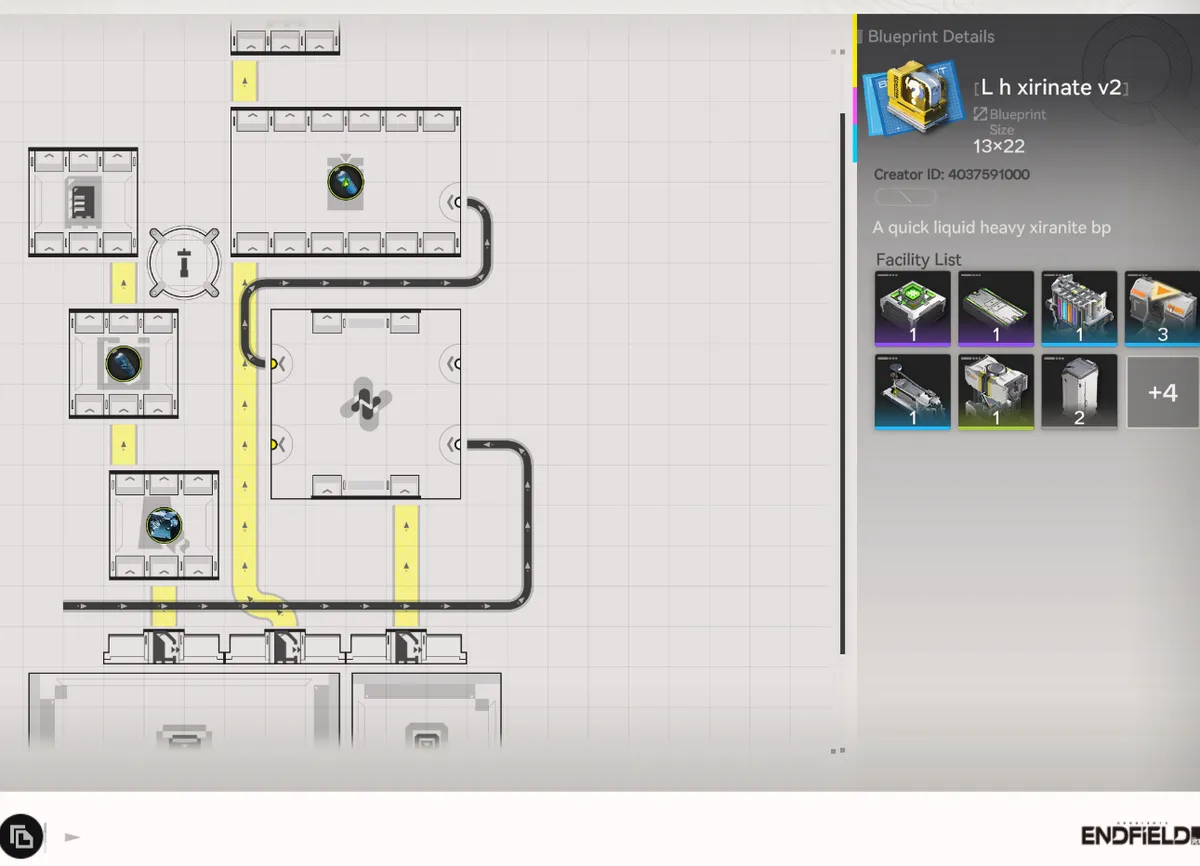
Liquid Heavy Xiranite: Quick Blight Clearing Blueprint
A compact 13x22 Liquid Heavy Xiranite blueprint designed to clear Blight quickly in Arknights: Endfield. Drop-in BP for fast Blight purification runs. No resource juggling, no manual reroutes.
Best for: Players hitting Blight zones who need a ready-made Liquid Heavy Xiranite production layout without designing one from scratch.
Why this BP: Most Liquid Heavy Xiranite layouts shared online are oversized or assume specific terrain. This one is small enough to fit in any sub-PAC and produces enough Liquid Heavy Xiranite to clear Blight on contact.
ASIA code only.
Liquid Xiranite: 7x19 Compact Blueprint (NA/EU)
Two compact 7x19 Liquid Xiranite blueprints forNA/EU servers. Both layouts share the same footprint pick the one that matches your depot setup.
Setup: Add Precipitation Acidto the crucible. Conduits help!
V1 (2 Depots + P Stash): P Stash will needexternal power not included in the blueprint (the original was powered by nearby facilities).
V2 (3 Depots): Self-contained variant if you'd rather drop the P Stash for an extra Depot.
NA/EU codes only.
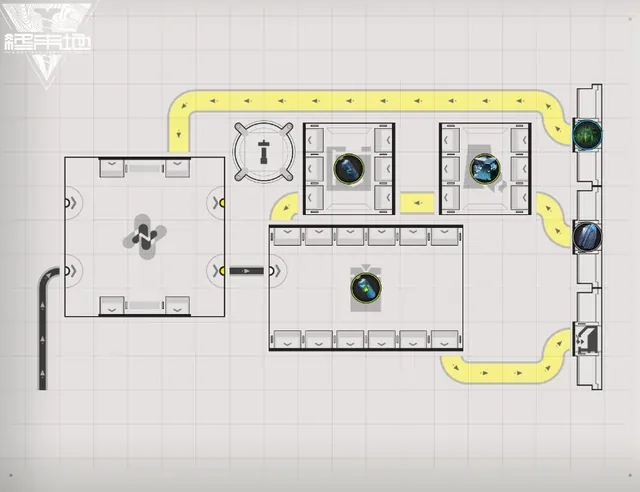
V1: 2 Depots + P Stash
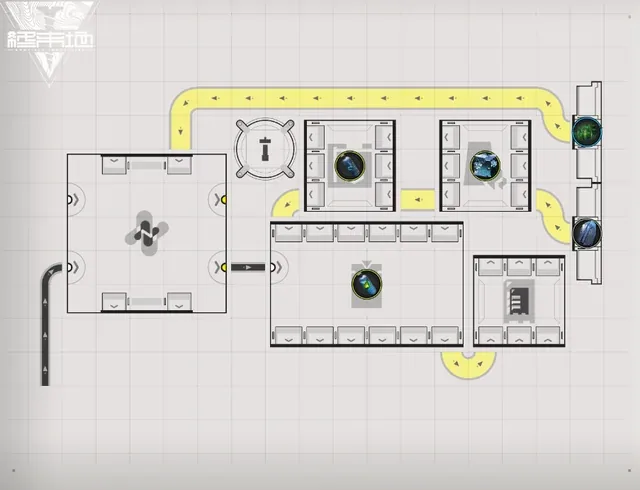
V2: 3 Depots
Liquid Xiranite Mission Blueprint (Fissure Filling and Land Grouting)
A dedicated Liquid Xiranite production blueprint built to complete the Fissure Filling and Land Grouting mission, which asks for 25,000 Liquid Xiranite to finish.
Import the code for your region, connect it to your existing Xiranite supply, and let it run until the mission's Liquid Xiranite counter reaches 25,000.
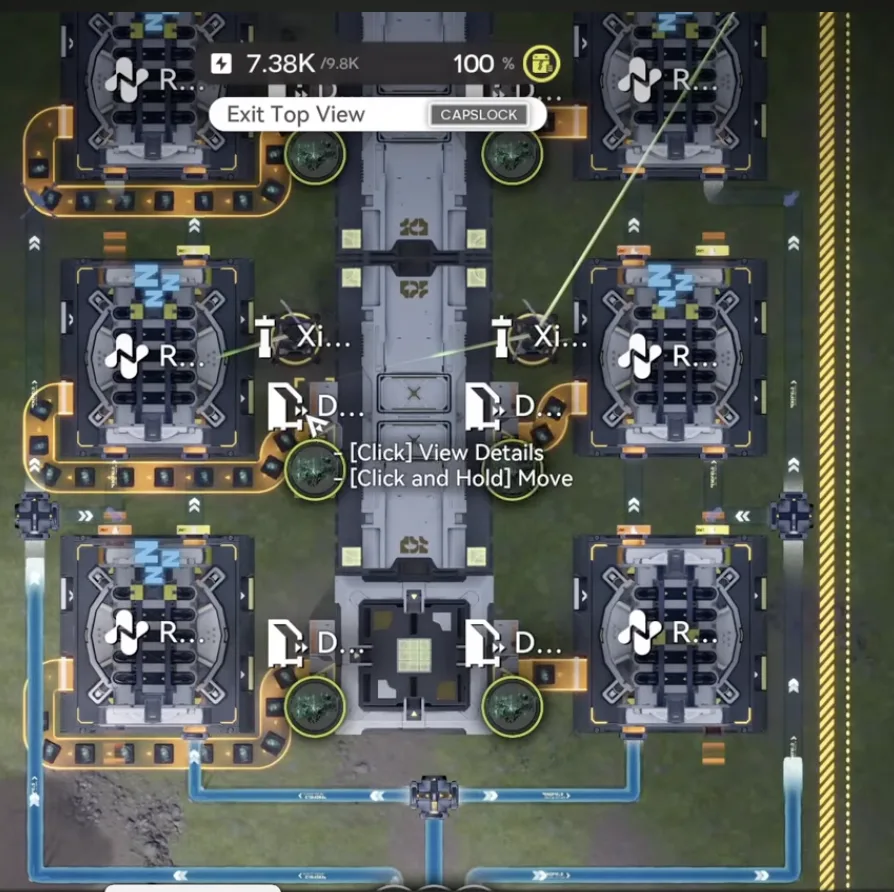
Buckwheat Capsule A Blueprint
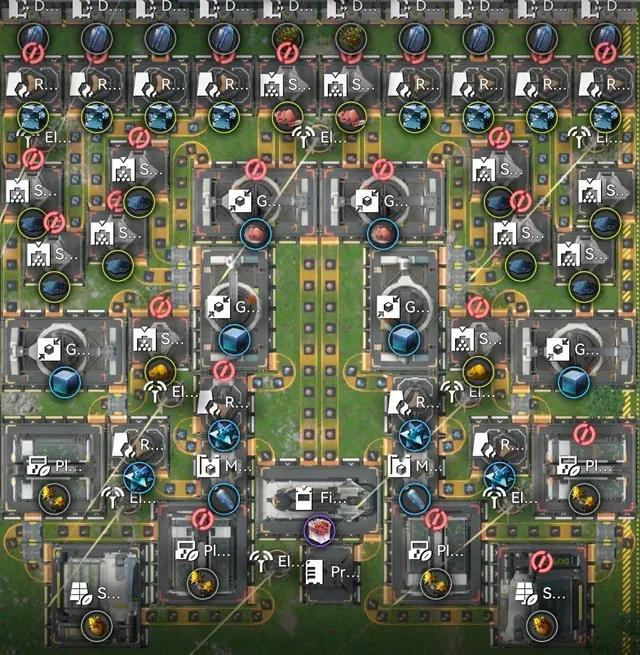
HC Valley Battery Blueprint
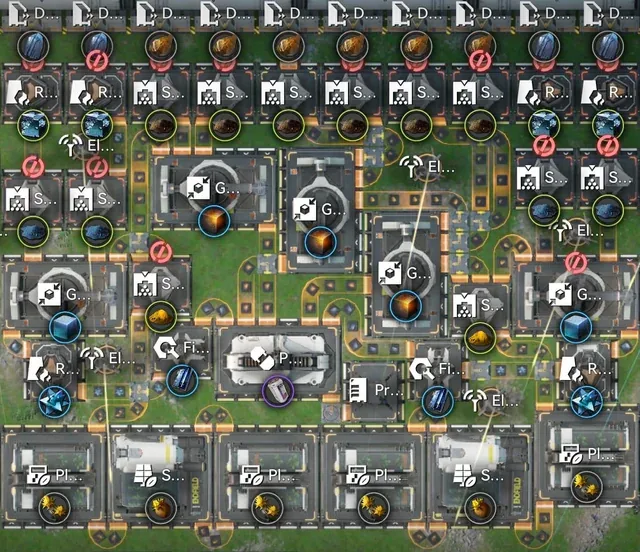
Symmetric Valley V4
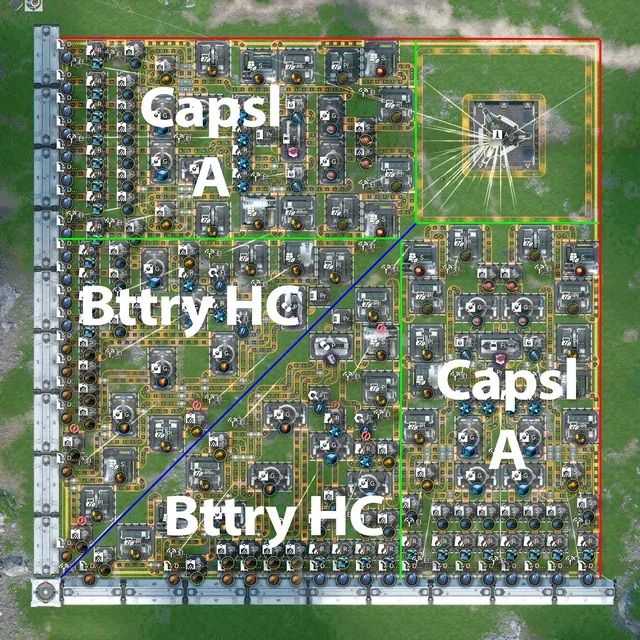
Mega factory layout combining Capsule A + Battery HC
Note: No external planter needed
Setup: Add one Electric Pylon in the corner
All 4 parts required - combine for full production setup
Hetonite Parts V2.2
Compact 26x21 Hetonite Parts production from unrefined ore to finished product
Features:
- Handles all waste products (sewage)
- Runs continuously at full throughput
- Self-sustaining acid production
- Space-efficient crucible routing
Startup: Draw pipe from center-top acid to rightmost converger to jumpstart acid production
Credit: Community blueprint from Reddit

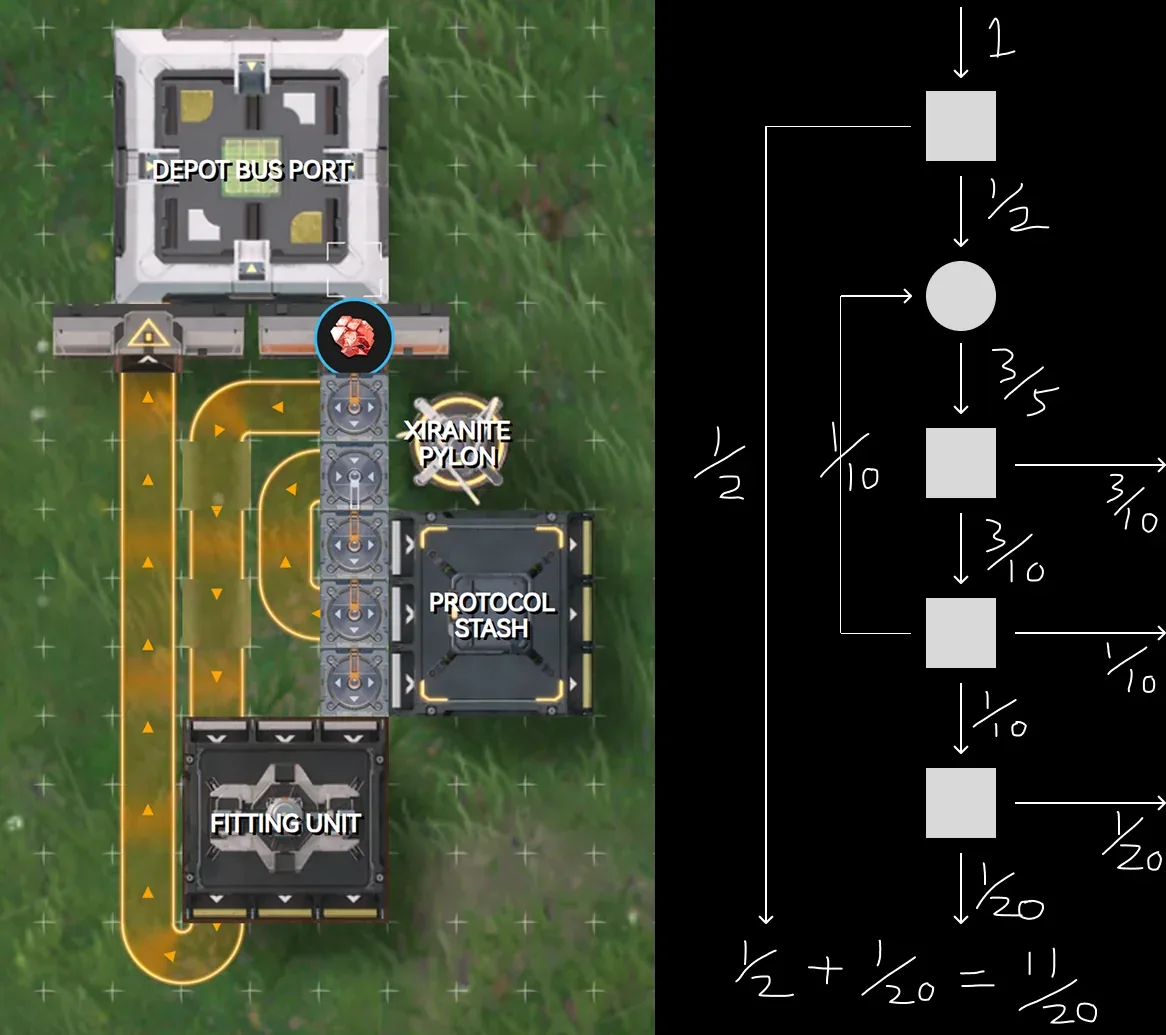
Hetonite Parts 16.5/min Flow Limiter (Splitter Setup)
Auto-regulates Hetonite Parts belt flow to exactly 16.5/min using a splitter setup.
Use Case: For setups with 22.5/min Hetonite production but only consuming 6/min, excess is 16.5/min.
The Math:
- Belt full speed = 30/min
- 16.5/min = 11/20 of full speed
- Splitter config limits output to exactly 11/20 throughput
Why: No need to manually check ore numbers daily, belt stays controlled barring minor fluctuations from server hiccups.
Note: Only works if you aren't already full on Hetonite Parts.
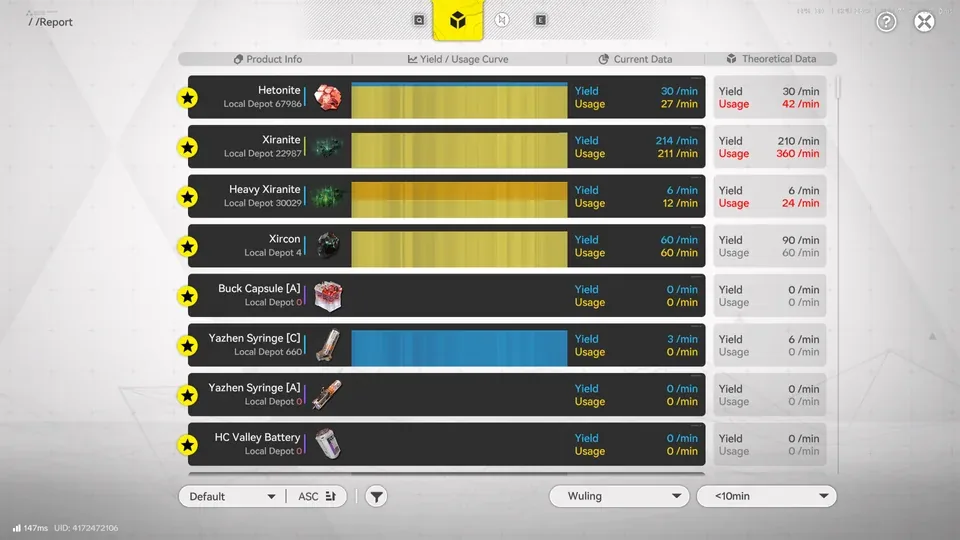
Hetonite + Heavy Xiranite & Xircon (Event Setup)
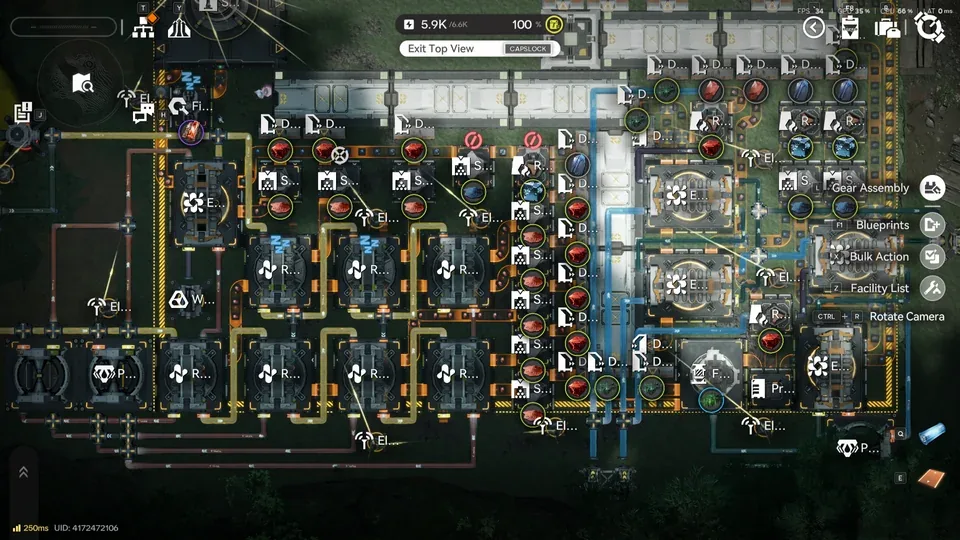
Hetonite Blueprint
ASIA Code:
Current (180/min Cuprium Ore):
- Pipe in 2 Acid pumps to Purification's Pipe Converger
- Pipe in 1 Acid pump to Extended Crucible's Pipe Splitter
- Belt in 1 Cuprium to the Shredder closest to Extended Crucible
Future / Max Production (240/min+):
- Pipe in 1 Acid pump to Purification's Pipe Converger
- Pipe in 2 Acid pumps to Extended Crucible's Pipe Splitter
- Belt in 3 Cuprium to all 3 Shredders
Belt out Hetonite from Extended Crucible into a Depot Loader along the Depot Bus, directly to sub-PAC, or replace Water Treatment Unit with a Protocol Stash.
You'll still need 4 Cuprium refineries elsewhere for Hetonite production.
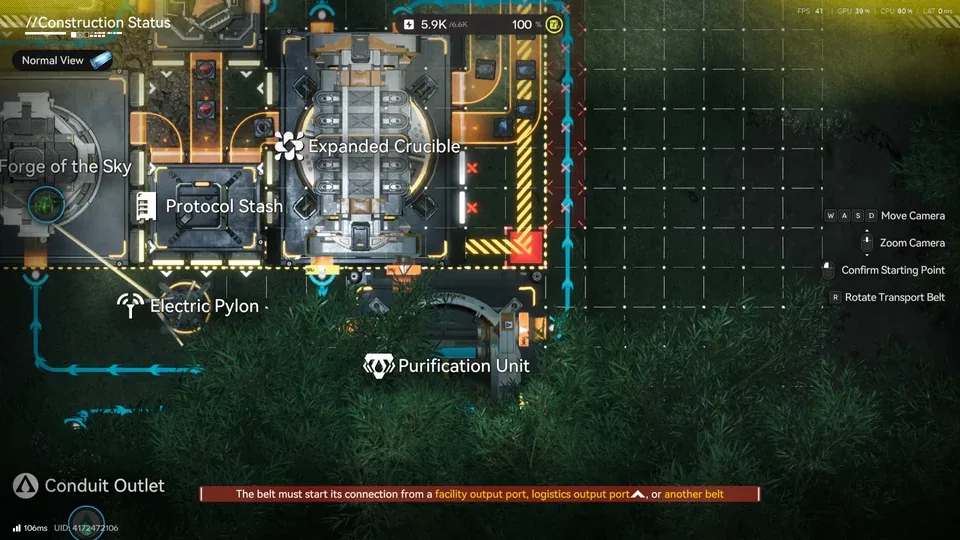
Heavy Xiranite & Xircon Blueprint
- Align Purification to the corner end outside of AIC area (see 3rd photo above)
- Manifold needs 2 Water pumps
- Due to terrain: place a Conduit Inlet with Pipe Converger for Inert Xircon Effluent, then connect to Conduit Outlet to Purification
This blueprint is fully self-sufficient, unloads Ores directly rather than processed products.
Tips
- If already using the old Hetonite blueprint, shift Depot Unloaders 1 tile upward
- Align the Depot Bus to fit the whole setup
- There's plenty of space available for Event Setup additions
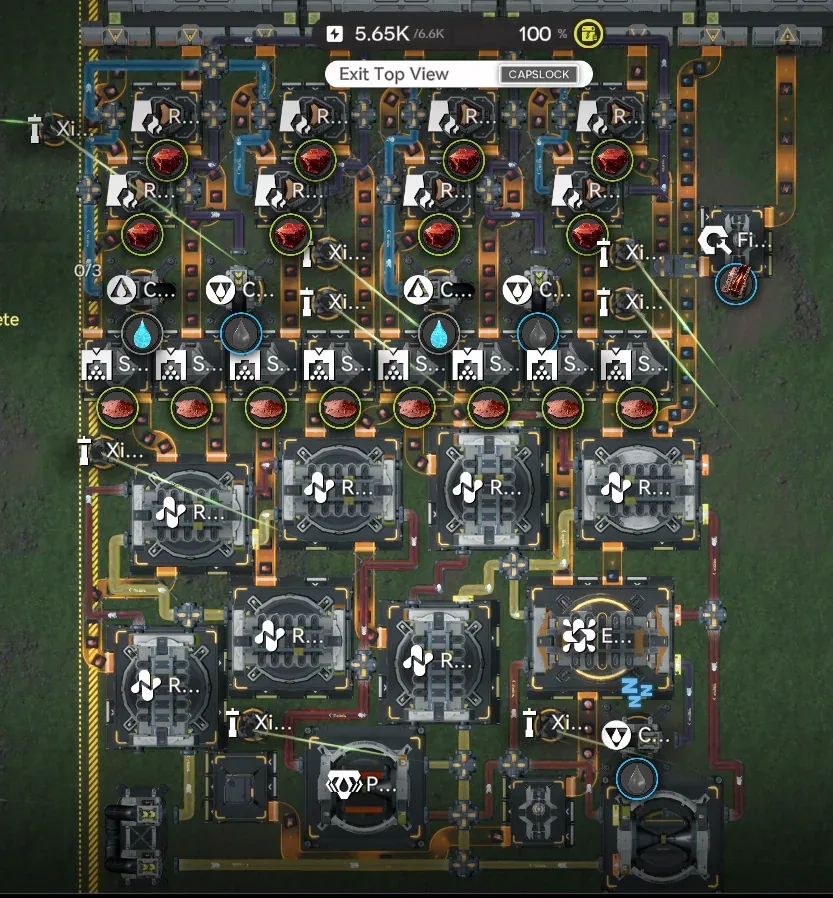
Xircon + Heavy Xiranite
Compact Xircon + Heavy Xiranite production blueprint.
Setup:
- Water: 2 pumps
- Sewage: 1/s (from 2 refining units)
- Remember to output the water from the Purification Unit to the river
ASIA code only.
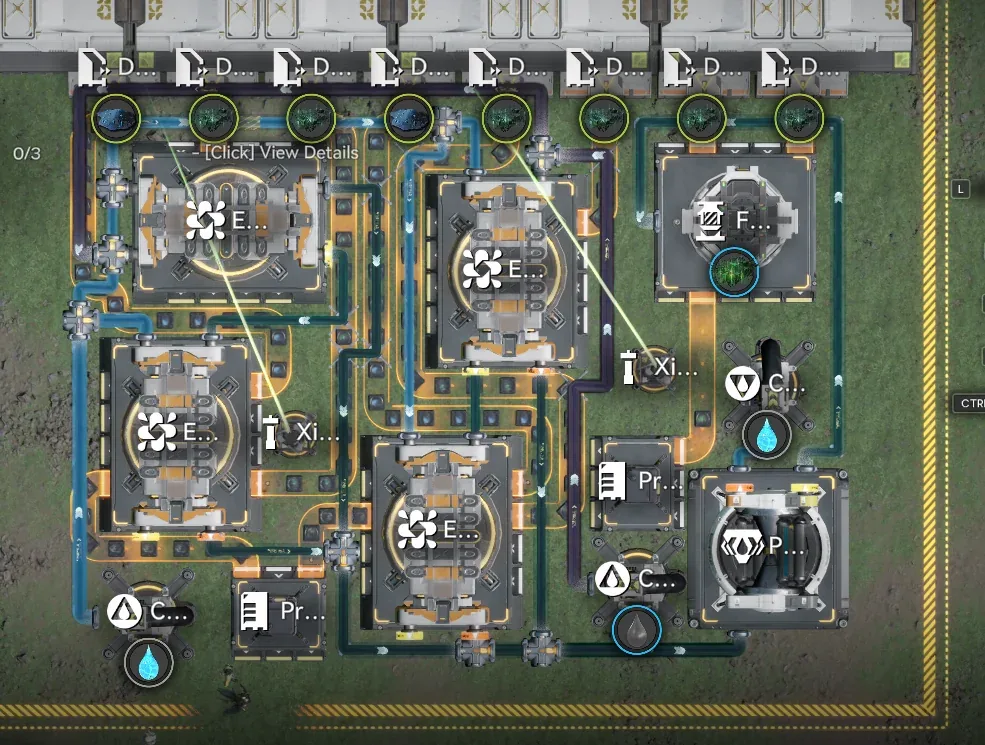
Hetonite Part
Hetonite Part production blueprint that pairs with the Xircon + Heavy Xiranite BP, sewage outputs feed back into the Xircon side.
Setup (per unit):
- Water: 2 pumps each
- Acid: 3 pumps (4 pumps is also OK. It won't clog)
- Sewage: 2/s each, split 1 outlet into 2 inlets and connect to the Xircon
Leftover sewage: 2/s and 1/s remaining, either ship them to a new map or run Water Treatments.
ASIA code only. Pairs with the Xircon + Heavy Xiranite BP above.
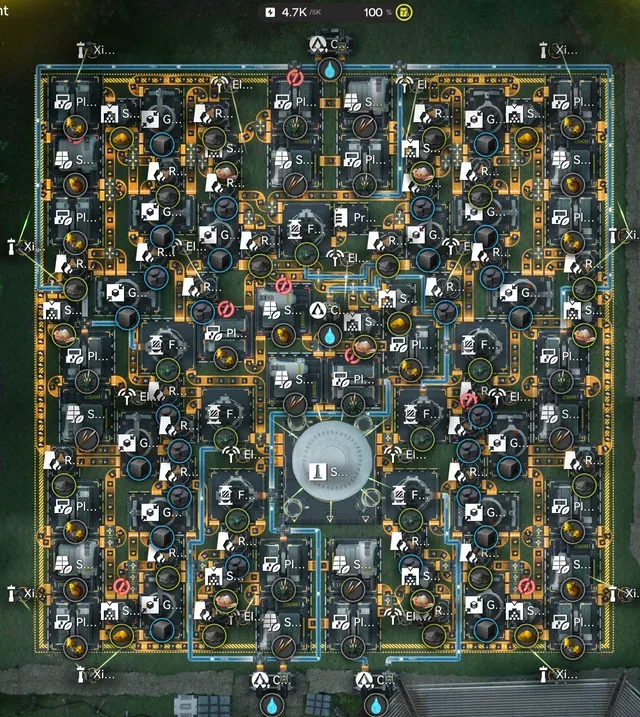
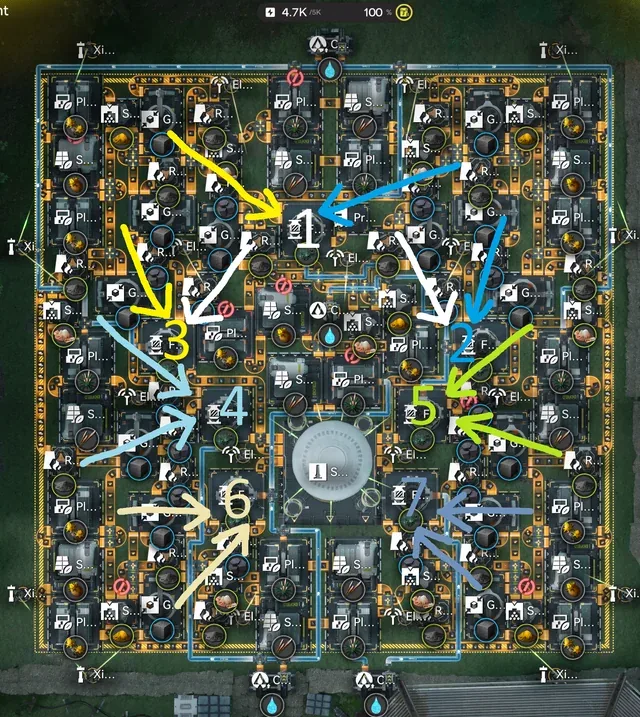
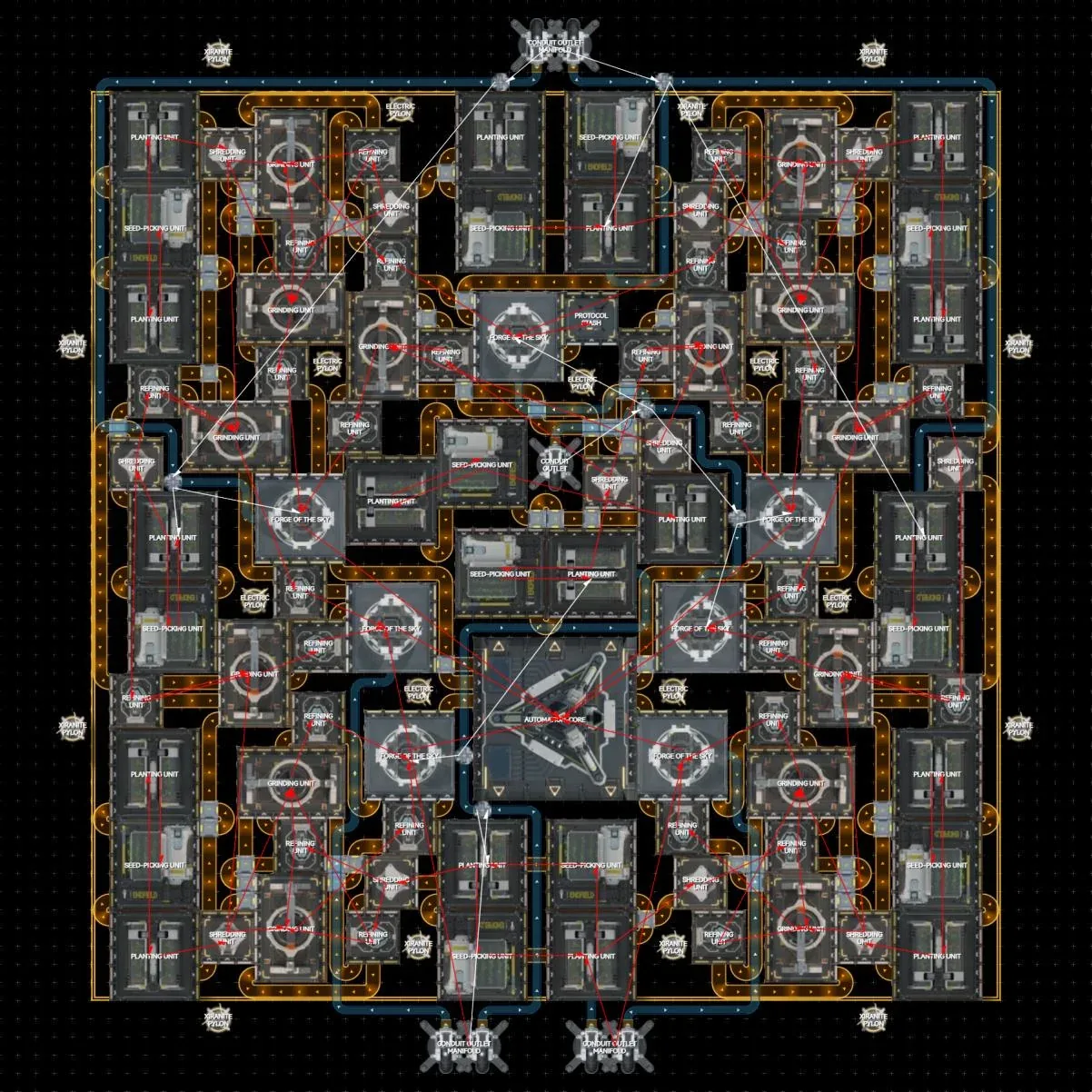
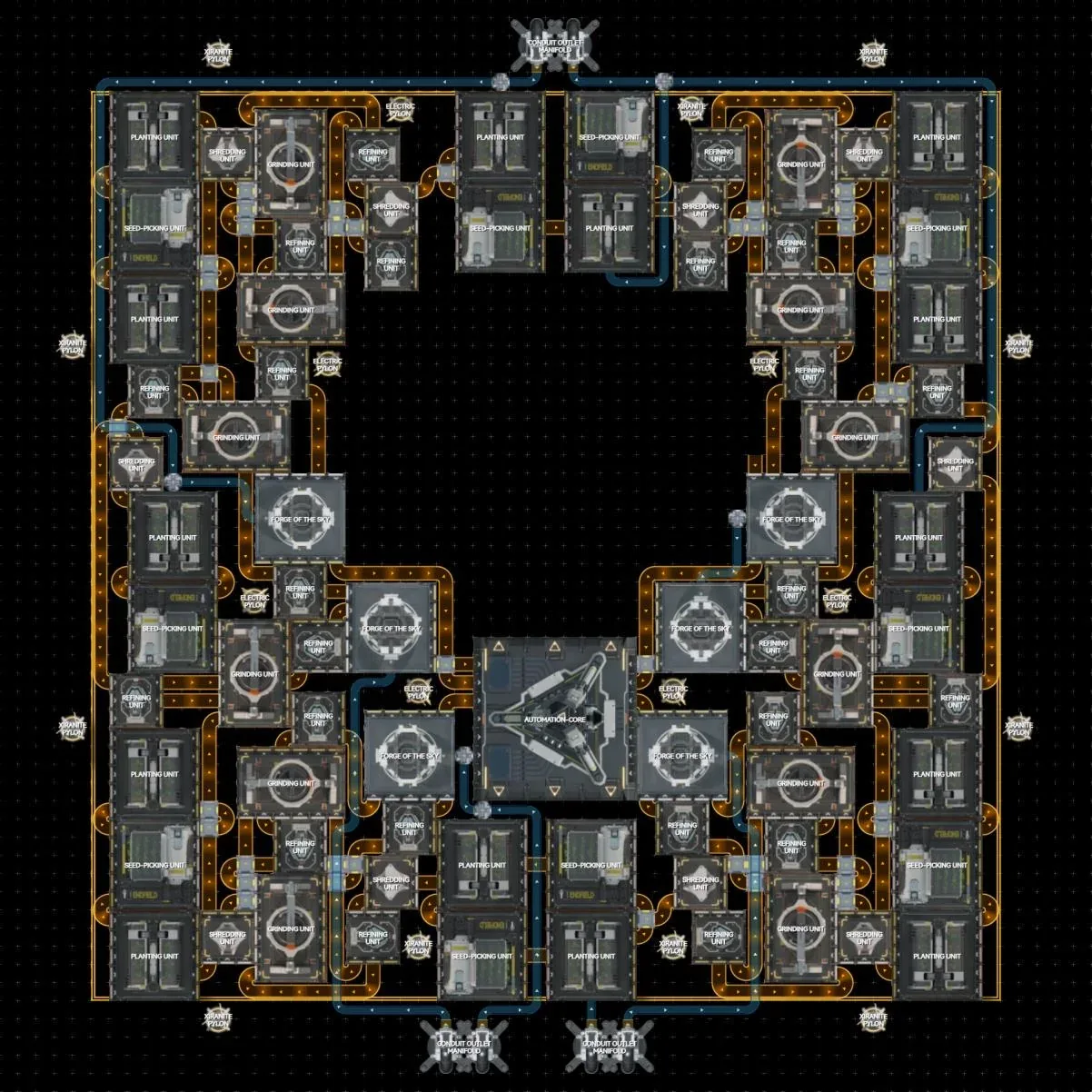
7-Line Xiranite Production (210/min)
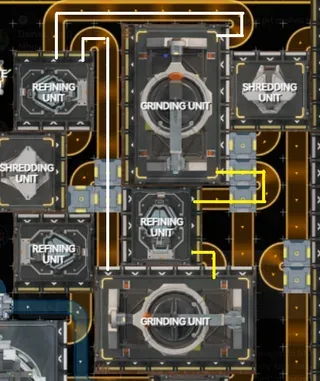
7 self-sufficient Xiranite production lines at 210/min output. Near-symmetrical layout with only 8 asymmetrically placed facilities.
Key Space-Saving Tricks:
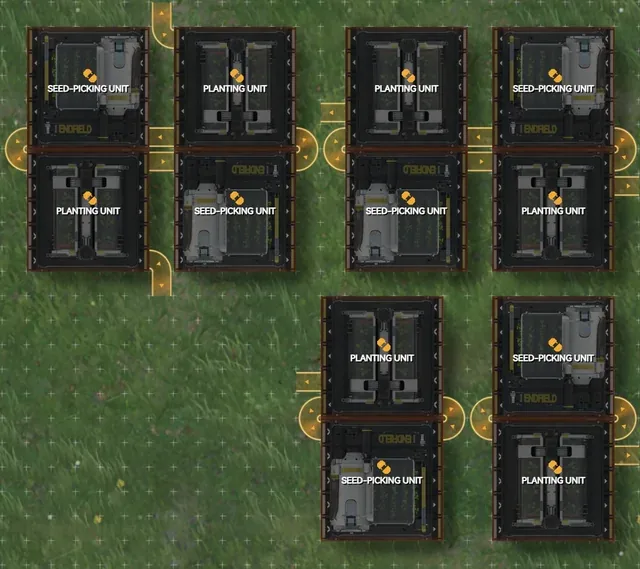
- Chain-linked Jincao/Yazhen planter/seed-picker groups (2-unit recursive loop)
- Corner design: 1 refiner feeding 2 grinders via carbon powder
- Cross-line forge feeding with stabilizing carbon
Water Split:
- North conduit: 2.5 water pumps
- Southwest conduit: 2 pumps
- Southeast conduit: 1 pump
- Central conduit: 1.5 pumps
Setup Notes:
- Requires 7 forges
- Move AIC away before placing (dense placement)
- 3 separate blueprints for EU/NA
- 4 separate blueprints for ASIA
Credit: Community blueprint from Reddit
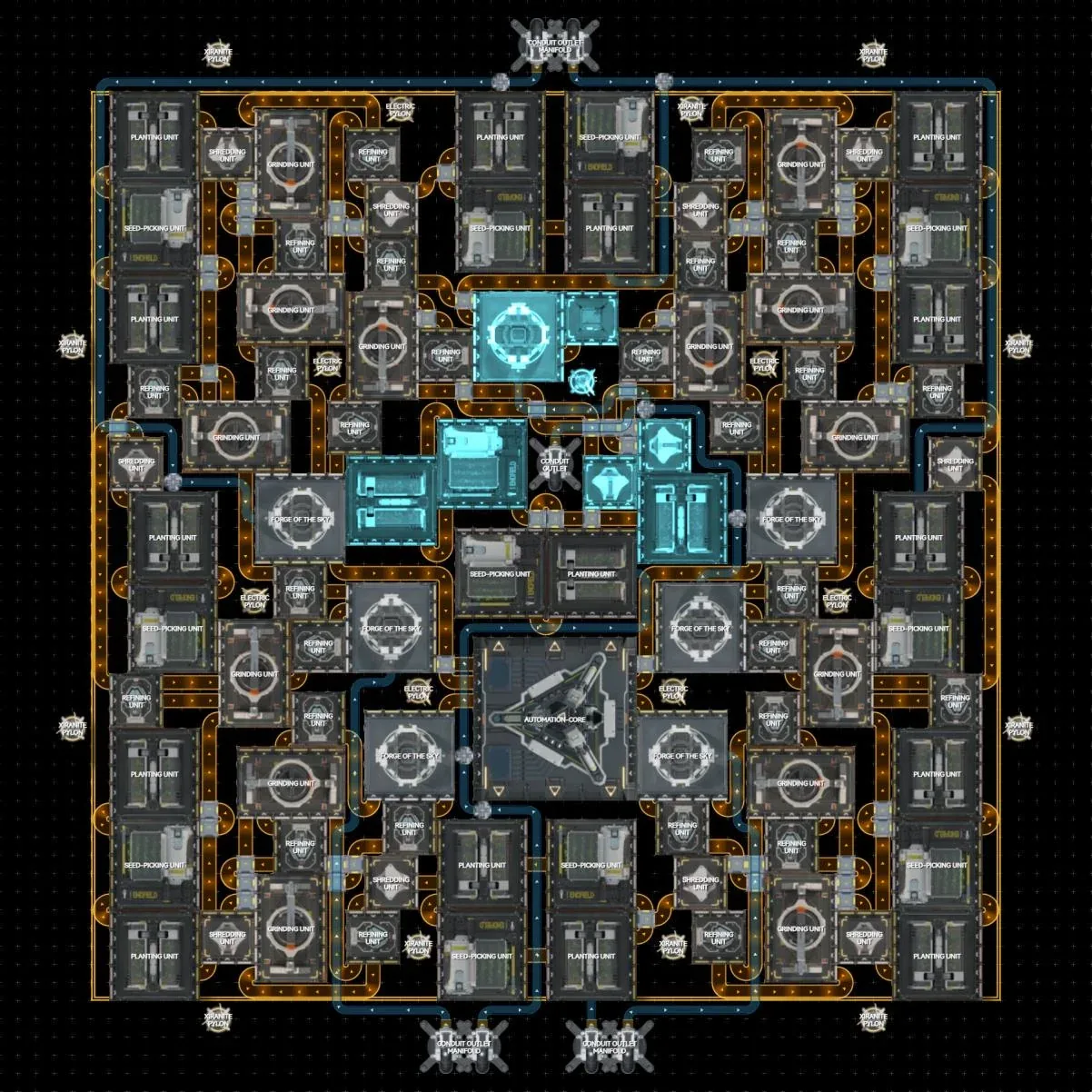
EU/NA Blueprints
ASIA Blueprints
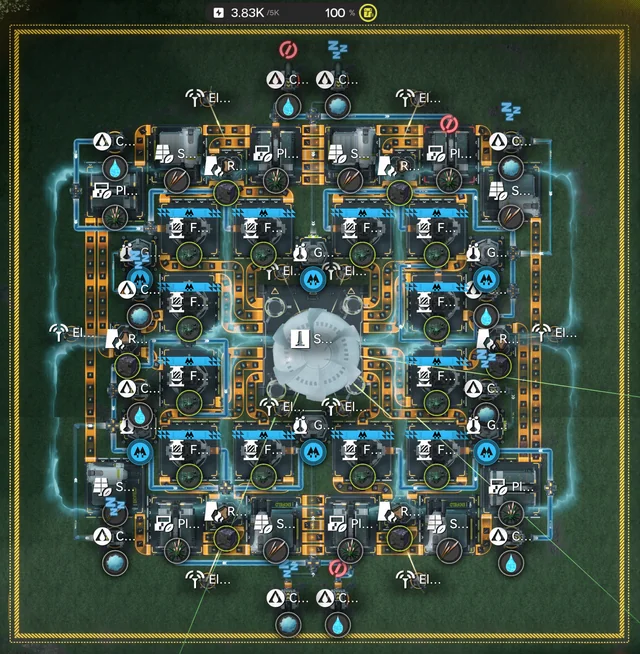
Symmetrical 12-Line Xiranite Production (NA/EU)
12 fully self-sufficient Xiranite production lines with no protocol stashes. Symmetrical layout designed for looks as much as function.
Water Requirements (9 pumps total):
- West conduit: 2 pumps
- East conduit: 2 pumps
- North conduit: 1 pump
- South conduit: 1 pump
- Northwest conduit: 1.5 pumps
- Southeast conduit: 1.5 pumps
Inergen: 36/m required, each conduit needs a minimum of 6/m.
Design Notes:
- Fits 4 forges per gas disperser (aesthetic choice over min-max density)
- Variation available on request: moves middle forges out one column to fit 4 thermal banks, uses 2 fewer conduits
Credit: Community blueprint from Reddit
Valley IV Megabase: Best Endgame Base
Optimized for money, power, and space. Runs at the lowest possible power of 4250 (factory+mining nodes), producing max value of 2780 stock bills/min worth of goods. Fits in just Core + 1 SubPac, leaving 2 SubPacs free.
Produces per minute:
- 18 Buck Capsule A
- 18 HC Battery
- 120 Amethyst Bottle
- 20 Origocrust
With SubPac 2 add-on: 30 Amethyst bottles, 18 Buck C, 30 Buckflower powder (depot quests), filling in 44h instead of 11h.
Requirements: Full upgrades in Core AIC and one SubPac. Rest can be unupgraded.
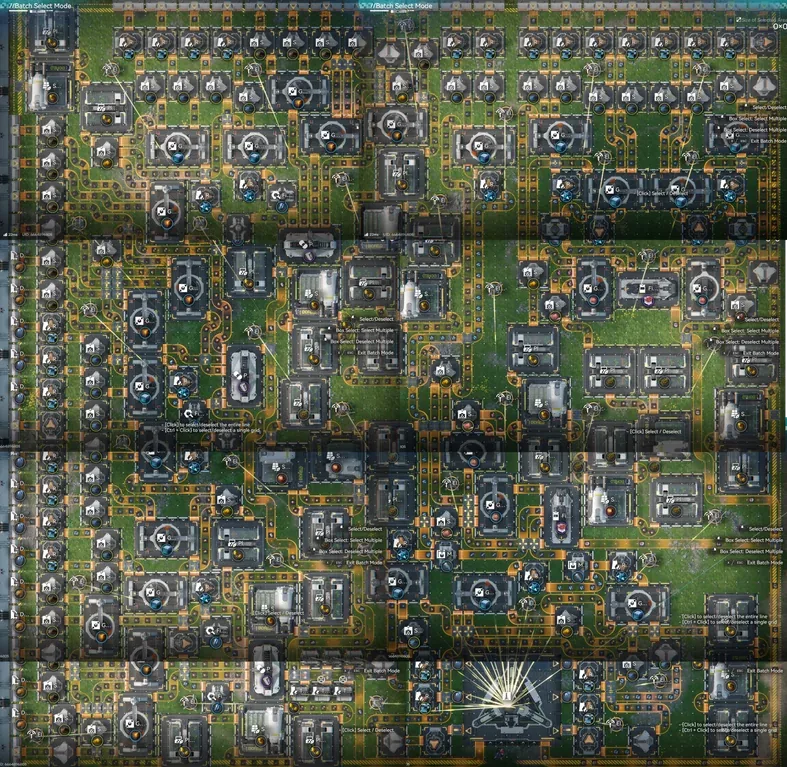
Parts Required + Recommended SubPac 2:
Placing Guide:
- Gather 250 Buckflower, 500 Sandleaf, 400 HC Battery
- Main PAC: orient depots to top and left. Place 6 pieces starting from top left.
- Fill plants into seed pickers (every seed picker that needs filling has an item control port showing sandleaf or buckflower)
- Set Core AIC outputs to 6 ferrium. Fill thermal banks with HC Battery
- SubPAC: place right, then left. Fill seed pickers and set AIC output per item control ports
- Switch off excess power thermal banks in Main PAC
EU/NA Codes: Main PAC
EU/NA Codes: SubPAC
EU/NA Codes: Optional Extensions
ASIA Codes: Main PAC
ASIA Codes: SubPAC
ASIA Codes: Optional Extension
Complete Wuling Factory (1.3)
A full Wuling 1.3 factory complex built from three linked sites: the main Wuling base, a JG. Valley extension, and an M. Stone extension. Import the parts for each site, then pipe in water and acid pumps where the overview image marks them.
Setup: Follow the pump labels in the layout below (the Wuling and JG. Valley sites take several water pumps, M. Stone needs an acid pump). For the exact facility-by-facility breakdown of each site, open the detailed Enkad projects linked under each group.
EU/NA codes only. Credit: community blueprint from Reddit.
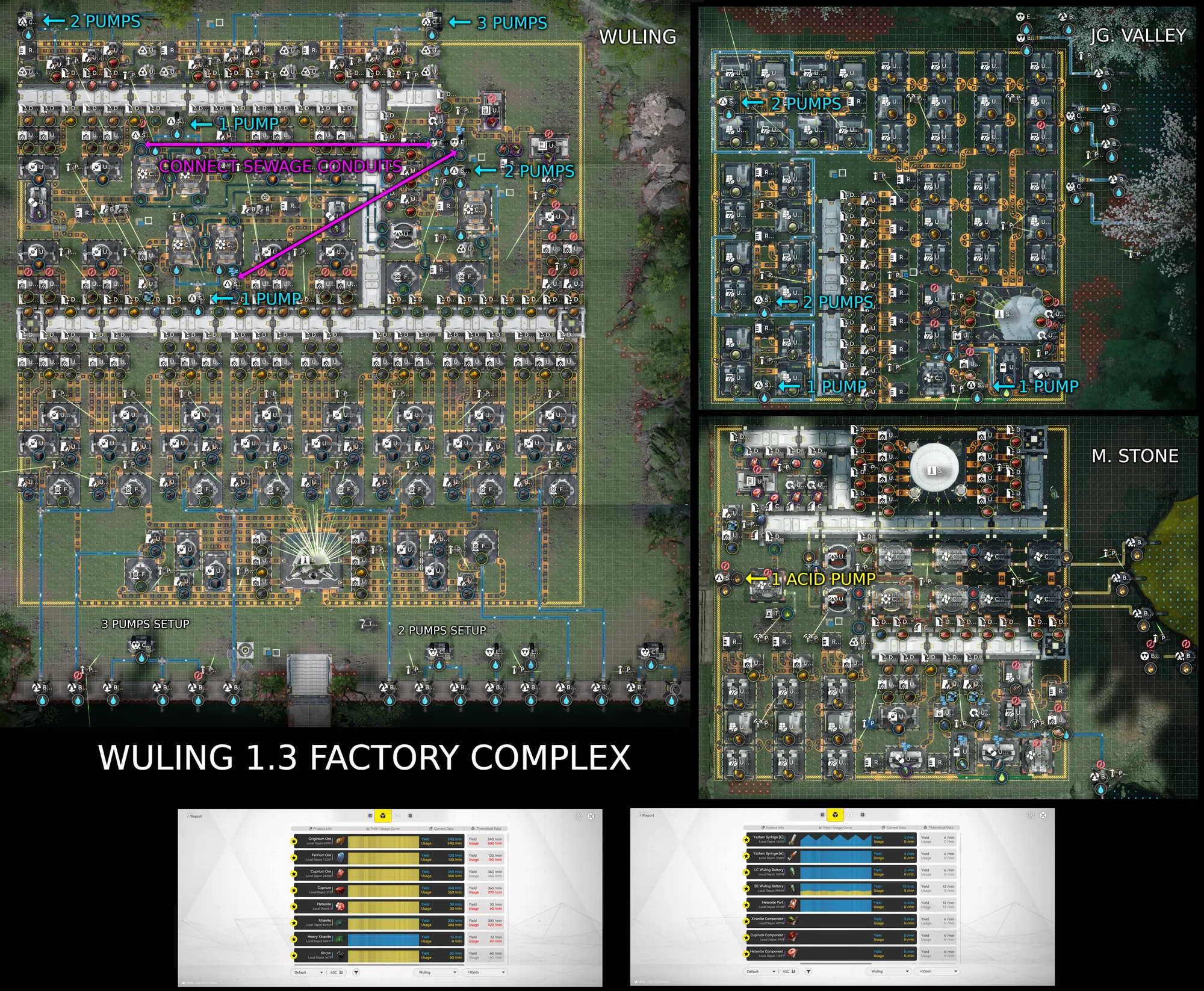
Wuling: Main Base
Detailed project on Enkad:Wuling base layout
JG. Valley Extension
Detailed project on Enkad:JG. Valley layout
M. Stone Extension
Detailed project on Enkad:M. Stone layout
Expanded Crucible Item Incinerator (Auto-Unclog Depots)
Worried about clogged depots? The new Multi-Line Auto-Unclog feature lets you automatically destroy excess solids using the Expanded Crucible as an item incinerator.
How it works: Using the converger trick plus medicine powders, items loop back into the depot while it still has space. Once the depot is full, overflow is routed into the Expanded Crucible instead. Every 100 seconds the Expanded Crucibles clog both medicine solutions and clear everything inside them.
Bonus: It can also handle 1 refiner's worth of sewage if you move the top-right-most stash to add a 2nd liquid input.
NA/EU code only. Credit: community blueprint from Reddit.
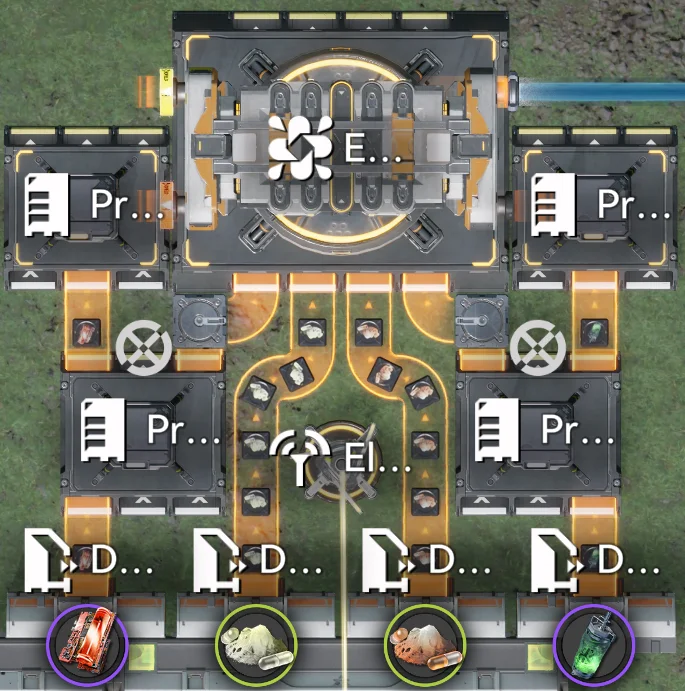
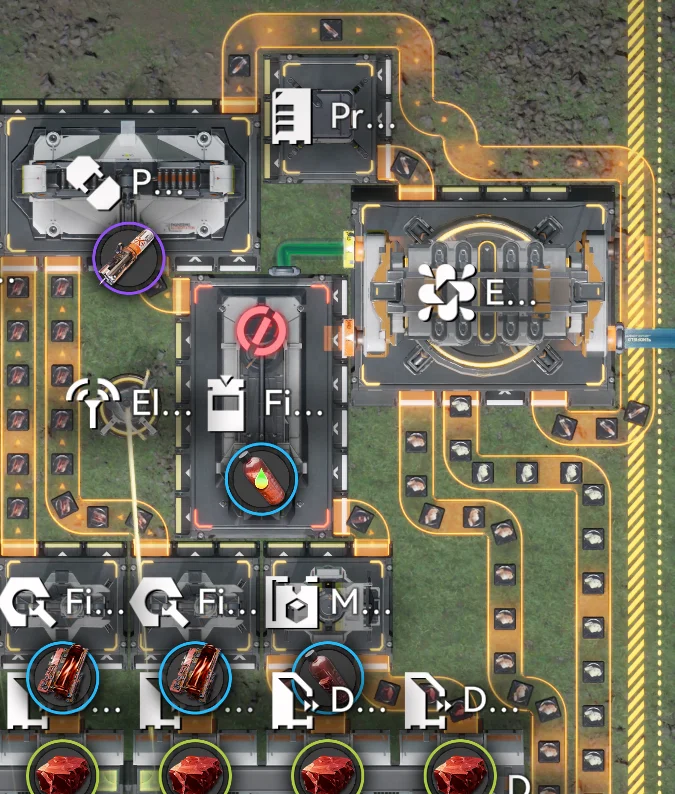
YazhenA Line Integration (Theoretical)
A theoretical way of incorporating the incinerator into a YazhenA line. This variant is not fully tested, so treat it as a starting point rather than a drop-in build.
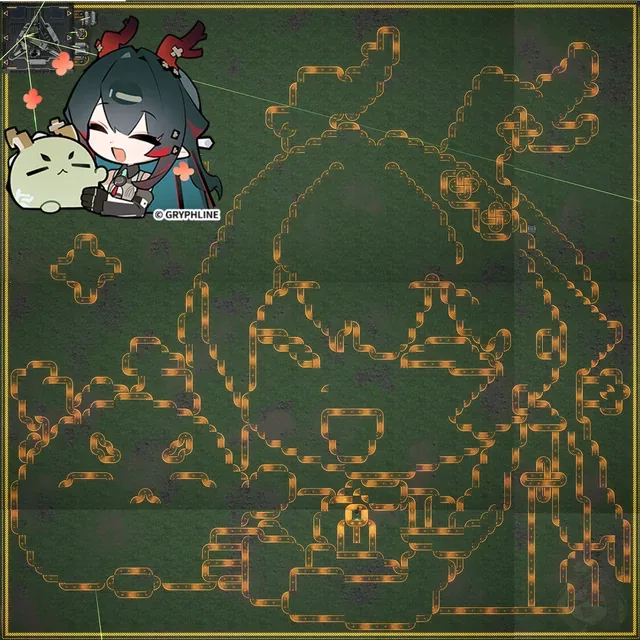
Meme Blueprint
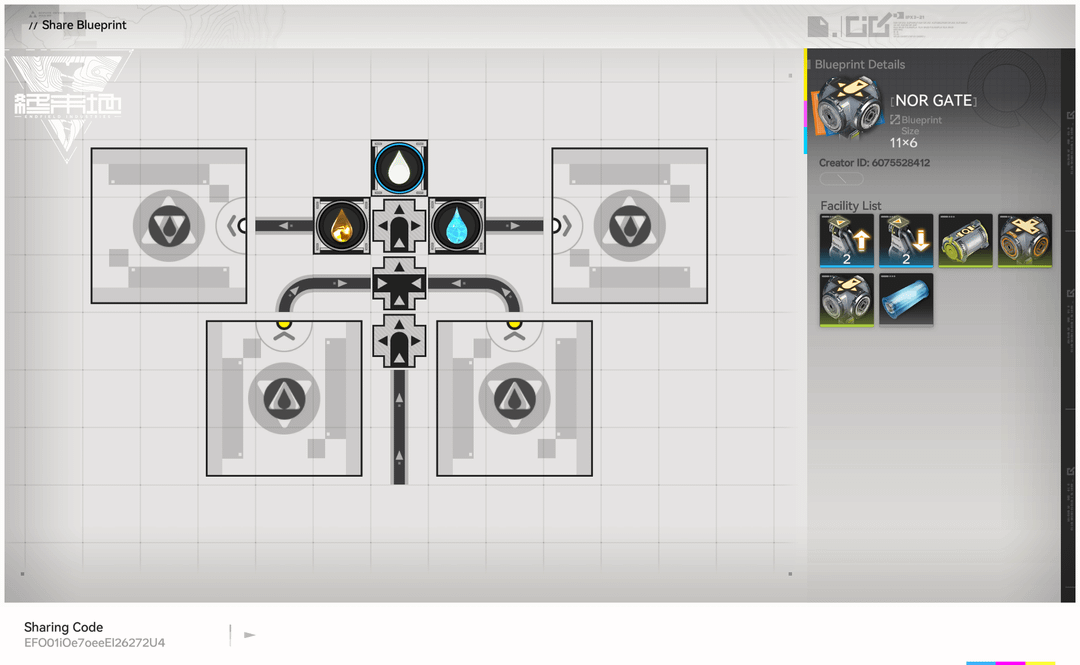
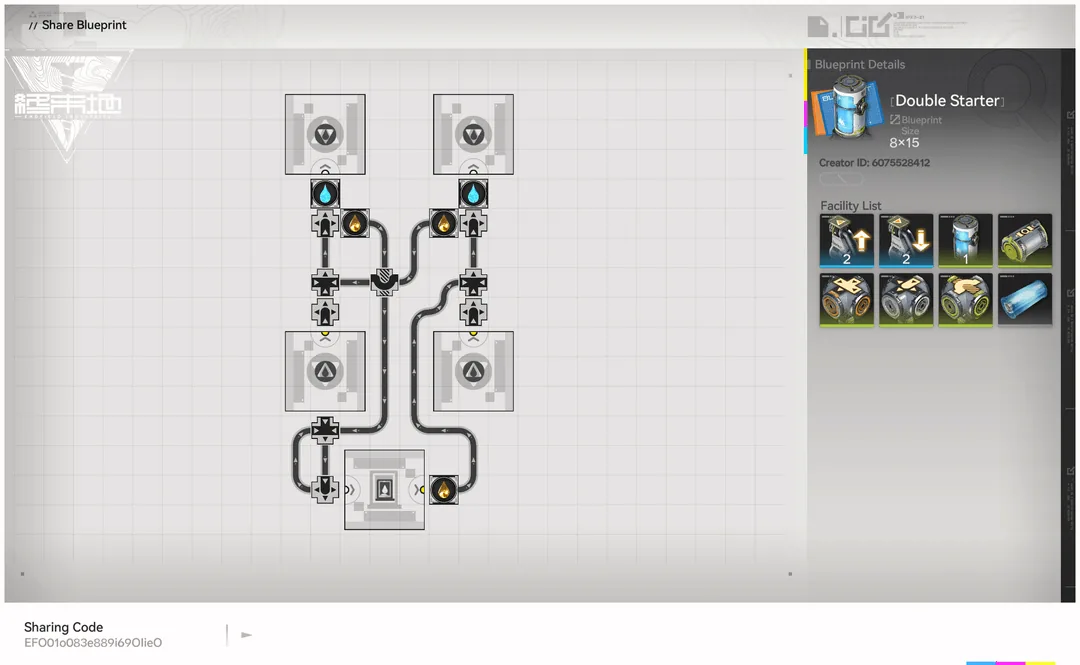
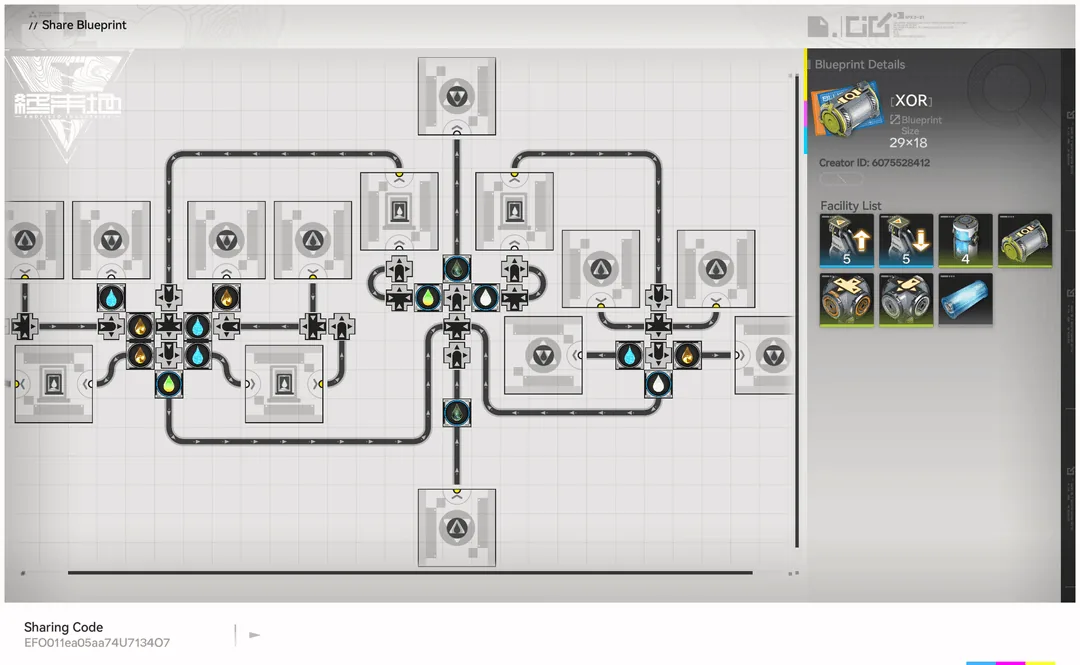
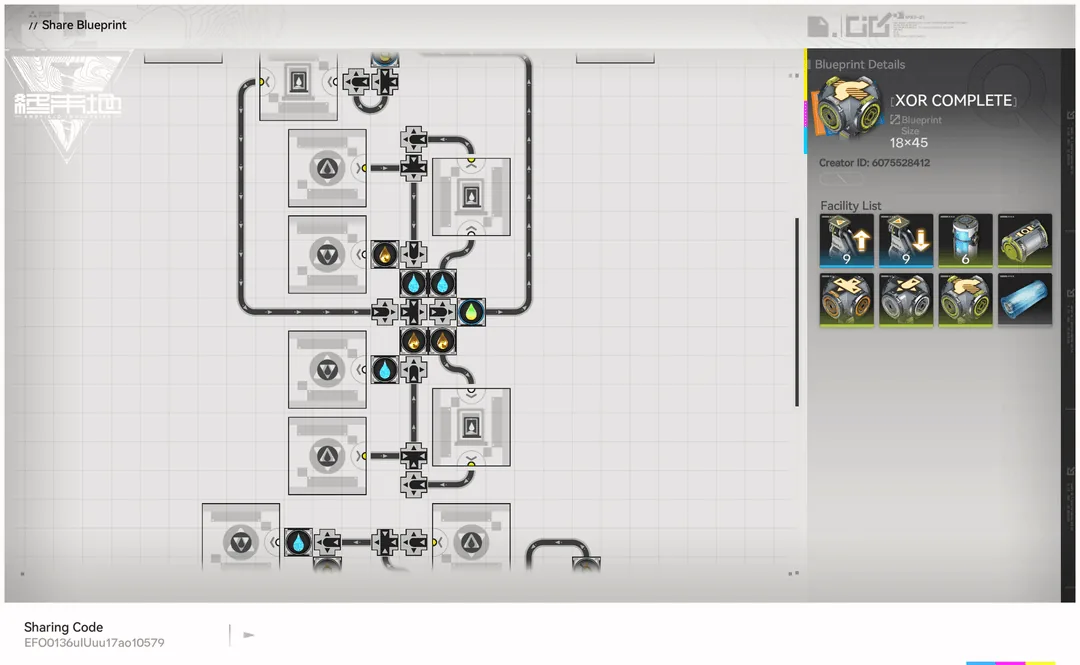
Liquid Logic Gates (XOR / AND / NOR / NOT)
A novelty set of blueprints that build working boolean logic gatesout of liquid flow in Arknights: Endfield. By using one fluid stream to block another, a Conduit only transfers its Xircon Effluent under specific on/off combinations of Water and Acid, giving youAND, NOR,XOR, and NOT behavior.
More of a fun engineering showcase than a production base, but the Double Starter and the individual gates are handy primitives if you want to experiment with fluid logic.
Credit: community blueprint from Reddit. EU/NA codes only.
Setup & Wiring
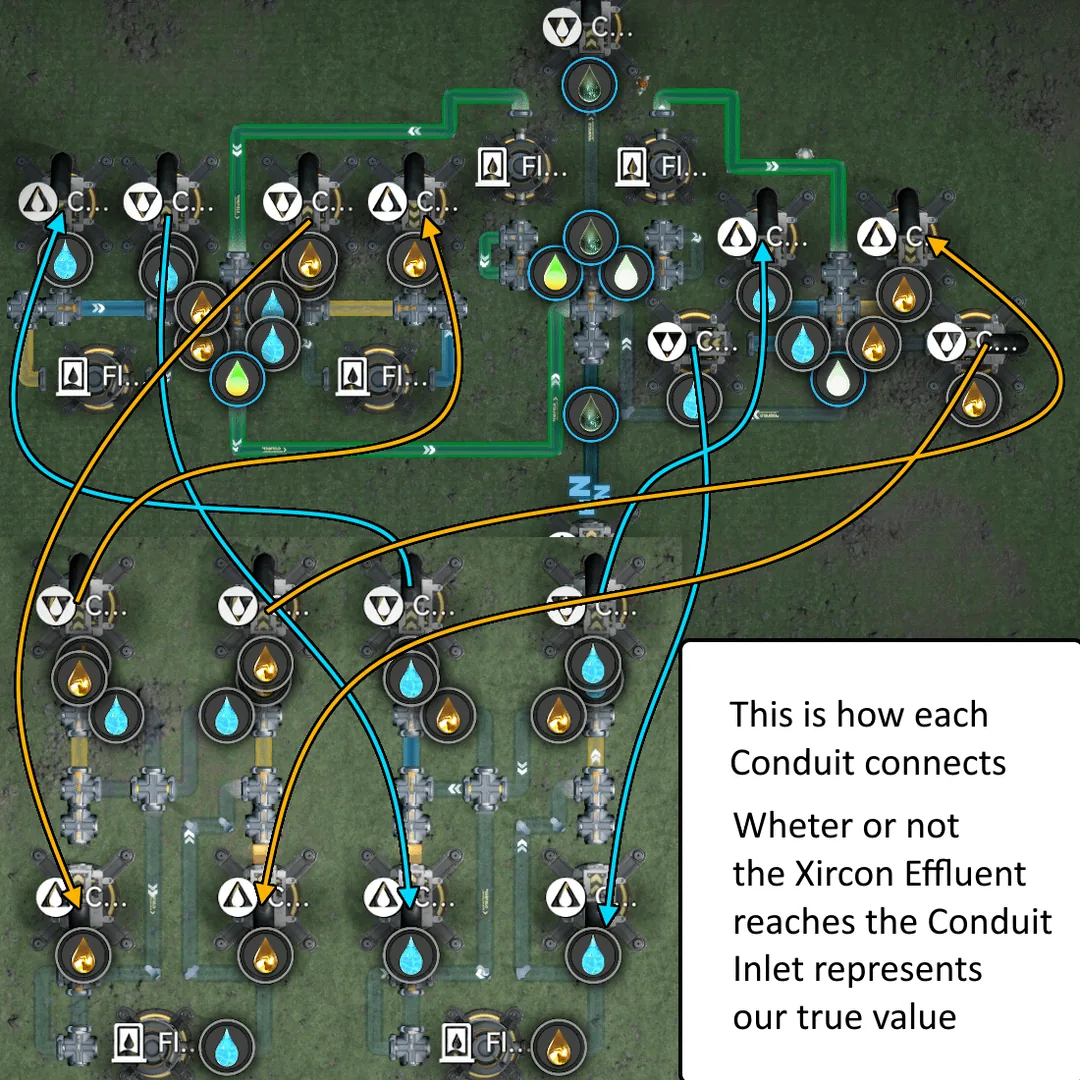
How each Conduit connects, fluids gate the Xircon Effluent
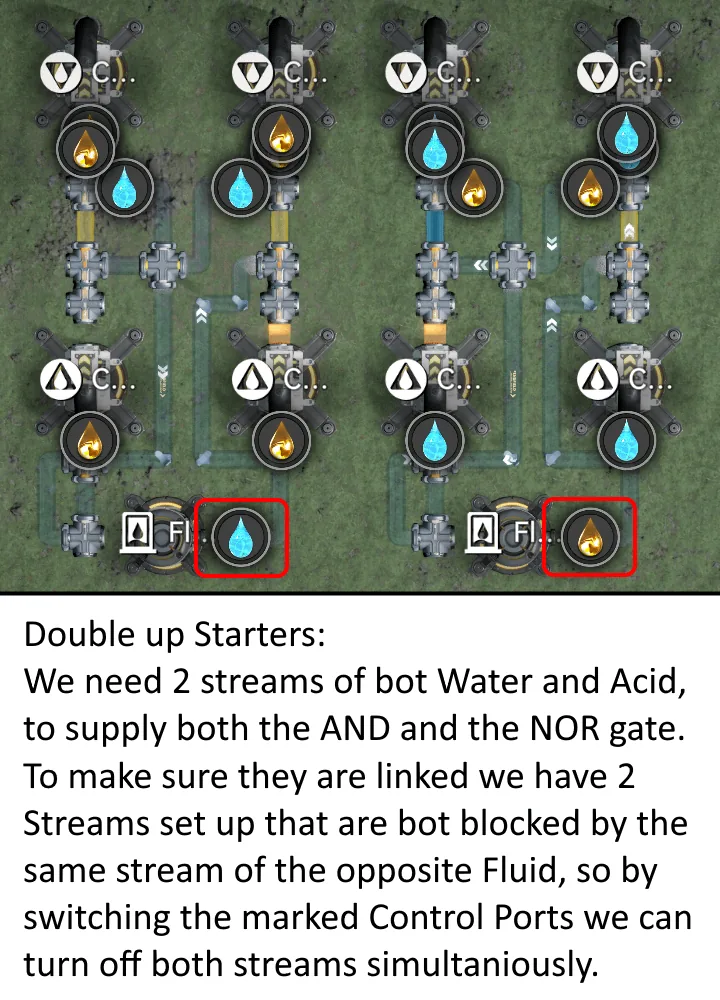
Double Starter. Two linked Water/Acid streams toggled together
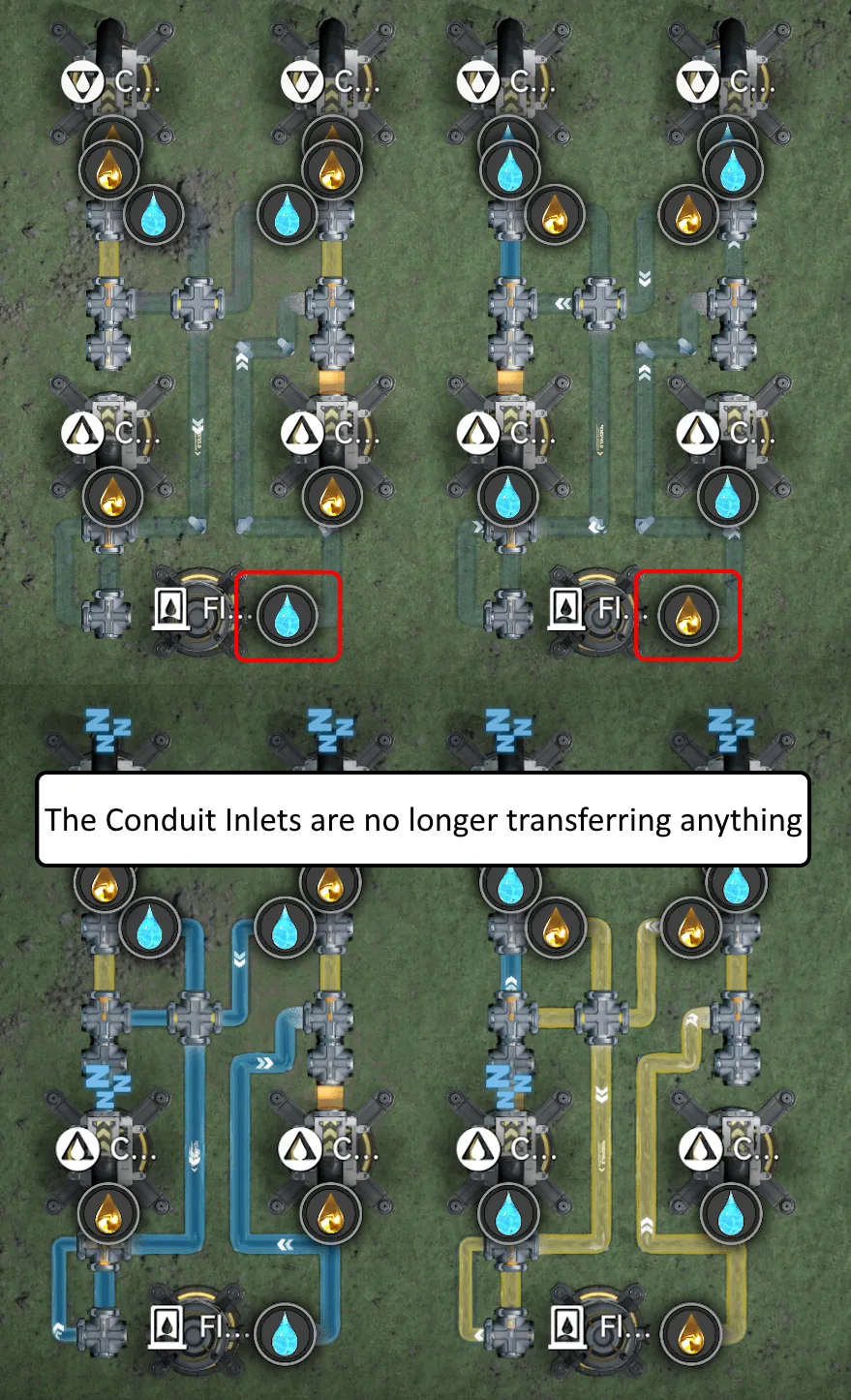
Conduit inlets switched off, nothing transfers
AND Gate, flows only when both fluids are on
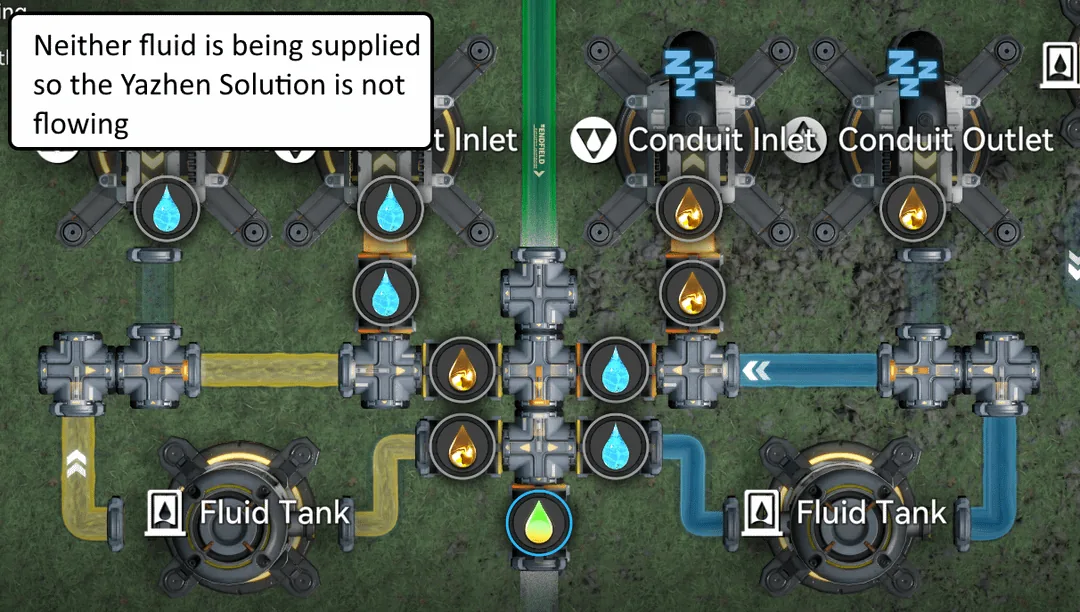
Neither fluid supplied, Solution does not flow
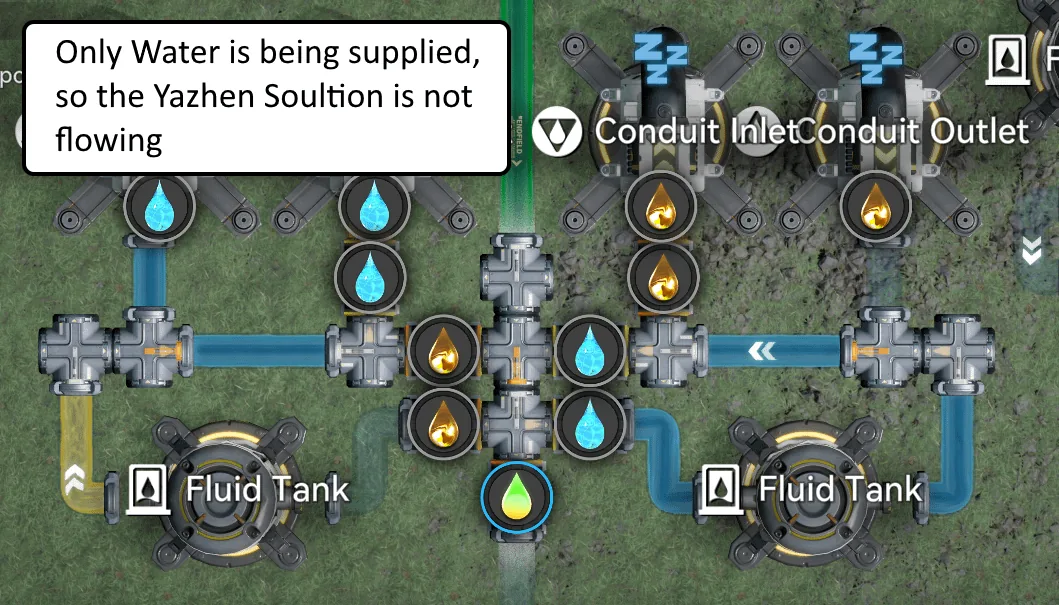
Only Water on: still does not flow
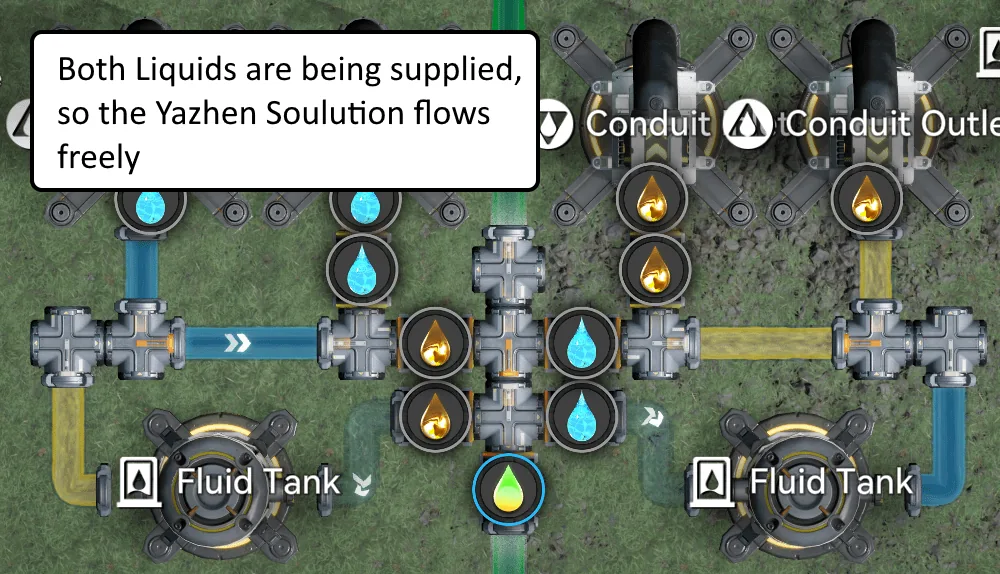
Both liquids on: Solution flows freely
NOR Gate, flows only when both fluids are off
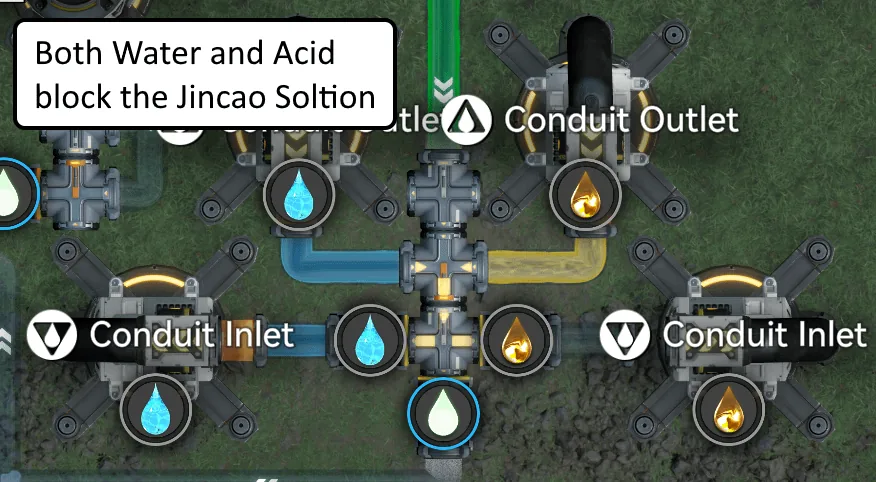
Both on: Solution blocked
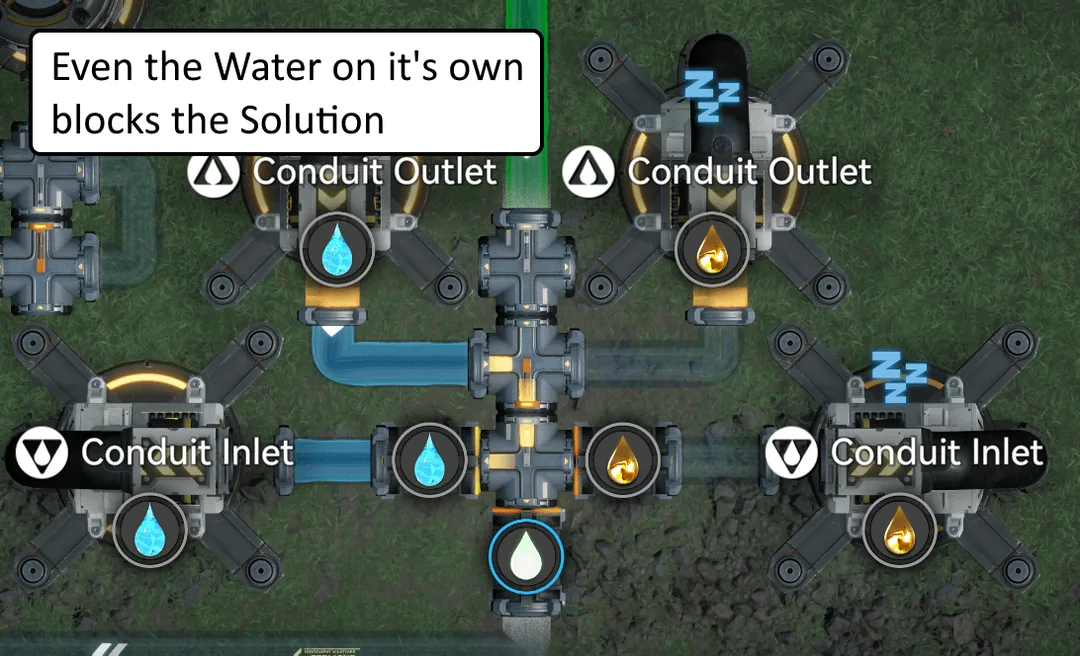
Water alone: still blocked
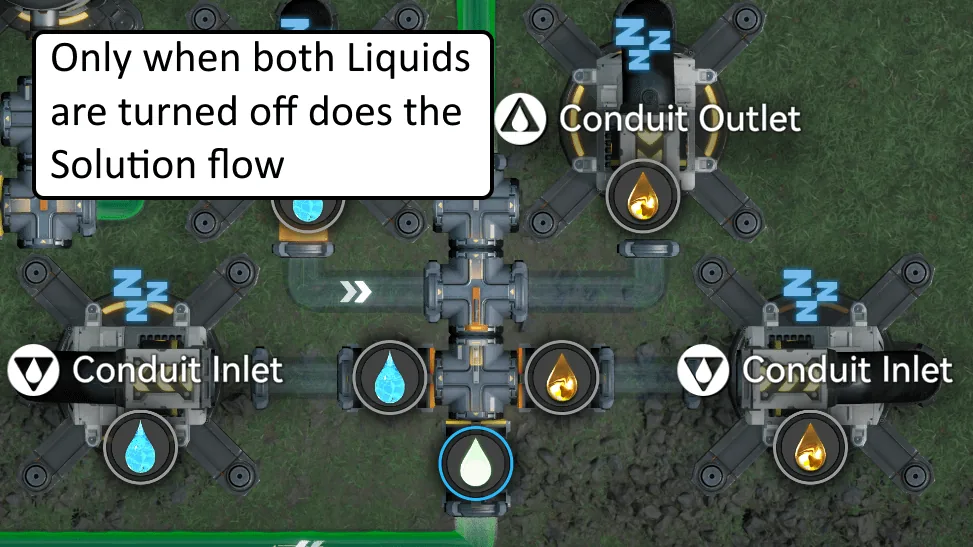
Both off: Solution flows
XOR Gate, flows only when exactly one fluid is on
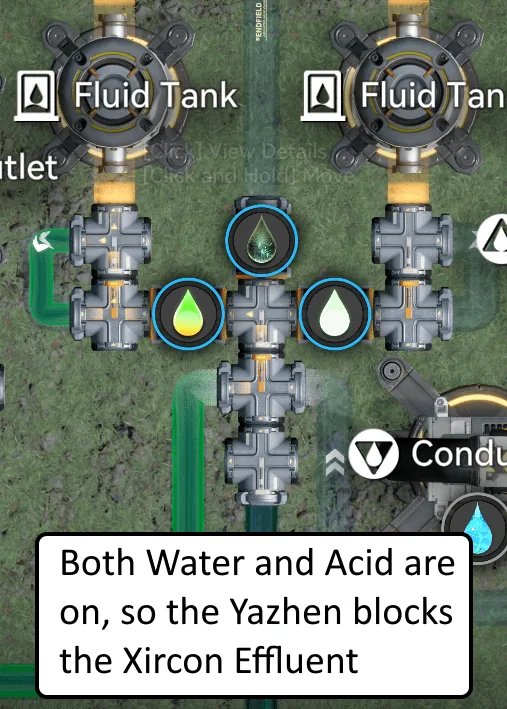
Both on: Effluent blocked
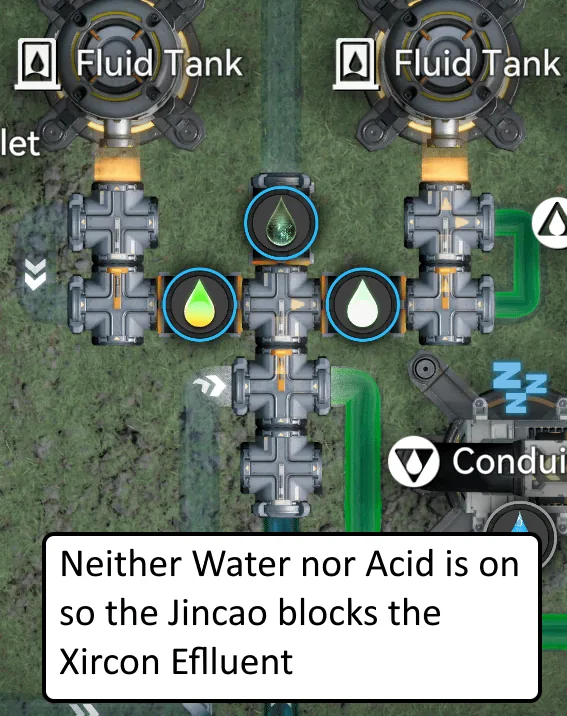
Neither on: Effluent blocked
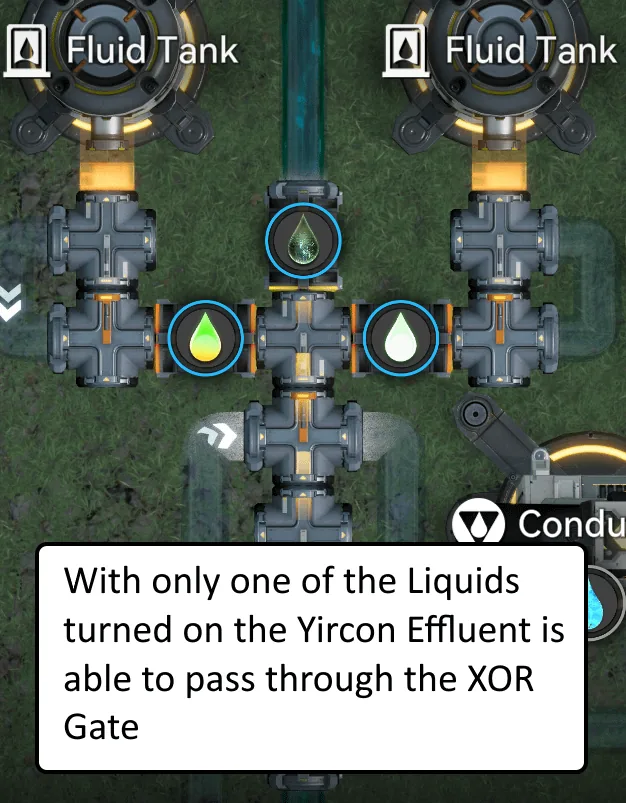
Exactly one on: Effluent passes
Blueprints & Codes (EU/NA)
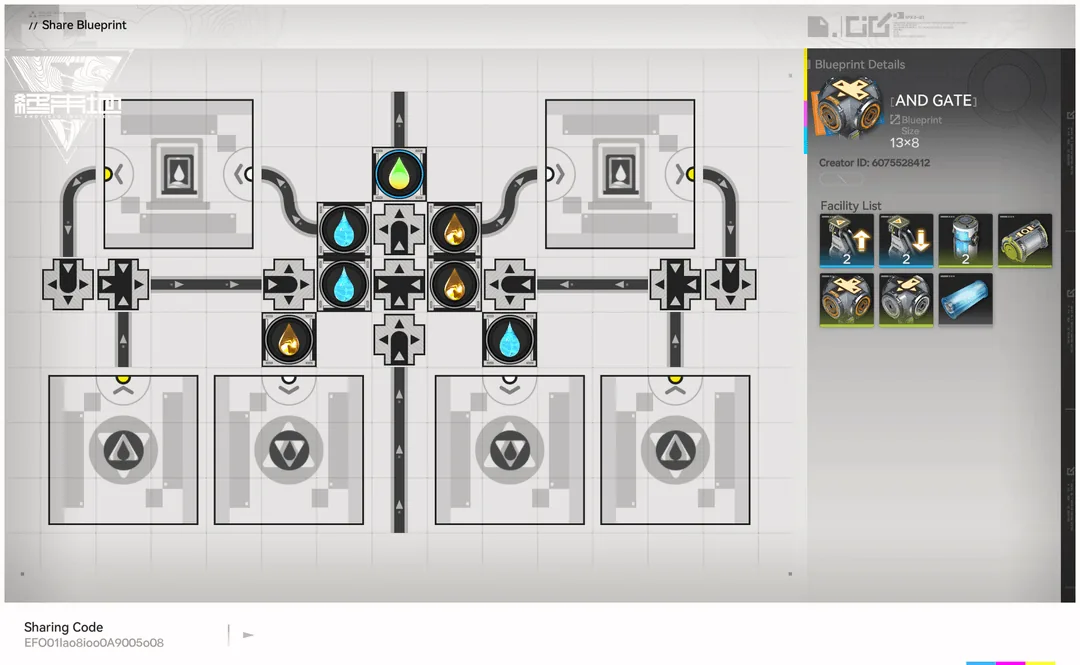
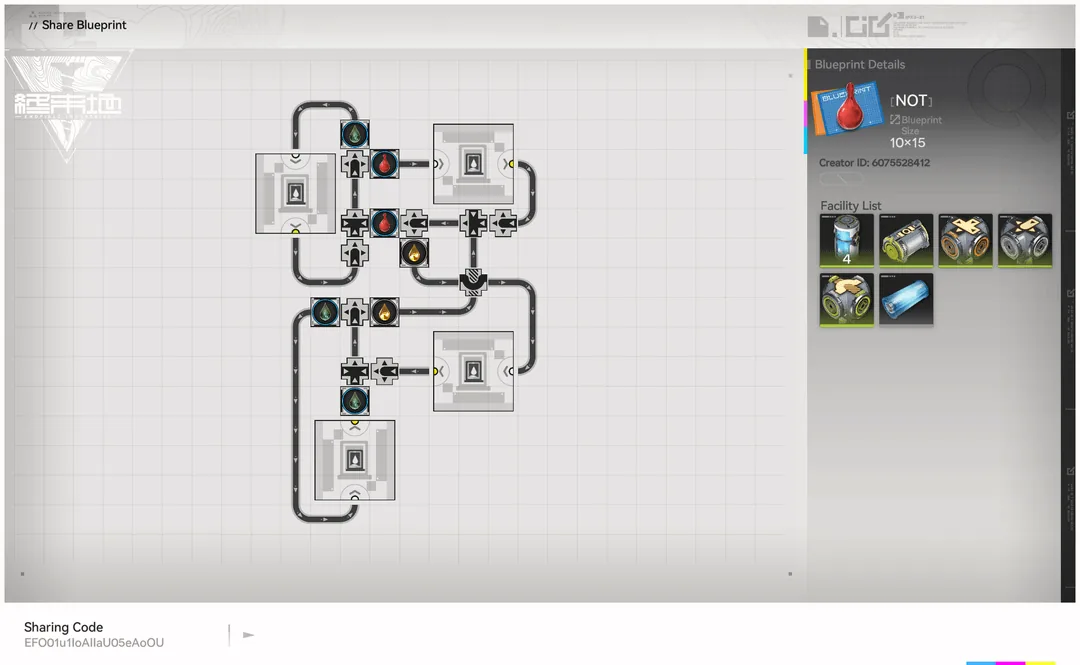
Liquid Logic Gate Collection (AND / NAND / OR / NOR / XOR / NOT)
A full collection of working boolean logic gates built entirely out of liquid flow in Arknights: Endfield. The trick: when a Splitter sits directly in front of a Converger, the Converger only draws from that Splitter if its capacity is not already maxed by the other inputs, so those other inputs take priority. Chain that priority behaviour together and one fluid stream can block another, giving you full AND, NAND,OR, NOR,XOR / Half Adder, and NOT behaviour.
These were optimised for the number of pipe logistics pieces (not just space), because the Wuling Main AIC has a hard limit of 128 pipe logistics parts. Each gate below lists its piece count so you can budget a circuit: a Full Adder, for example, needs 2 Half Adders plus an OR plus 3 inputs, so 32 + 32 + 15 + 3 = 82, leaving 46 pieces for everything else.
Credit: community blueprint collection from Reddit. NA/EU codes only.
How to Read the Gates
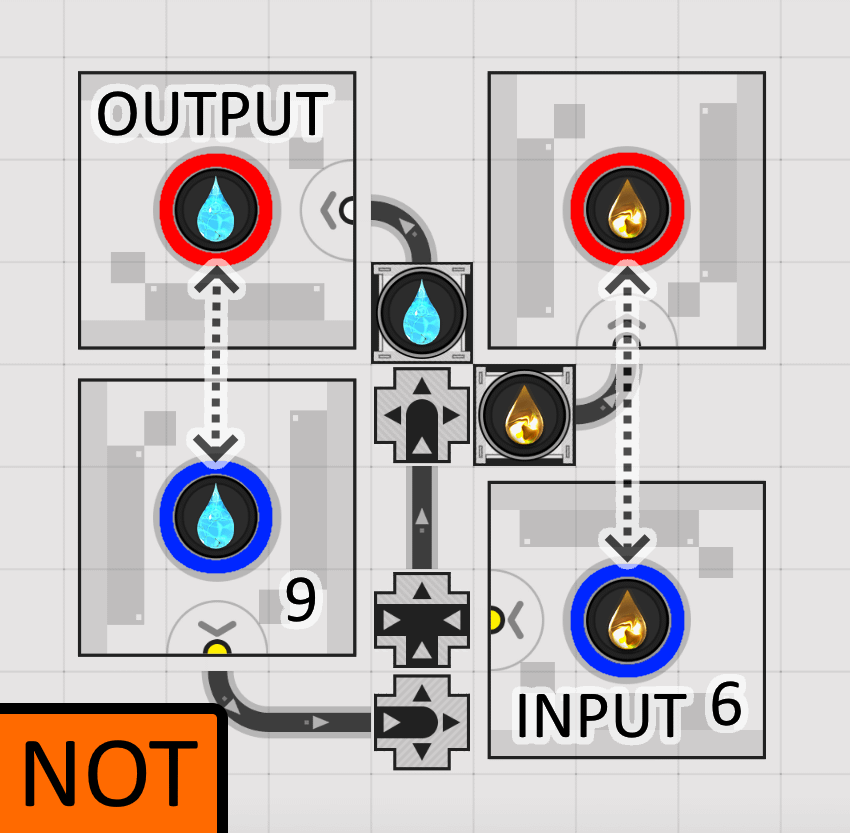
A liquid symbol inside a blue circle marks a Tank or Outlet you need to fill, and the number next to it is the minimum amount of liquid required. When chaining gates, it is enough to fill one of the connected Outlets/Inlets by the sum of the connected numbers.
Swap liquid types so the input and output of chained gates match. Example: OR outputs Water by default, but NOT takes Acid as its input, so change NOT's Acid to Water (which also means changing the Water used elsewhere in NOT to a different liquid).
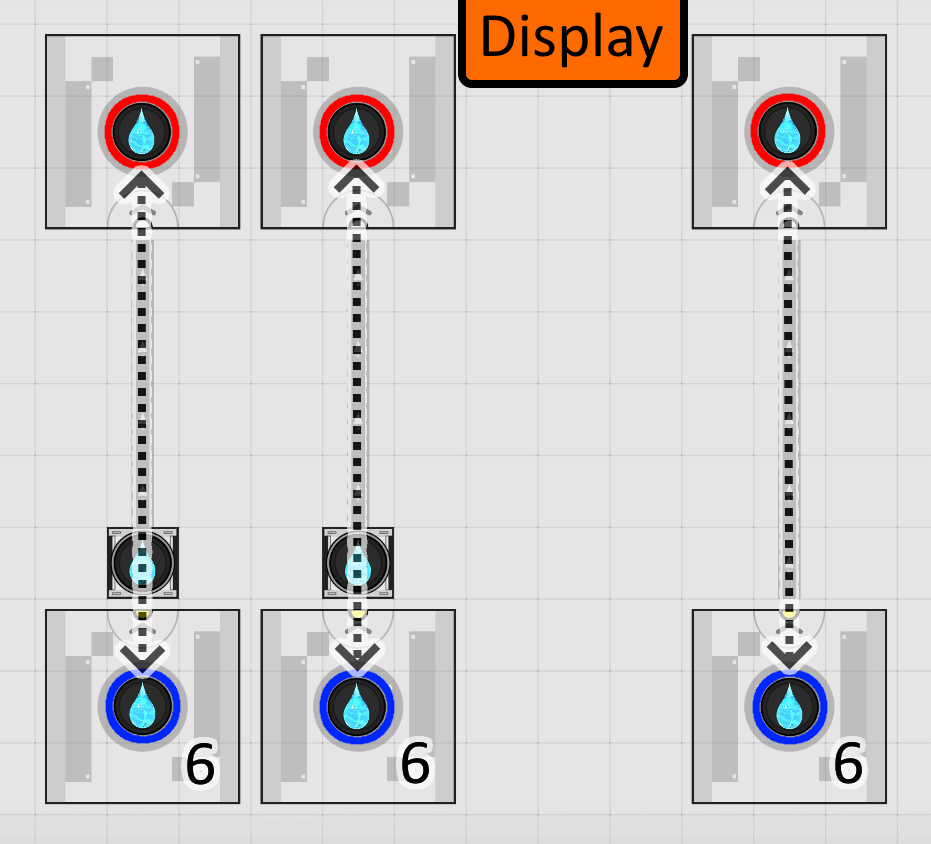
Normally you control inputs through the Display's control ports and read the output there too. If you are not using a Display, the dotted arrows show how to connect the Inlets and Outlets directly.
Important: after placing a blueprint the priority trick may not work instantly. If a gate misbehaves, delete and replace any Splitters sitting in front of Convergers (not the ones behind them with control ports coming off).
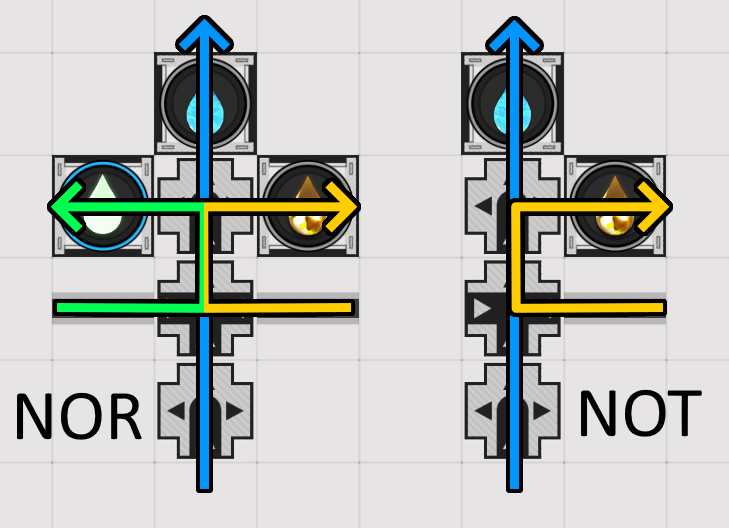
Splitter-before-Converger priority blocking the output stream
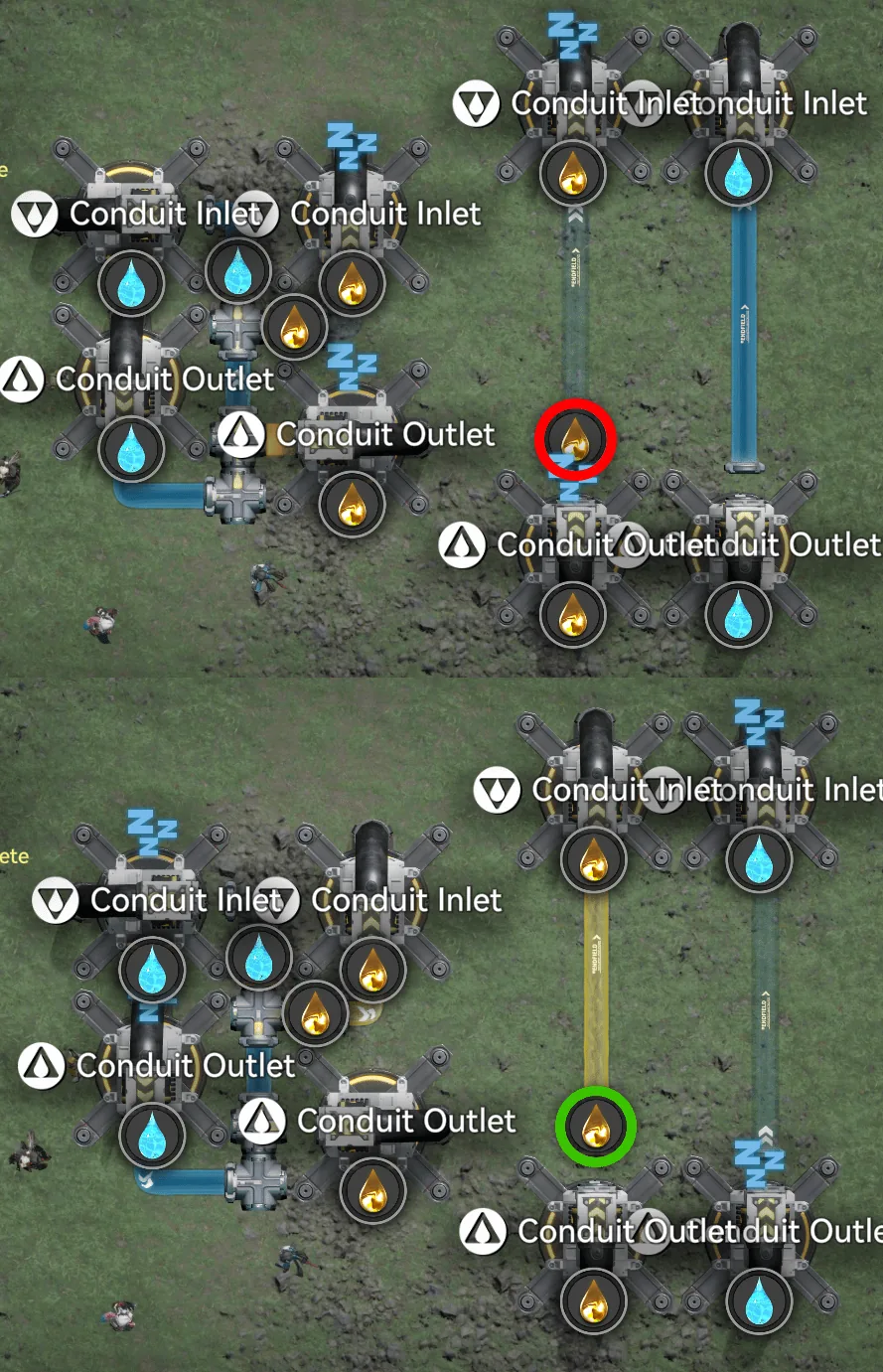
In-game: blocked (red) versus flowing (green)
Gates, Codes & Pipe Logistics (NA/EU)
Each card lists the blueprint code and the number of pipe logistics pieces the gate consumes.
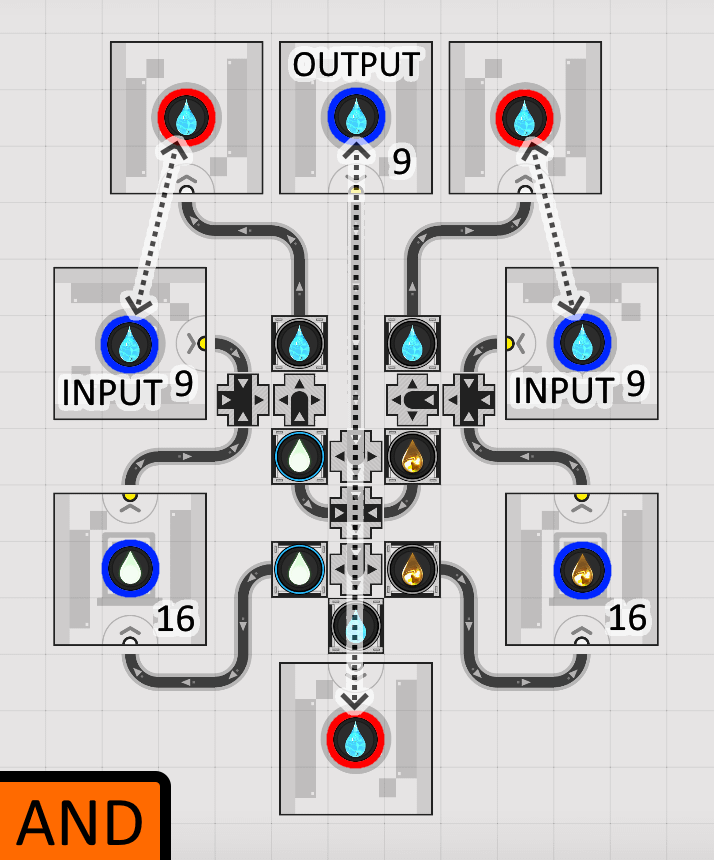
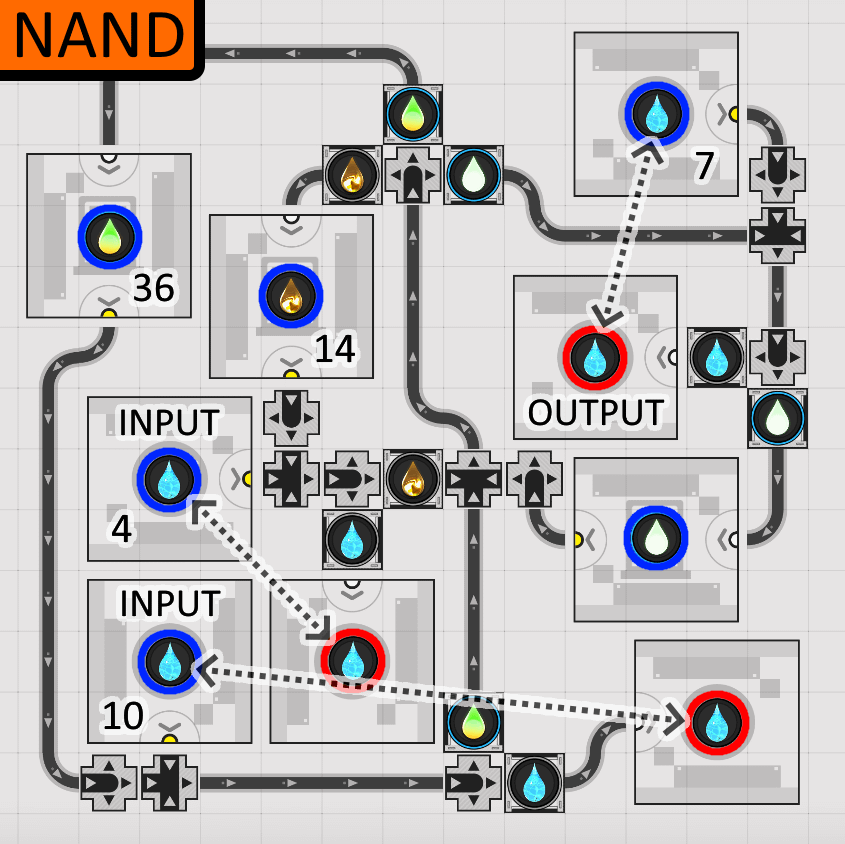
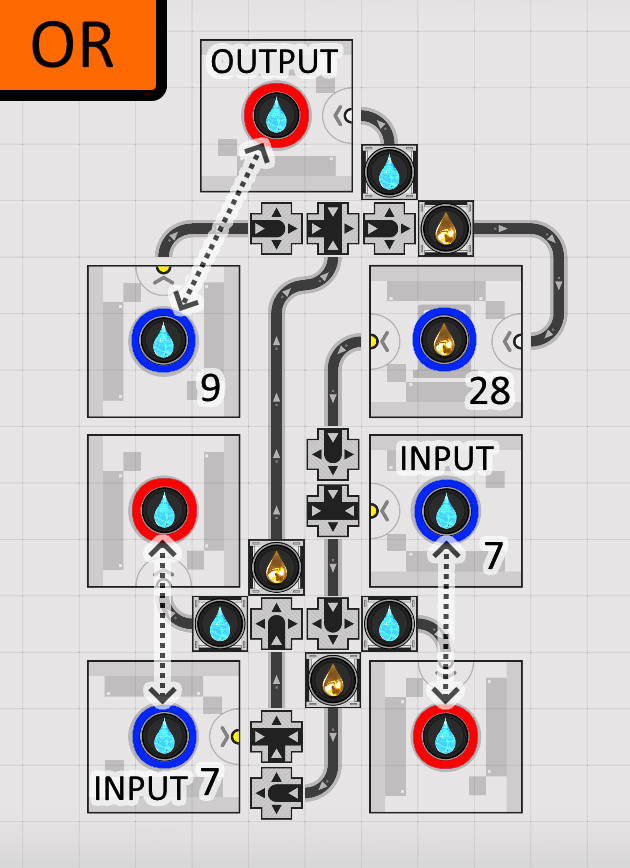
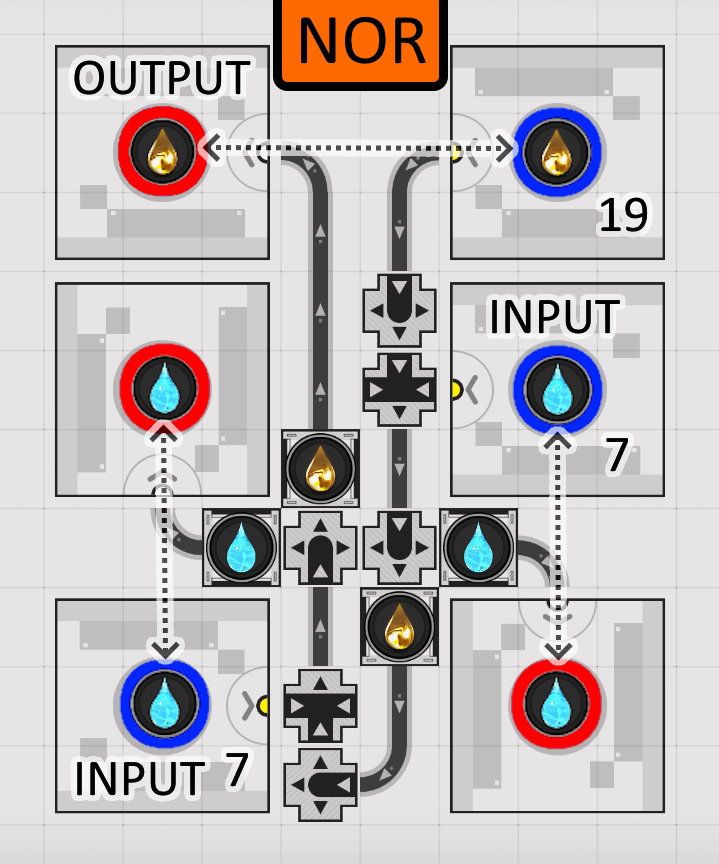
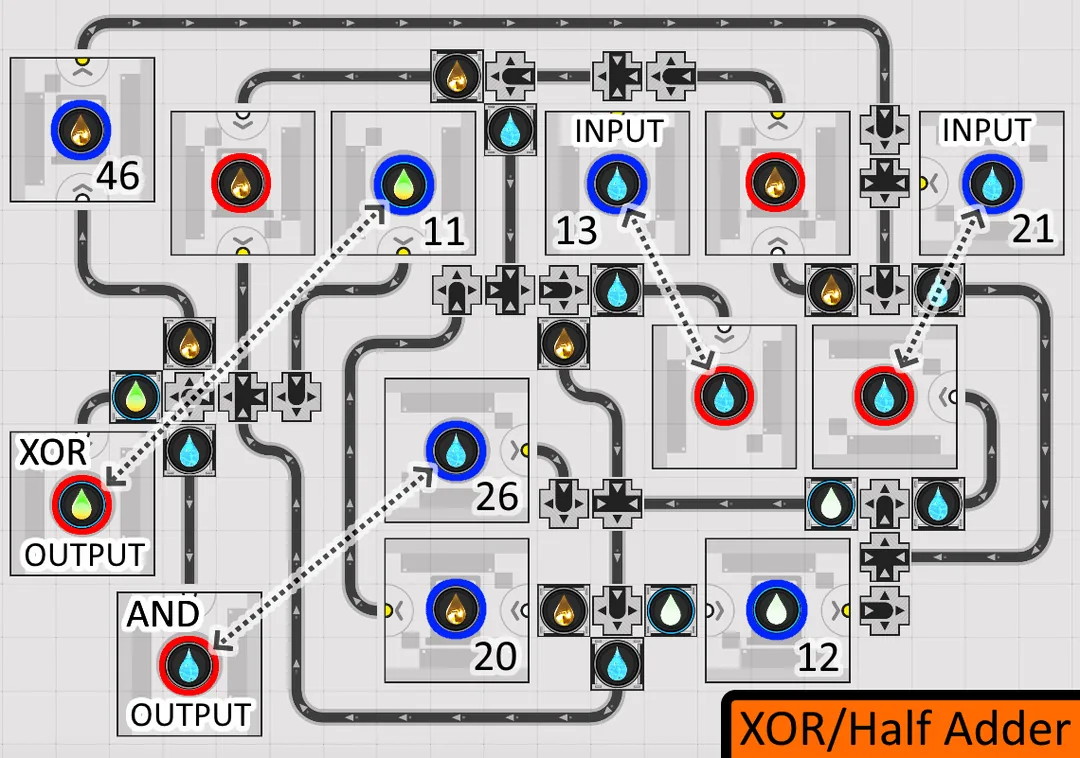
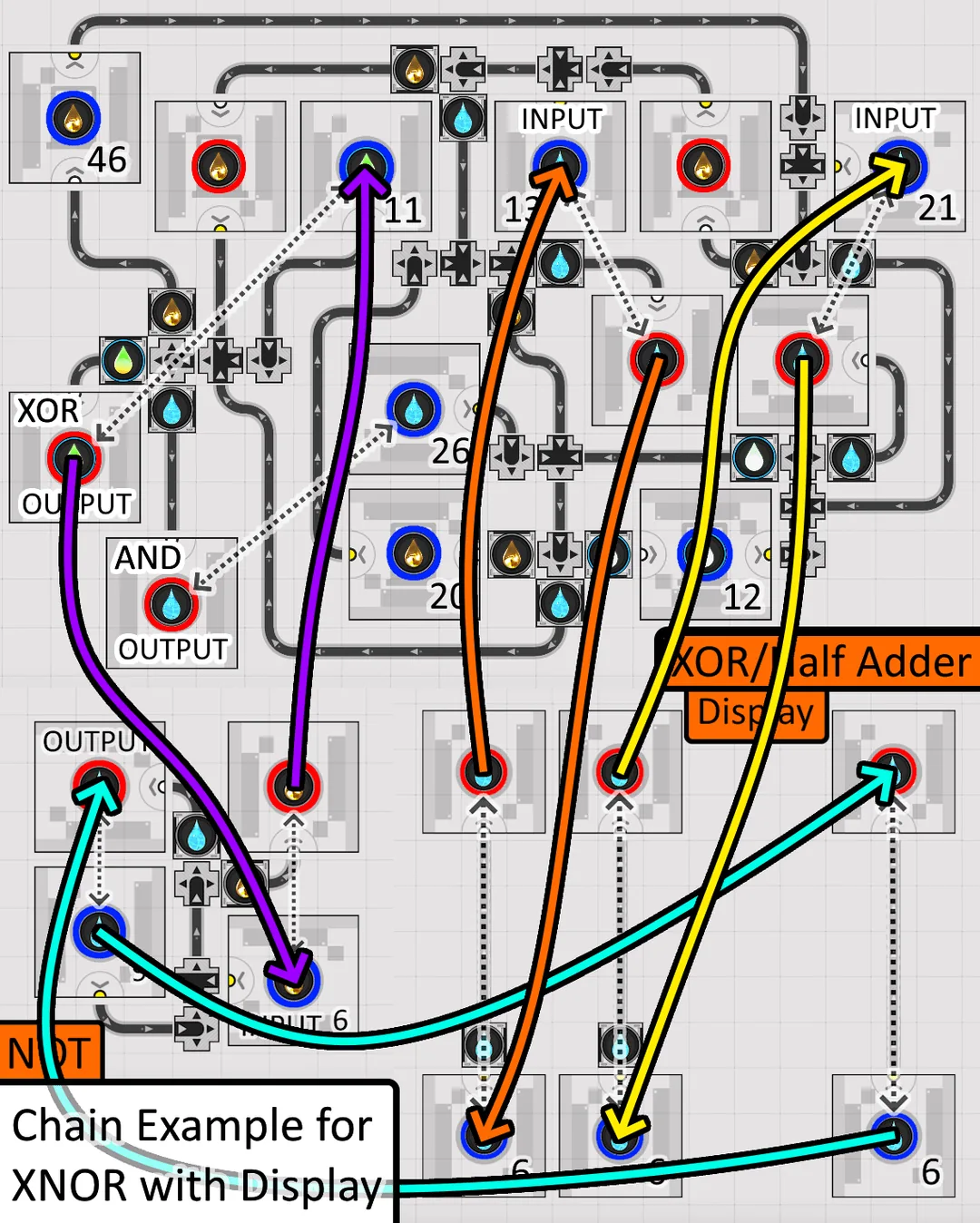
Chaining Example: XNOR with Display
The XOR doubles as a Half Adder: it also exposes the AND used in the AND + NOR conjunction that makes up the XOR. If you do not need that AND output, connect its Inlet and Outlet directly.
The diagram shows how the gates wire together (here an XNOR routed through a Display), with each colour tracing one liquid path from input to output.

Tap through for today's price on the official store. Affiliate link, we may earn a commission.