AIC SUPPORT: CHUBBY LUNG ATTACKS
Table of Contents
AIC Support: Chubby Lung Attacks is the patch 1.5 production event. It runs from September 16 at 12:00 to September 30 at 16:00 server time, with Phase 2 opening on day 8 and the Goods Exchange staying open until October 7 at 04:00. The limited recipe makes Xiranite Chubby Lung, which you submit at the Wuling outpost for Wuling Stock Bills and Fruits of Altruism Certs. This guide covers the Phase 1 build, three blueprints, with Asia and NA/EU codes. For Phase 2, the Heavy Xiranite Chubby Lung blueprint is Part 15.
It is written as an add-on to the Part 13 Wuling 1.5 mega base, and it temporarily takes apart pieces of that base to free up the materials. The Part 12 overflow protector is what stops the line clogging once you are producing more than you can sell. For single purpose factories outside the event, the Blueprint Curation hub indexes everything by purpose.
Quick Answer
Complete the event story first so the Xiranite Chubby Lung recipe unlocks, then import three blueprints. You free up materials by stripping the separator core section out of the Marker Stone top, stopping consumption on the Core AIC bottom side, and clearing the Yinglung Pass sub AIC. From there you pick one of two shapes: Event YP P1, a single all-in-one deployment for a free Yinglung Pass sub AIC, or Event P1 Md, the same line as a modular block you lay four times anywhere you have space. Event P1 EX then burns the leftover Cuprium so the battery line does not clog. At full speed this makes 25.5 Xiranite Chubby Lung per minute, which is 1,530 an hour. All codes are region locked for Asia and NA/EU.
Requirements & Access
Before anything else, finish the event story. The Xiranite Chubby Lung blueprint recipe does not exist on your account until you do, and the factory will not build a recipe it has not unlocked.
The full speed version assumes you are running the 1.5 mega base at complete yields. Specifically:
- Mining Rigs on every Cuprium ore node across all maps.
- Regional Development Level 24, which puts mineral purity at maximum.
- 510 Cuprium per minute of ore yield at that purity.
- 360 Xiranite per minute. The battery line already takes 120, so 240 is what the event build has to work with.
- A Xiragen conduit carrying more than 36 per minute reachable from wherever you deploy.
If you are short on any of that, skip to the modular option and deploy fewer copies. Each copy consumes 120 Cuprium and 60 Xiranite per minute, so you can size the build down to whatever your base actually produces instead of chasing full speed.
Xiranite Chubby Lung Blueprint Codes
Import the codes first: open Blueprints, go to Shared Blueprints, click Import Blueprints, and paste the code that matches your server region. Codes are region locked, so Asia and NA/EU are not interchangeable.
If you are typing by hand on console, three things catch people. There is no letter L anywhere in these codes, upper or lower case, so anything that looks like one is a digit 1 or a capital I. The codes mix the letter O and the digit 0, and they are not interchangeable. And a stray space at the start or end will reject the import without telling you why. The copy buttons below remove all three problems.
| Blueprint | Asia Server Code | NA/EU Server Code |
|---|---|---|
| Event YP P1 | EFO01u8U47U756008AEOU | EFO01eE7U8o22A4uAo9i8 |
| Event P1 Md | EFO01A7u13u3a4E769ieO | EFO0172UA3844i54uO2Ai |
| Event P1 EX | EFO01521e6167oui2e7oe | EFO01U4Aiu355eO3o71a8 |
You need all three. Event YP P1 is the all-in-one full size deployment, Event P1 Md is the modular block you repeat four times, and Event P1 EX is the extra line that keeps your Cuprium in balance. Pick YP P1 or Md, not both, then add EX either way.
Step 1: Marker Stone Top
Go to the Marker Stone sub AIC and look at the top side. If you are running the Part 13 1.5 blueprints, delete the small section that makes Separator Cores and keep the three Cuprium lines. That one deletion is all this step needs.
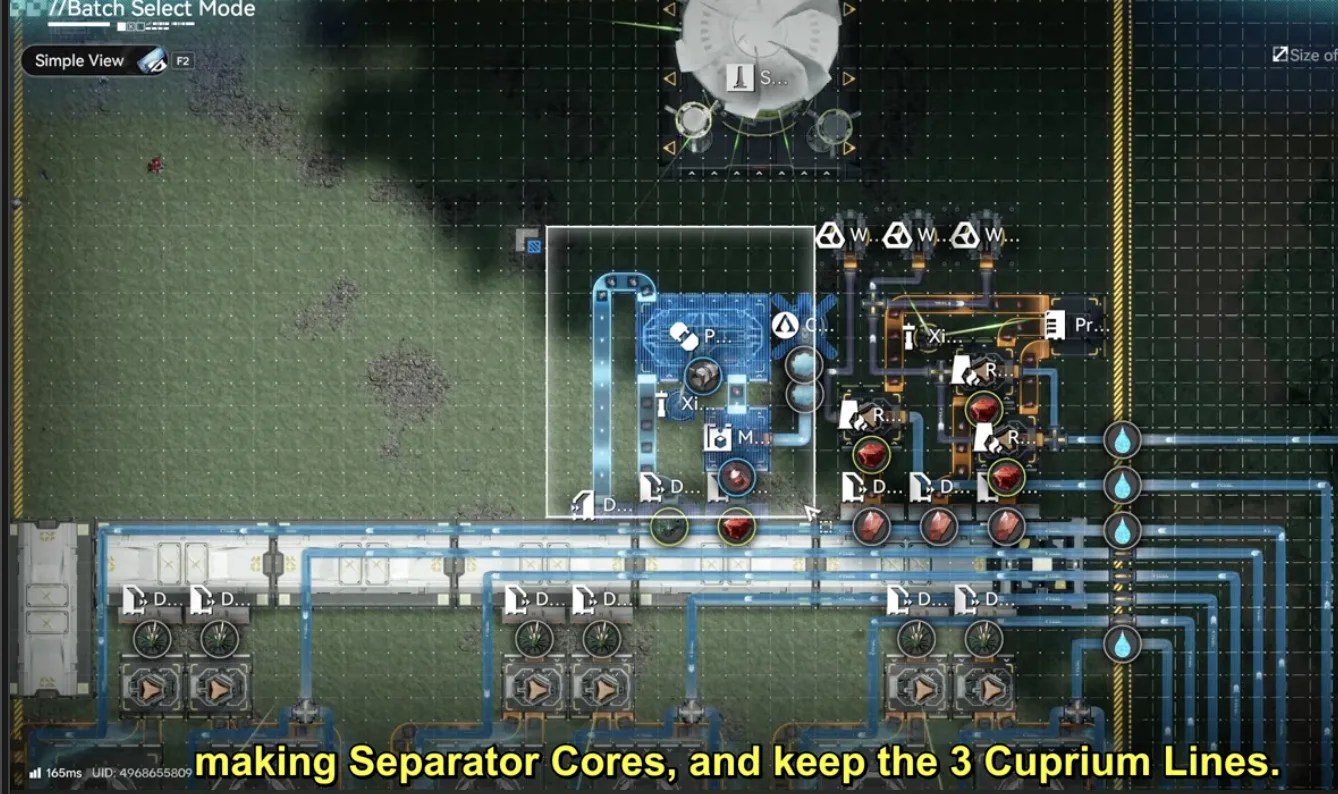
Delete the Separator Core section, keep the three Cuprium lines
If you have not upgraded from 1.4 to 1.5 yet, clear the whole top side first, lay down 1.5 MS Top from the Part 13 guide, then delete the Separator Core part as above. Once the event finishes you delete this again and re-import 1.5 MS Top to put the sub AIC back to normal.
Step 2: Core AIC Bottom
On the Core AIC, the bottom side machines need to stop consuming. Do not delete them. Select the group and move everything down one or two tiles so it disconnects, or save a temporary blueprint of the section first and then delete it. Either way you can put it straight back after the event.
One exception: do not delete the Inergen outlet. Move it somewhere out of the way instead, so you do not have to run the connection again later.
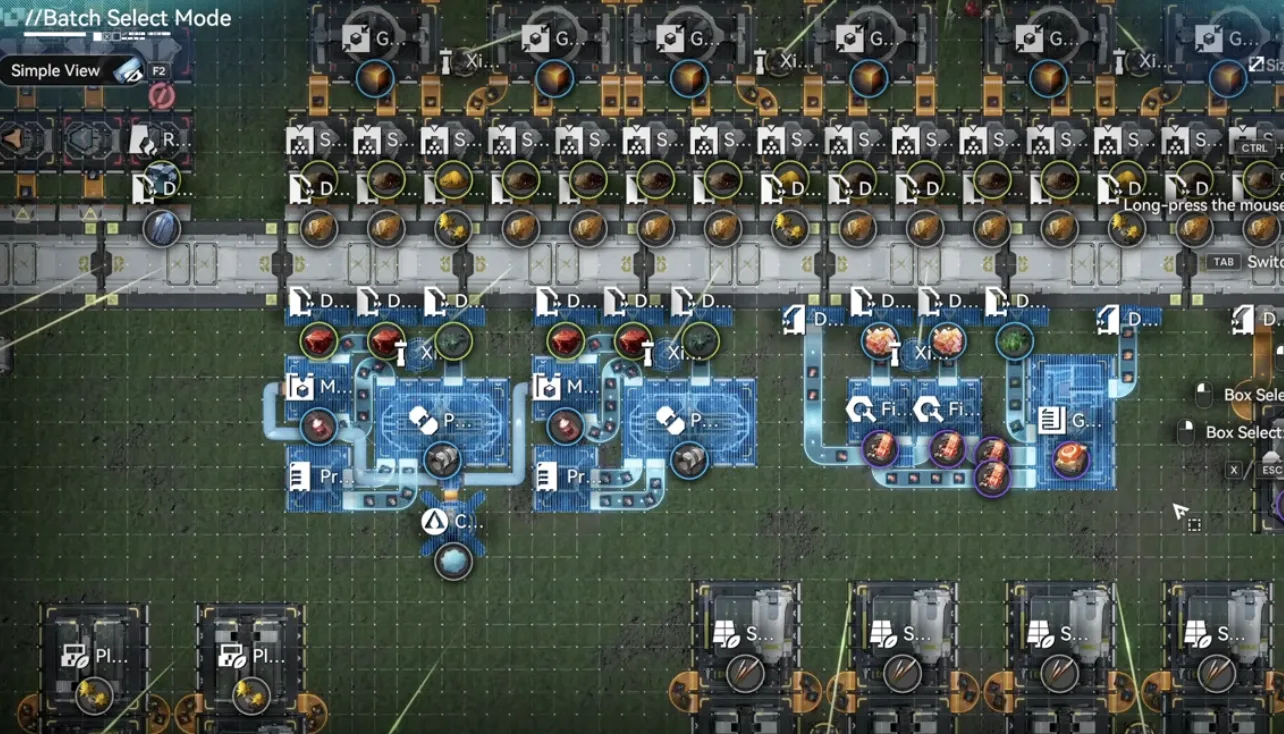
Shift the bottom side down a tile instead of deleting it
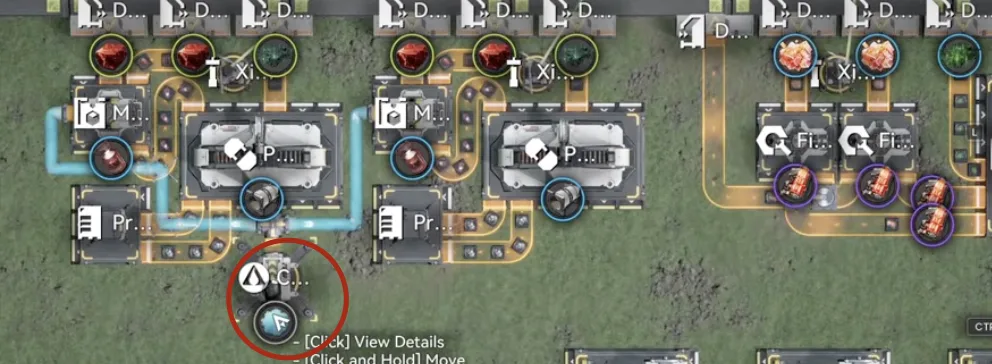
Move the Inergen outlet aside, never delete it
Step 3: Clear Yinglung Pass
The Yinglung Pass sub AIC gets emptied. Before you delete anything, move the resource conduits out so they sit outside the blueprint boundary, along the left side and the bottom, where you can pick them up again. After the event they plug straight back into the Part 13 blueprints.
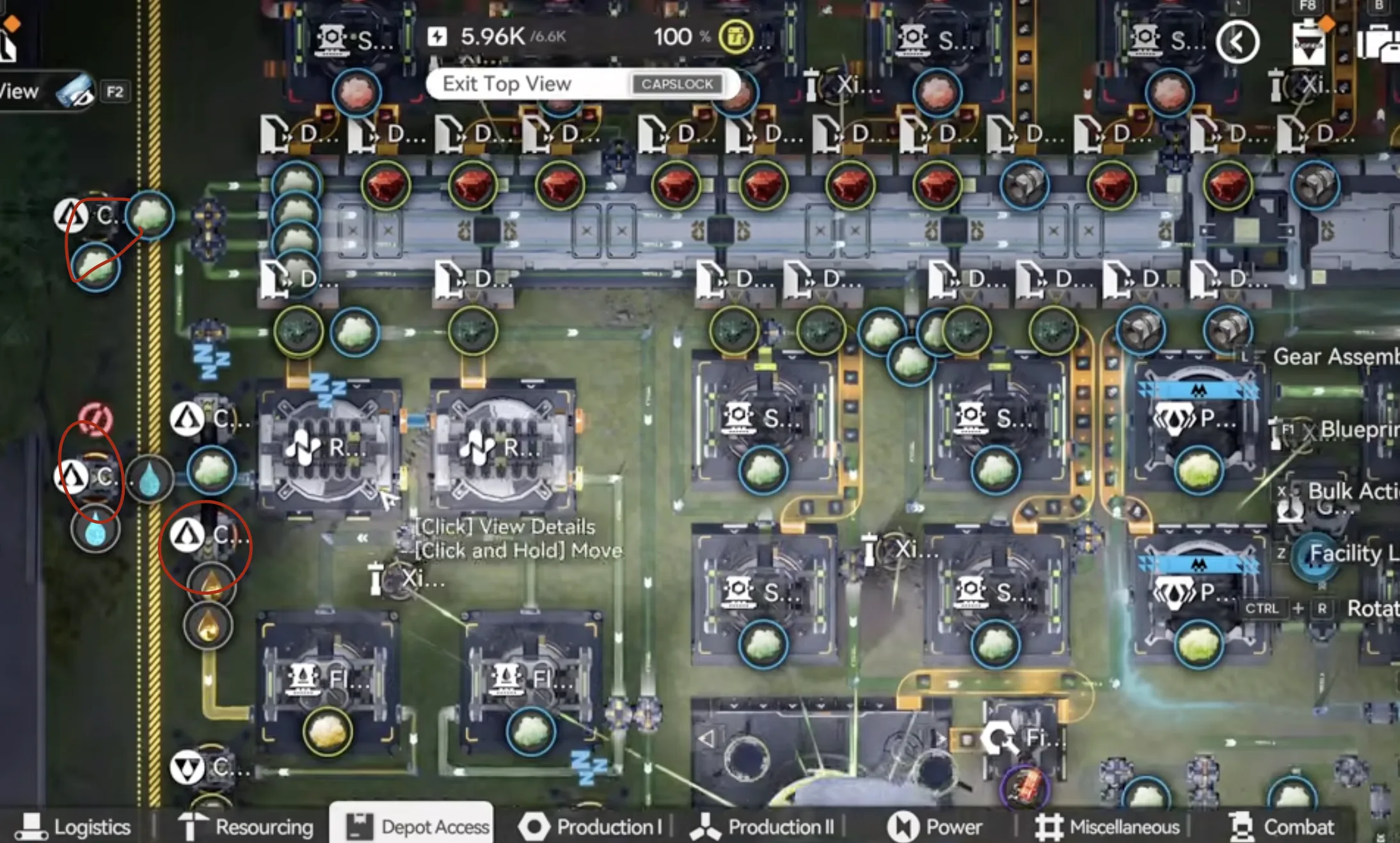
Park the left side conduits outside the boundary
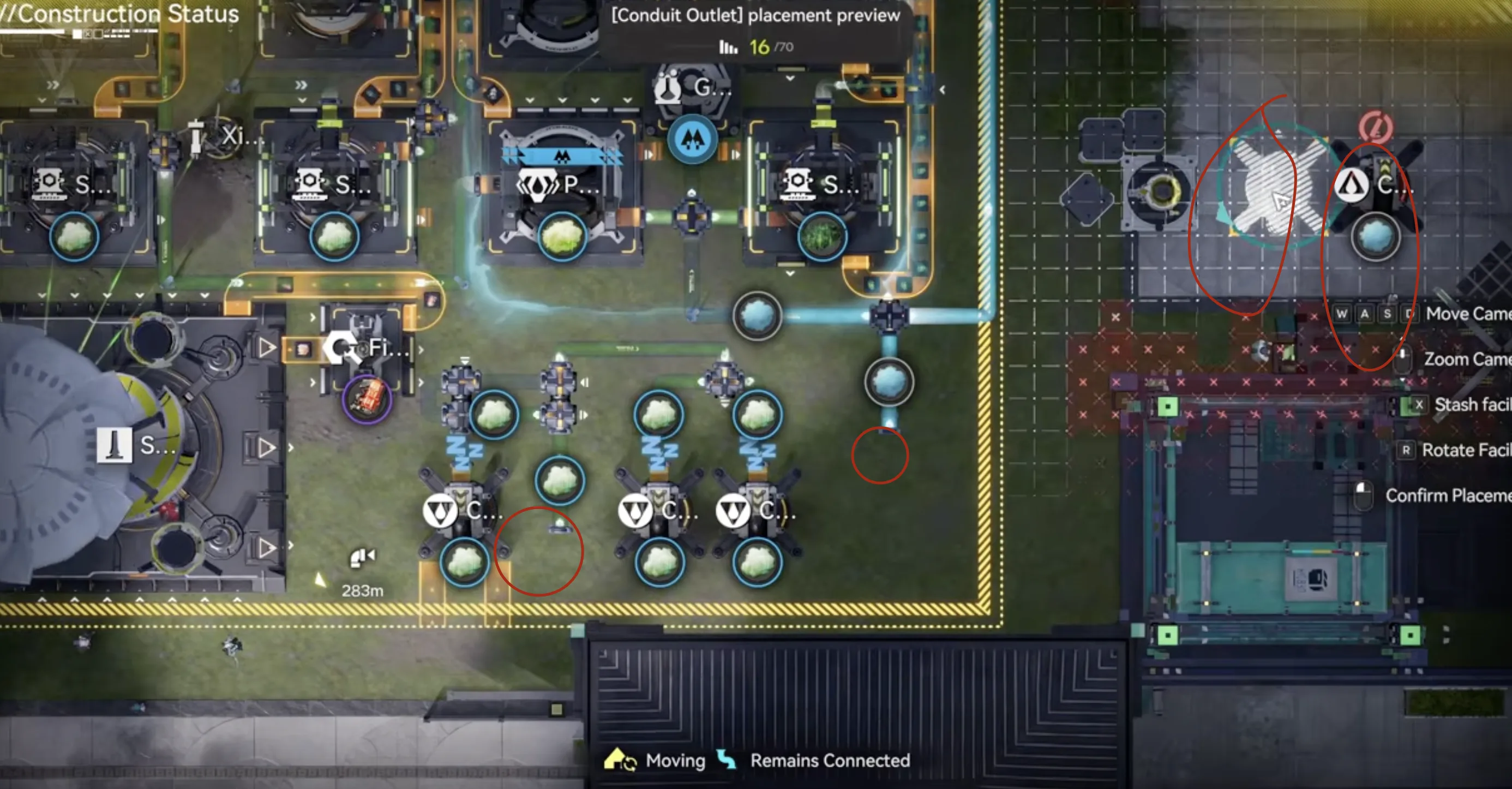
Same for the bottom edge conduits
With the conduits safe, delete everything inside, then move the core to the bottom right. The build is a full size upgrade, but you can deploy it anywhere that has the space and a Depot Bus.
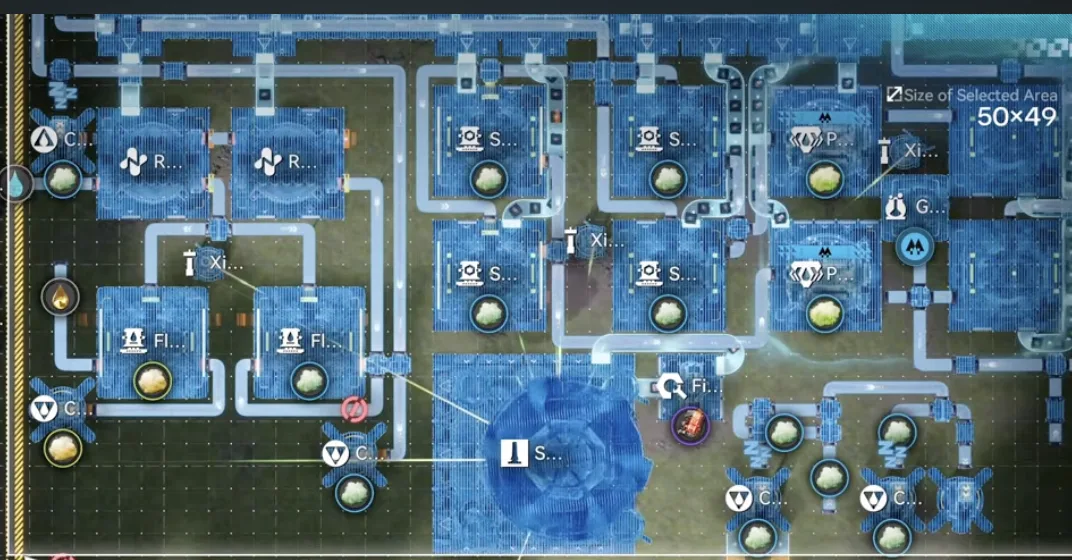
Clear the sub AIC once the conduits are out
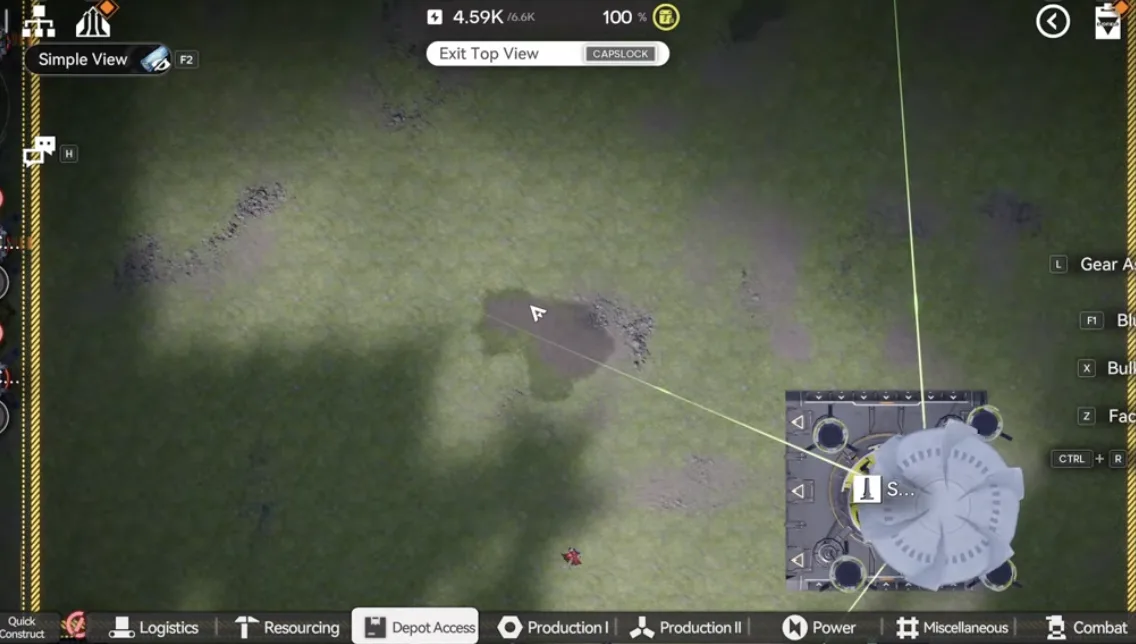
Move the core to the bottom right
Option A: All-in-One
Deploy Event YP P1. This is the single blueprint version, and it is the one to use if Yinglung Pass is free.
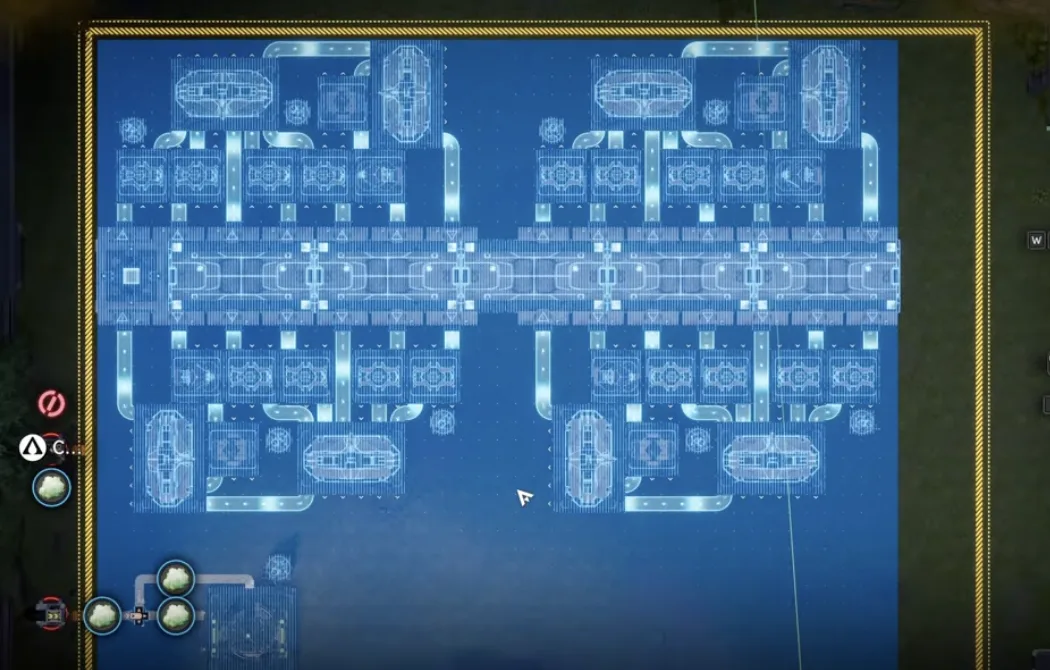
Event YP P1 covers the whole sub AIC in one placement
Now rotate the core so its outputs face left and right, and slot it into place. Set the middle right output to Xiranite and the bottom output to Cuprium.
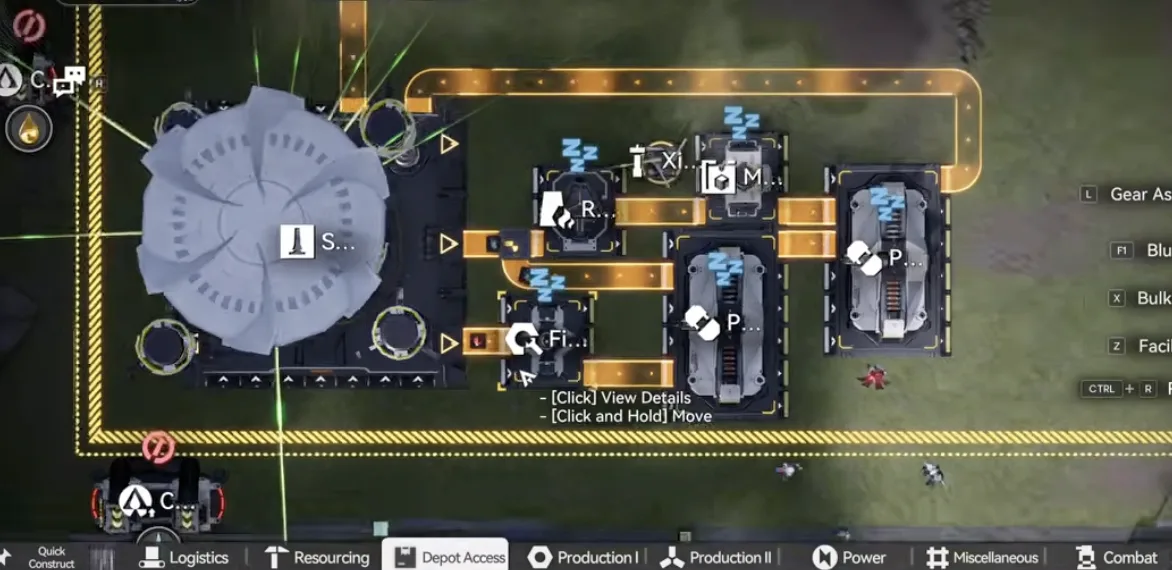
Middle right output Xiranite, bottom output Cuprium
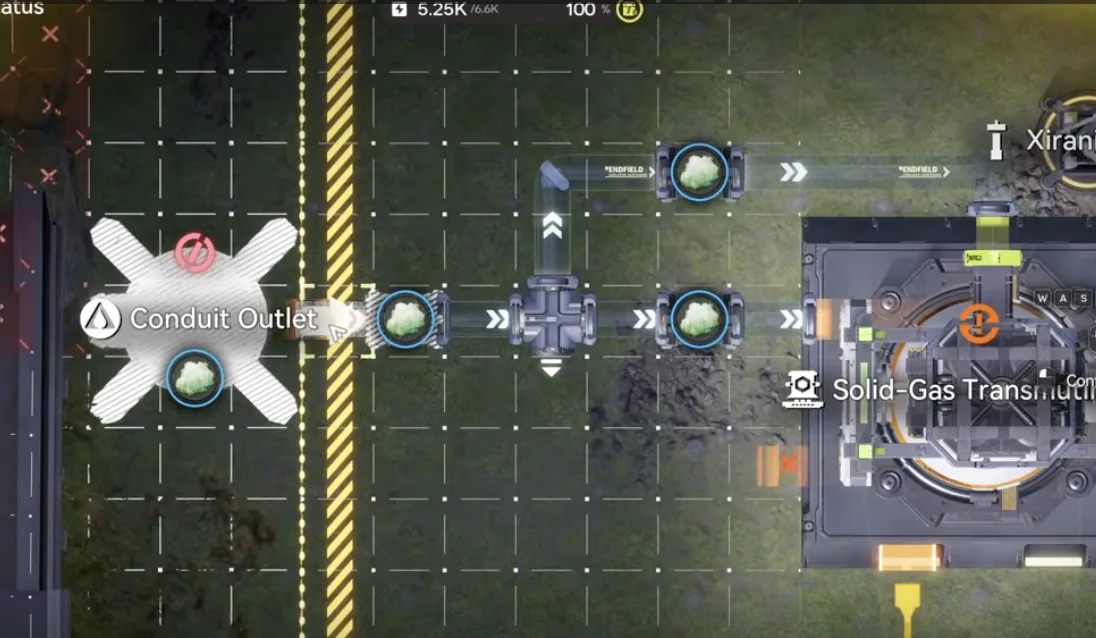
Any Xiragen conduit above 36 per minute will do
Last, move your conduit in and connect it. It does not matter whether it is the 100 per minute line from the North Wuling Exclusion Zone or the 50 per minute line from the Snowy Forest. As long as the conduit carries more than 36 Xiragen per minute it works. That is the all-in-one build finished.
Option B: Modular
If you would rather keep the line portable, or deploy it in a different sub AIC entirely, use Event P1 Md. Prepare a row of Depot Bus, then lay the modular blueprint along it and repeat it four times.
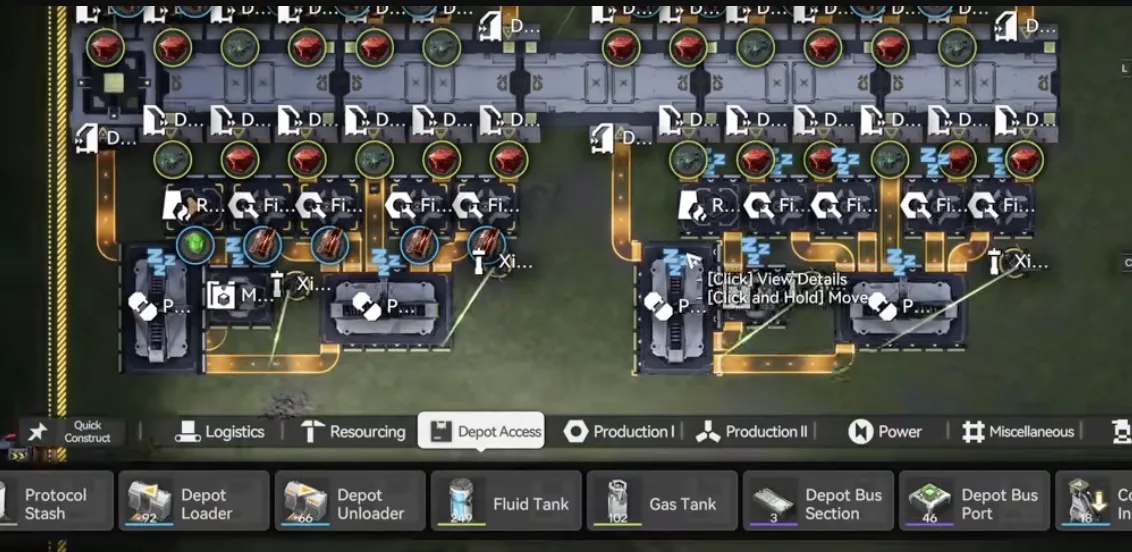
Lay a Depot Bus row, then repeat the module four times
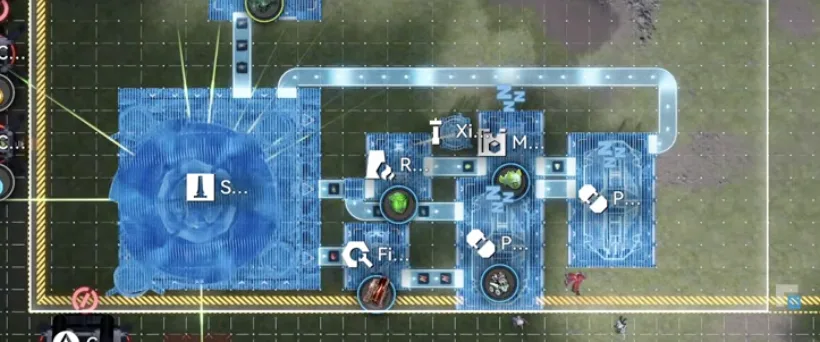
Same output assignment as the all-in-one version
That is the whole modular build. Because each copy is self contained you can put it anywhere with free space, and you control the scale: every copy consumes 120 Cuprium and 60 Xiranite per minute, so only repeat it as many times as your resources allow.
The Extra Cuprium Line
Deploy Event P1 EX on the bottom side, move the Xiragen output across, and connect it. Same rule as before, the conduit needs more than 36 Xiragen per minute. Then move the core into place and set the middle output to Xiranite and the bottom right output to Cuprium.
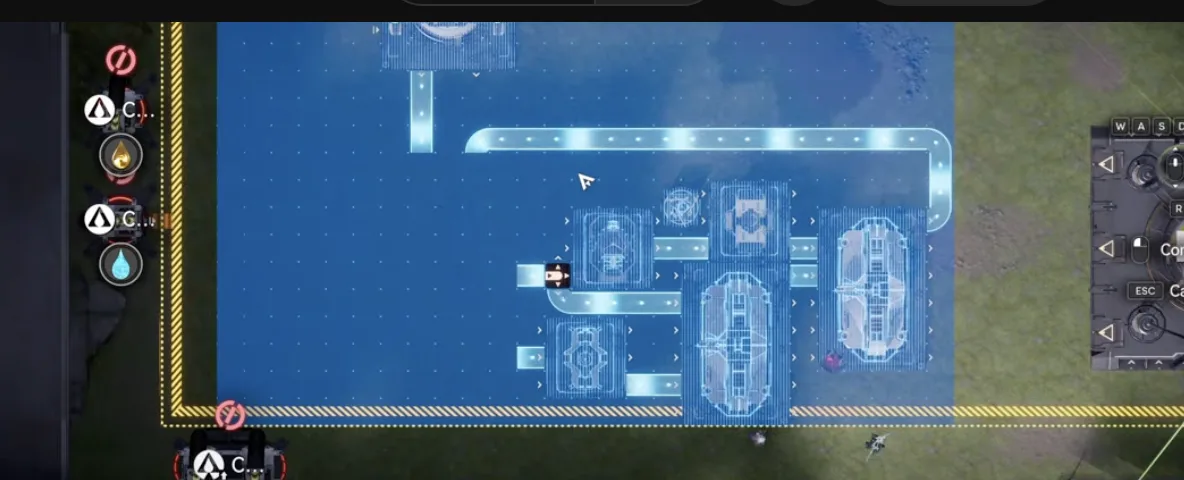
Event P1 EX goes on the bottom side
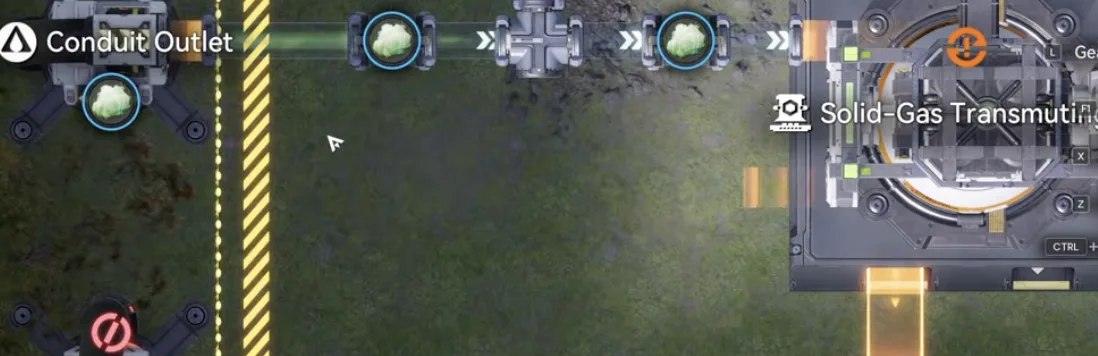
Move the Xiragen output across and connect it
This section exists to eat the 30 Cuprium per minute that nothing else is using. It matters because your battery line runs on the sewage that Cuprium refinement produces. Stop consuming Cuprium and the sewage stops with it, and the battery line clogs.
If you would rather not run the extra line, the alternative is to go back to the Marker Stone sub AIC and remove one Cuprium Refinement Unit instead. Either way, Cuprium yield ends up in line with Cuprium consumption, which is also why the build needs one more Xiranite line, easily covered by a Gas to Solid machine.
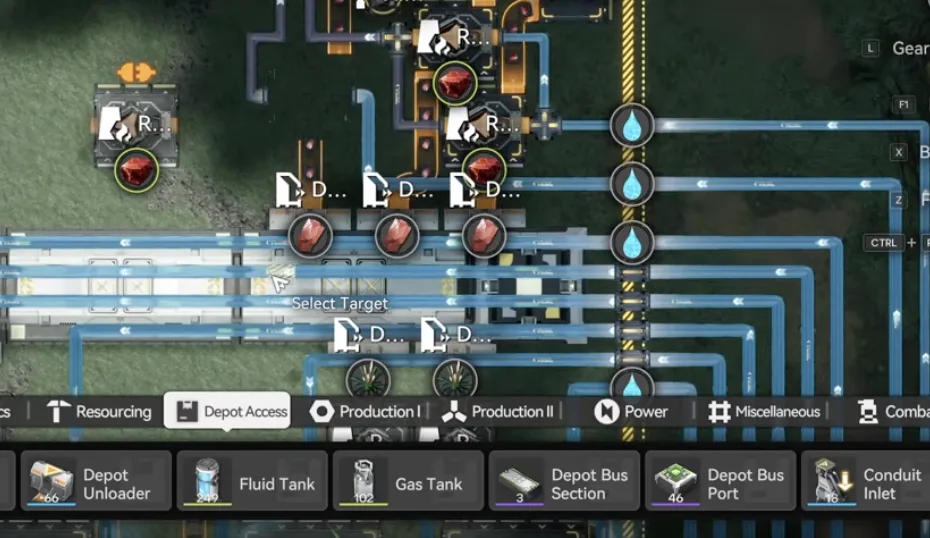
The alternative: remove one Cuprium Refinement Unit on Marker Stone
If You Lack Yinglung Pass
No Yinglung Pass sub AIC yet? You have two choices. Catch up by pushing the main story until the Snowy Forest unlocks, or skip it entirely and use the modular blueprint somewhere else. The only thing that matters is the budget: 120 Cuprium and 60 Xiranite per minute per copy. Make sure you have the resources before you start repeating it.
Production Summary
Each Xiranite Chubby Lung sells for 100 Wuling Stock Bills and 10 Fruits of Altruism Certs. With the event stock bill buff applied, the total requirement works out to 122,617 Stock Bills per hour.
At full speed these blueprints craft 25.5 Xiranite Chubby Lung per minute. That is 1,530 an hour, worth 153,000 Stock Bills an hour, comfortably above the requirement.
- Per minute: 25.5 Xiranite Chubby Lung
- Per hour: 1,530 crafted, 153,000 Stock Bills of value
- Per day: 36,720 crafted against 29,318 sold
- Daily surplus: roughly 7,402
So the full speed build overproduces by design. That surplus is the next problem to solve.
Handling Overproduction
Producing more than you sell will eventually back the line up, and because the battery line depends on the sewage from Cuprium refinement, a stalled Chubby Lung line can take the battery line down with it. Two ways to deal with it.
Automatic. Set the overflow protector to Chubby Lung. Once the depot limit is reached, the extras are destroyed without slowing the factory down, so nothing clogs. This is the set and forget option.
Manual. Move the extra Chubby Lung to the Valley IV depot yourself. More work, but nothing gets destroyed.
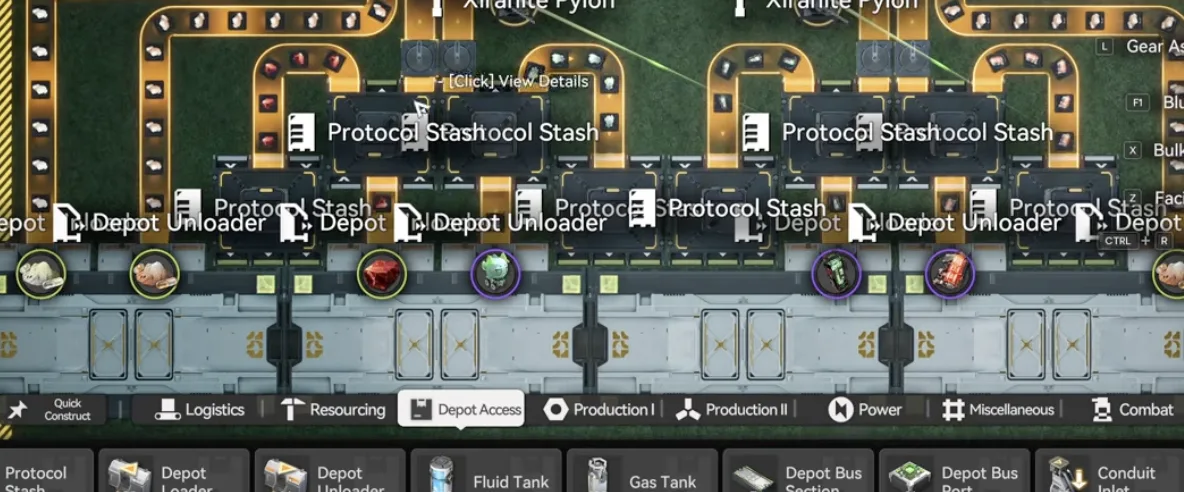
Set the overflow protector to Chubby Lung
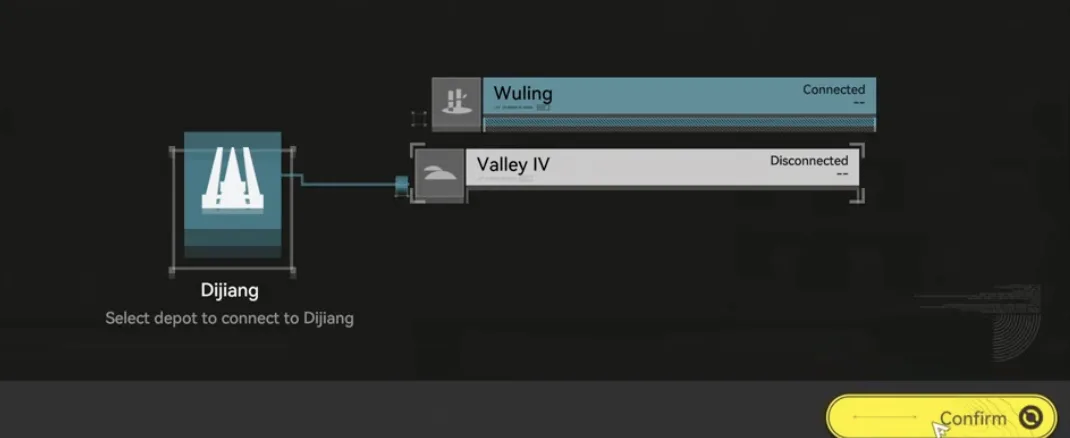
Or hand-move the surplus to the Valley IV depot
Either choice is safe at the end of the event. Any support goods you produced but never traded are auto-converted to Stock Bills and Fruits of Altruism Certs and mailed to you, and if that conversion would take you past the Stock Bill cap, the excess becomes Certs instead. The previous AIC event had no unlimited exchange item in the Phase 2 shop, so it is worth waiting to see whether this one does before you decide how aggressively to trim the surplus. If it does, the extra production turns into T-Creds. If it does not, the auto-conversion still catches it.