WULING 1.4 SUB AIC TEMP GEAR COMPONENTS BLUEPRINT
 Level Up & Save at RazerUp to 25% off when you buy any 2 eligible Razer items: keyboards, mice, headsets, and more.Shop Razer Deals
Bundle any 2 items. Offer runs through 31 December 2026. Affiliate link, we may earn a commission.
Table of Contents
Patch 1.4 adds a new set of gear components, and this guide is a temporary sub AIC blueprint that lets you start crafting them right away, well before the full 1.4 mega base is ready. It does not require you to fully unlock the new map. The only real requirement is finishing the main story up to the point where you defeat the final new boss, after which you can accept the exploration mission that opens the AIC plan and unlock the two nodes this build needs. Deploy it and it produces roughly 2 Pyrrolite components per minute, enough to get the new gear lines moving while the ultimate base guide is being finished.
This is a direct follow up to Part 9, the Wuling 1.3 Sword Vault Dale Mega Base, and it assumes you already run one of the earlier Wuling bases, since it feeds off your existing Cuprium, Xiranite, and Heavy Xiranite supply. If you are new to Wuling, start with Part 1 for the upstream Valley IV pipeline and Part 5 plus Part 8 for the base this one extends. For single purpose factories, the Blueprint Curation hub indexes everything by purpose.
Quick Answer
This is a temporary 1.4 sub AIC factory that produces about 2 Pyrrolite components per minute so you can start making the new gear early. Access is easy: finish the main story through the final new boss, accept the exploration mission that unlocks the AIC plan, and complete just the opening part to unlock the two plan nodes. Then place your Mining Rigs in the new Cuprium spots on the new map for 60 Cuprium ore per minute. The build takes that ore plus roughly 20 Xiranite and 4 Heavy Xiranite per minute from your existing base. There is one blueprint code, region locked for Asia and NA/EU. It is not a maximum efficiency layout, it is a fast way to unlock the new gear while the full 1.4 base is still in progress.
Requirements & Access
You do not need to fully unlock the new map. Finish the main story up to the part where you defeat the final new boss, then accept the exploration mission that opens the AIC plan and do just the beginning of it. That opening section is enough to grant access to the two AIC plan nodes this build uses. Make sure both nodes are unlocked before you continue.
With the nodes unlocked, put your Mining Rigs in the new Cuprium spots on the new map. Those rigs supply 60 Cuprium ore per minute, which is the anchor input for the whole layout. If your ore income is lower than expected after deployment, missing or misplaced rig connections are the first thing to check.
Blueprint Code
There is a single blueprint for this build, the 1.4 Temp sub AIC layout. Import it the usual way: open Blueprints from the facility menu, switch to Shared Blueprints, click Import Blueprints, and paste the code that matches your server region. The copy buttons below avoid the most common typo, the letter O versus the digit 0, and watch for stray leading or trailing spaces, which throw an import error. Codes are region locked, so Asia and NA/EU are not interchangeable.
| Blueprint | Asia Server Code | NA/EU Server Code |
|---|---|---|
| 1.4 Temp | EFO017i89o8o6E5u6O2Ai | EFO0172UA69eOA5AO2Ai |
Preparation Phase (Inputs)
Before deploying anything, get the sub AIC and its input lines ready. Start by upgrading the sub AIC to size one with Area Expansion one. Then set up the four input feeds the build needs:
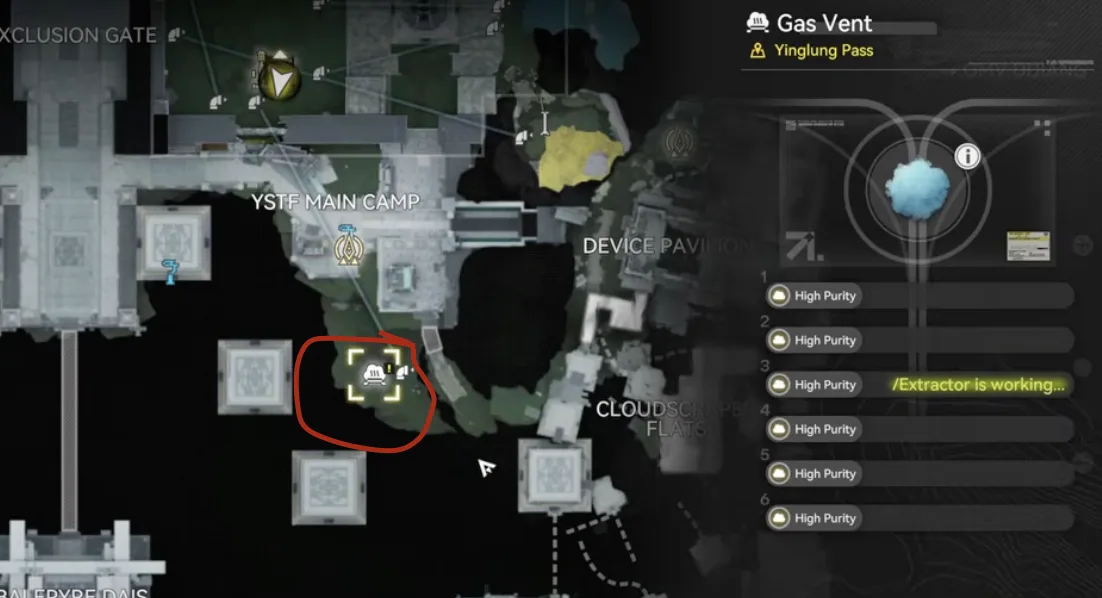
- Place two Gas Extractor units to pull Xiragen, feed them into a double conduit inlet and outlet, and connect that to a double outlet at the sub AIC. You can use the teleportation trick to simplify the connection.
- Run one line of Inergen from below the base and connect it with conduits.
- Use two Fluid Pumps to bring clean water to the base.
- Run one line of Acid from the small lake close to the base.
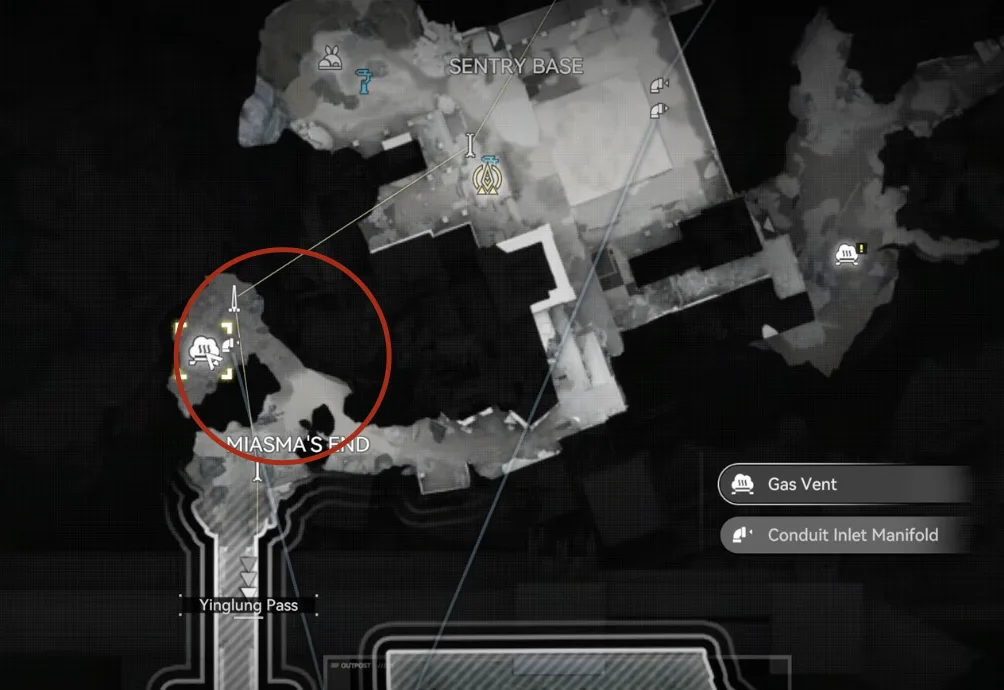
Two Gas Extractors for Xiragen
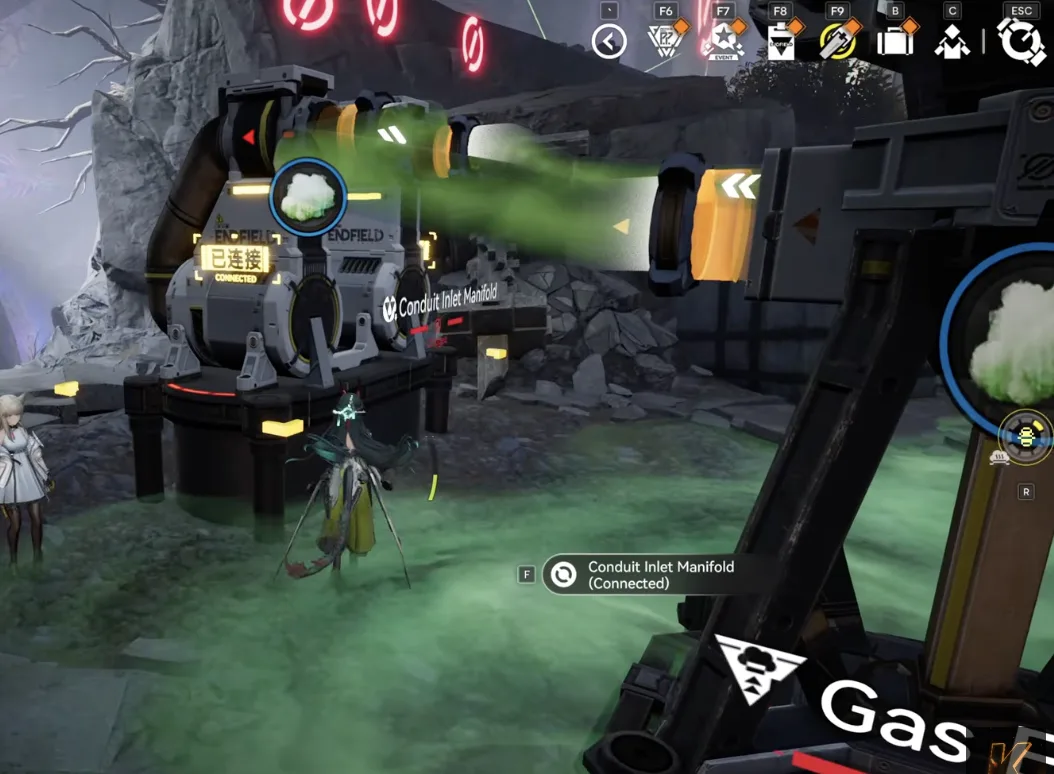
Feed the Xiragen into a double conduit
Inergen line, run from below the base
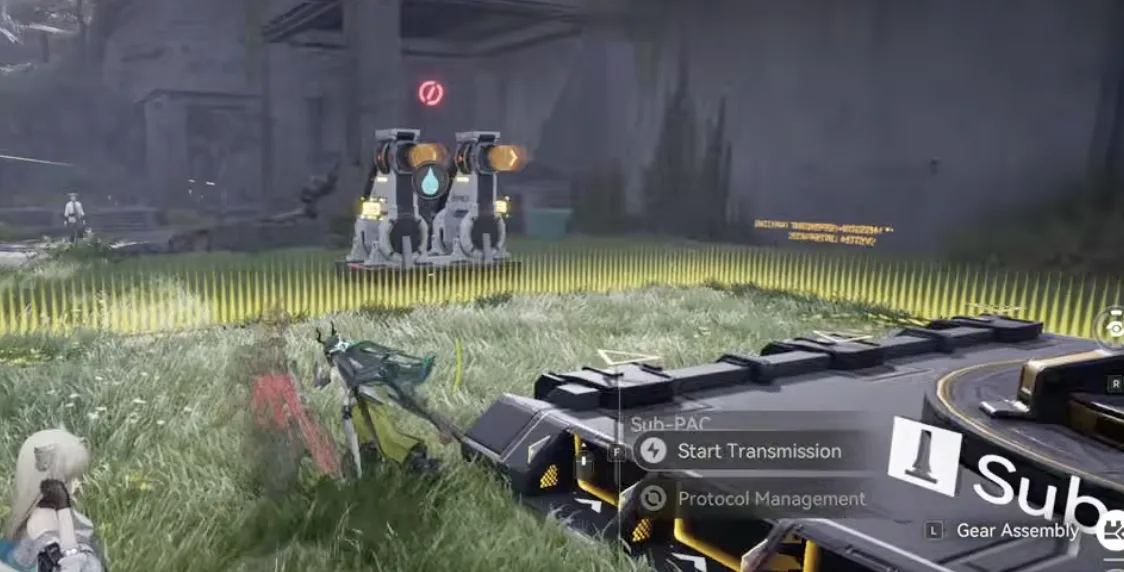
Two Fluid Pumps for clean water
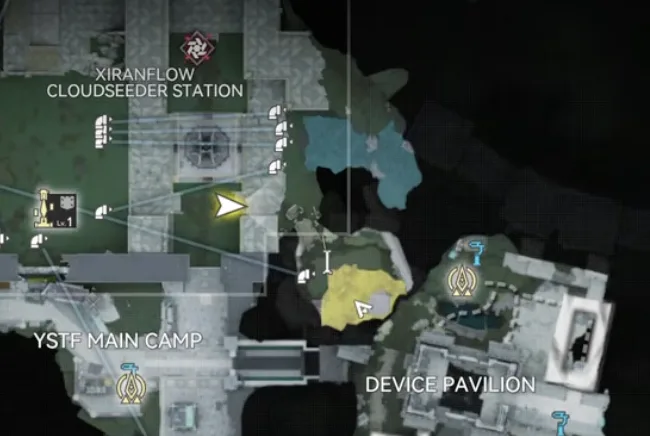
Acid line from the small lake nearby
Sub AIC Layout & Deployment
At the sub AIC, face the map so the wall is on the top side. Put the Acid output on the top side, the Xiragen and Inergen double outputs on the left, and the water output on the bottom side. Move the Core to the top right to clear the deployment zone, then deploy the 1.4 Temp blueprint matching the bottom left. Finally, turn off the Protocol Stash and set it to storage mode.
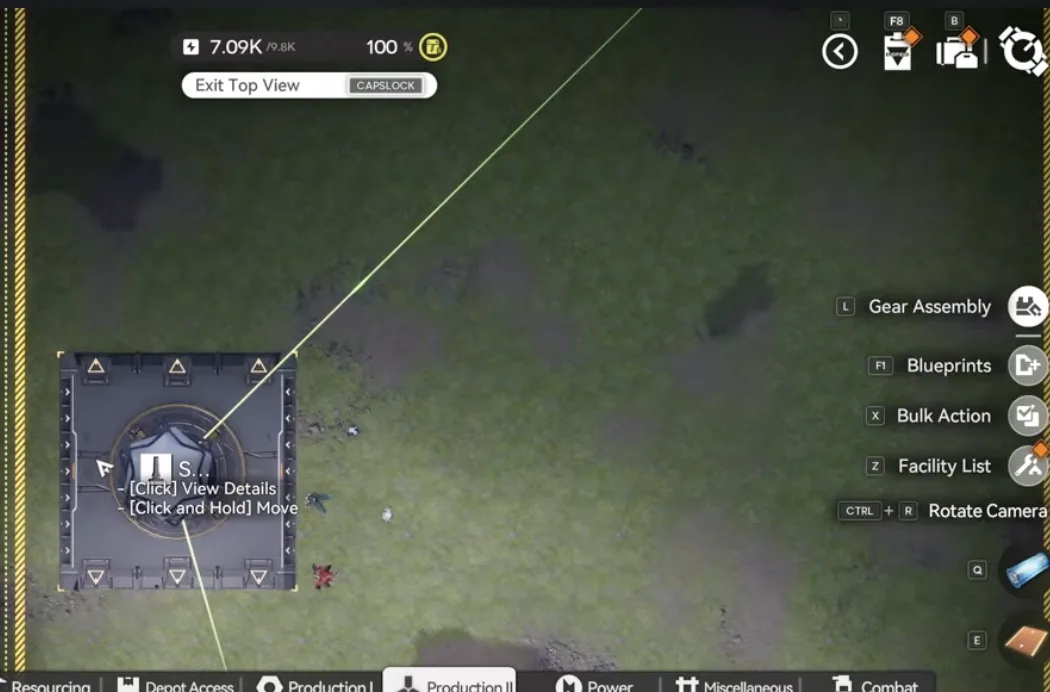
Face the map so the wall sits on the top side, with acid up, gas outputs left, and water down
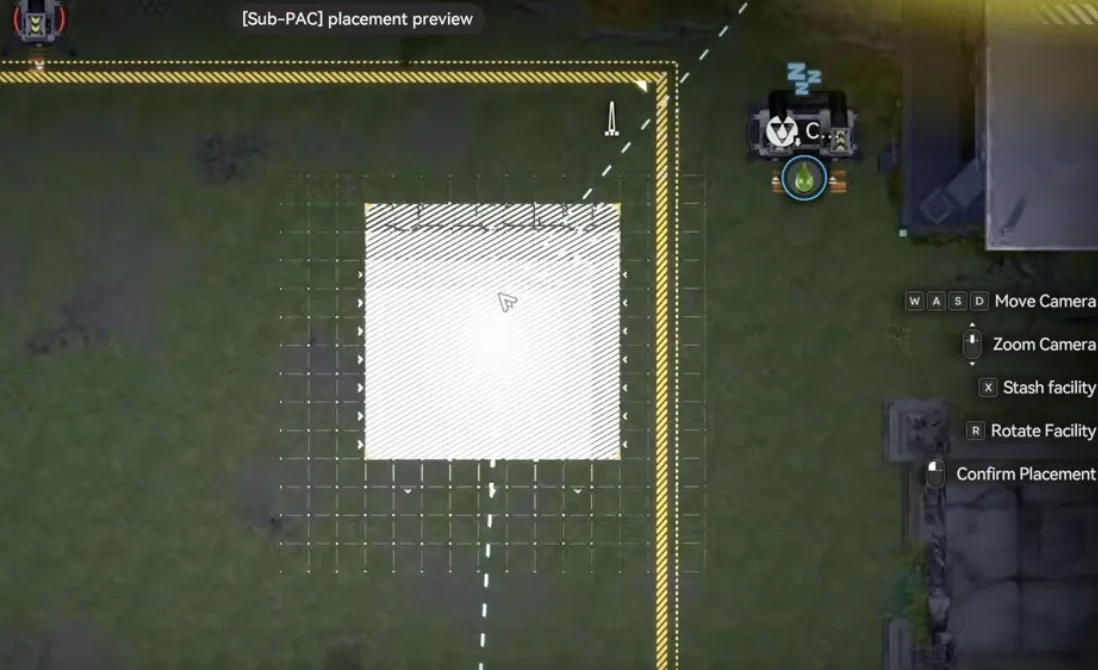
Move the Core to the top right to clear space
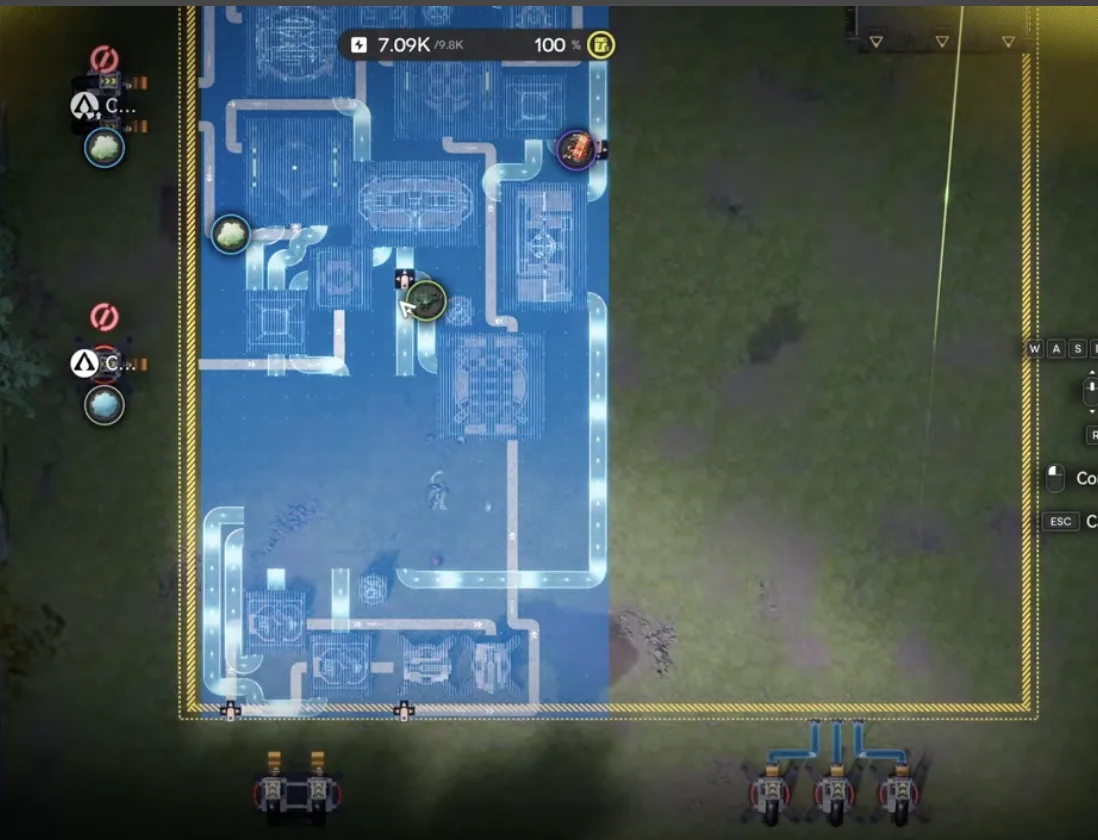
Deploy the 1.4 Temp blueprint matching the bottom left
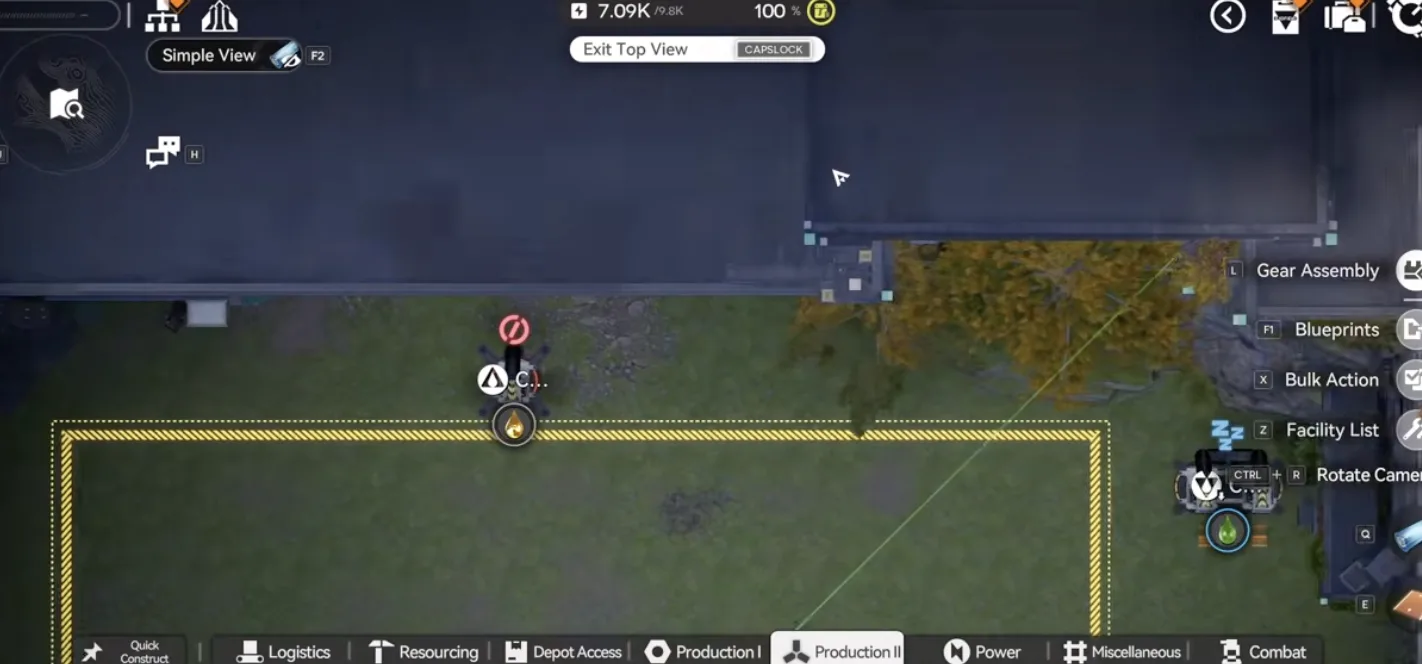
Acid output on the top side
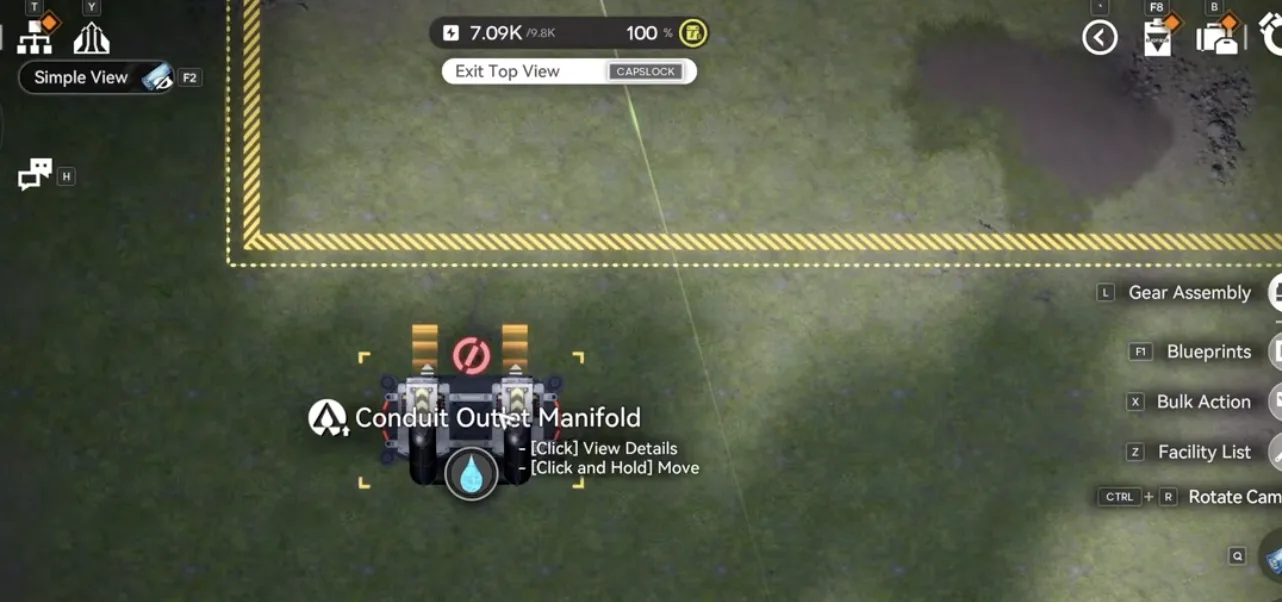
Water output on the bottom side
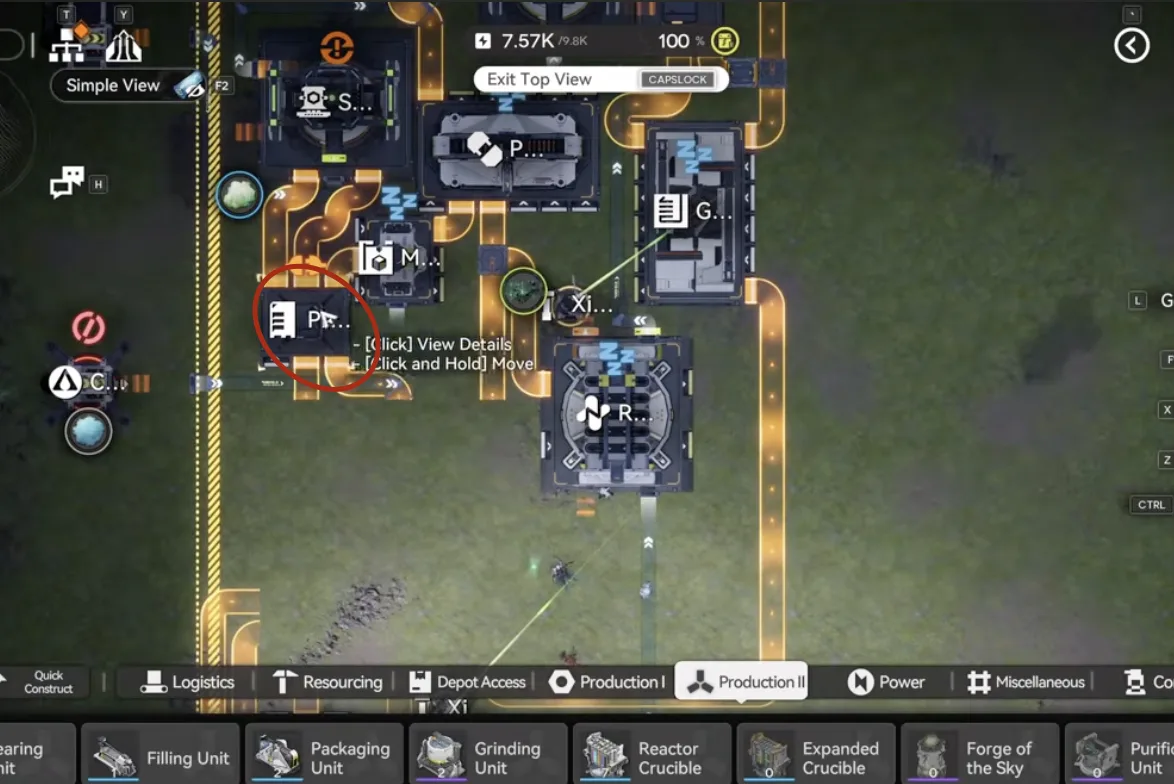
Turn off the Protocol Stash and set it to storage mode
Connecting the Outputs
With the blueprint down, wire the outputs into the pipes:
- Connect the top side acid output.
- Connect the Xiragen output to the two pipes slightly below it.
- Connect the Inergen output to its respective pipe.
- Connect the water outputs to the two pipe splitters on the bottom side.
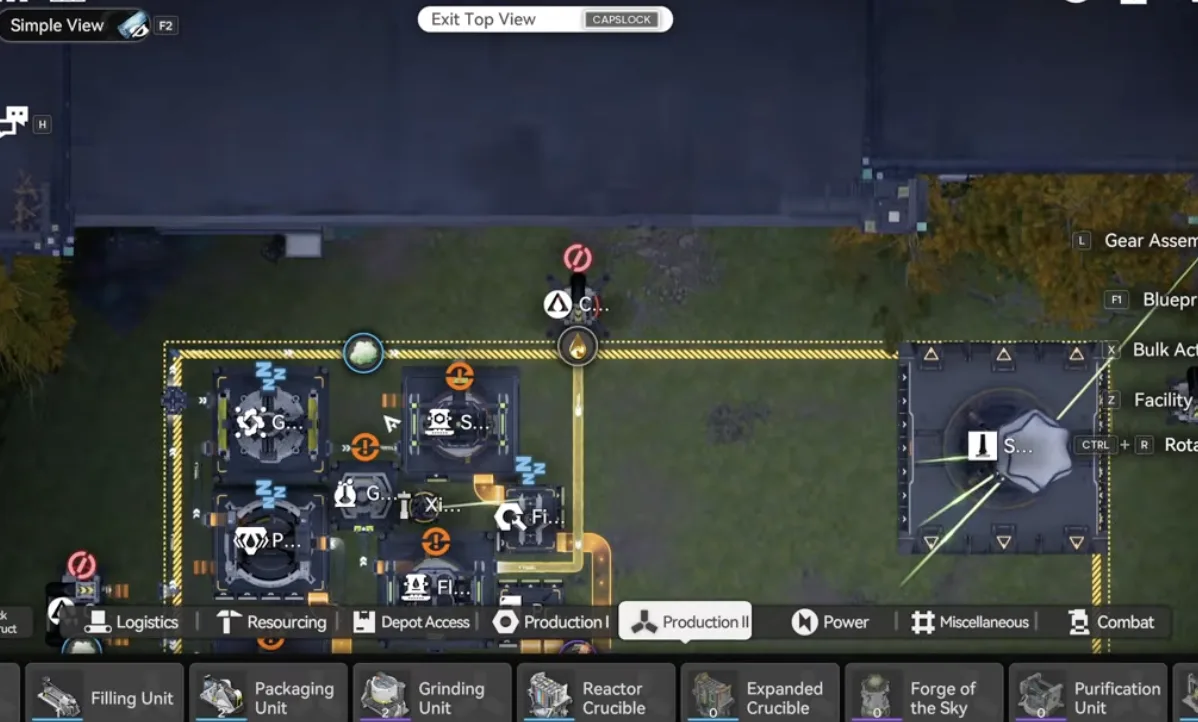
Connect the top side acid output
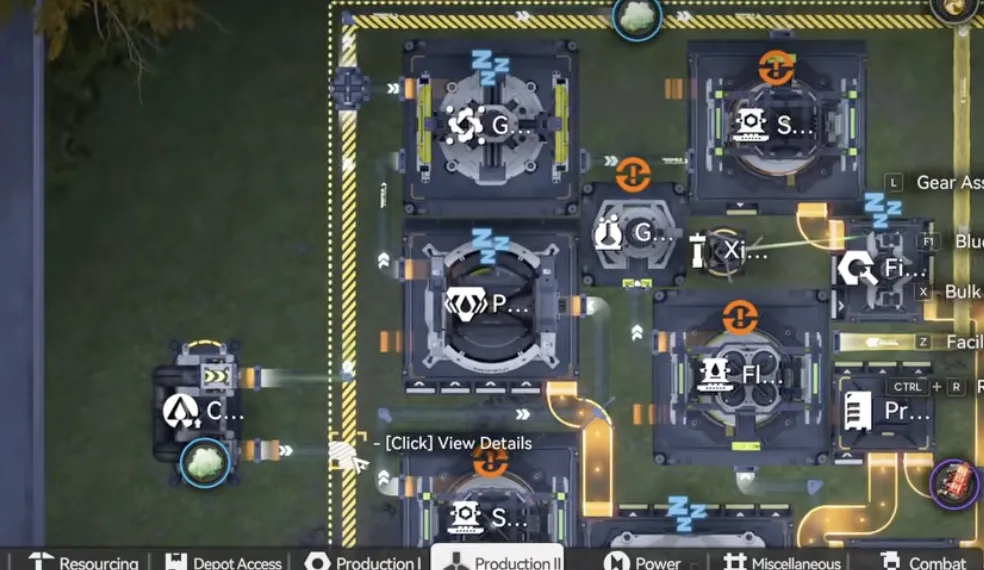
Xiragen output into the two pipes below it
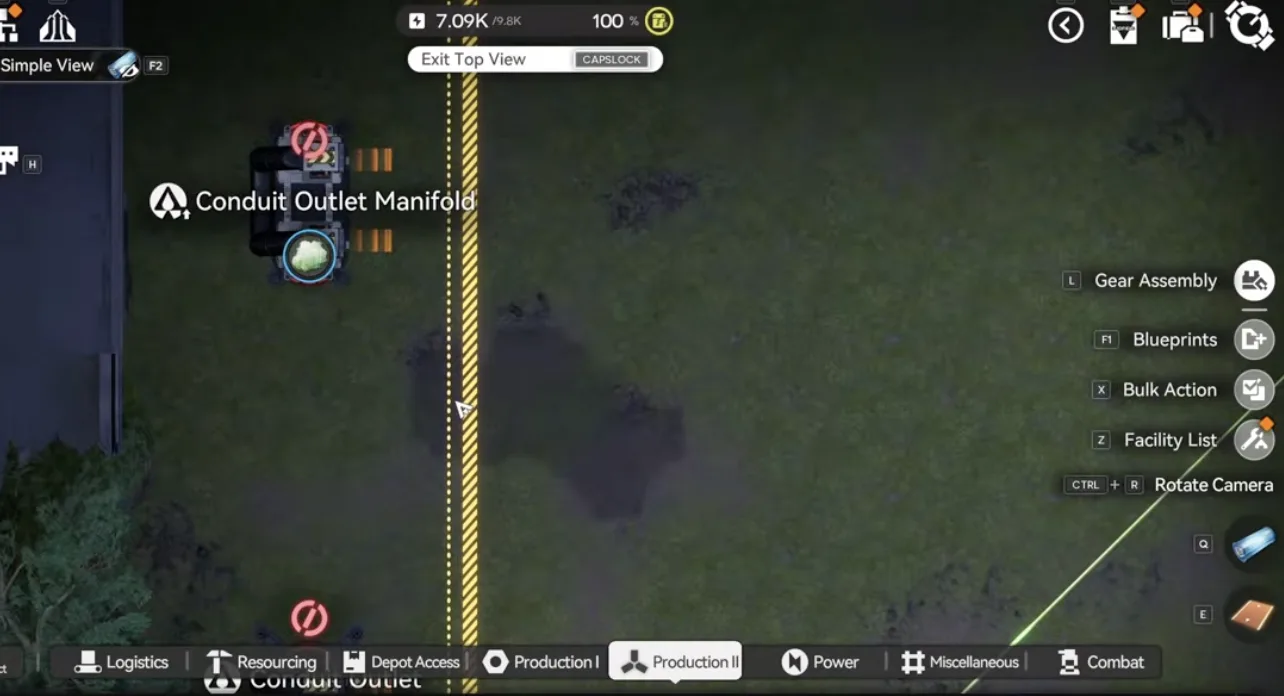
Double conduit at the sub AIC Xiragen
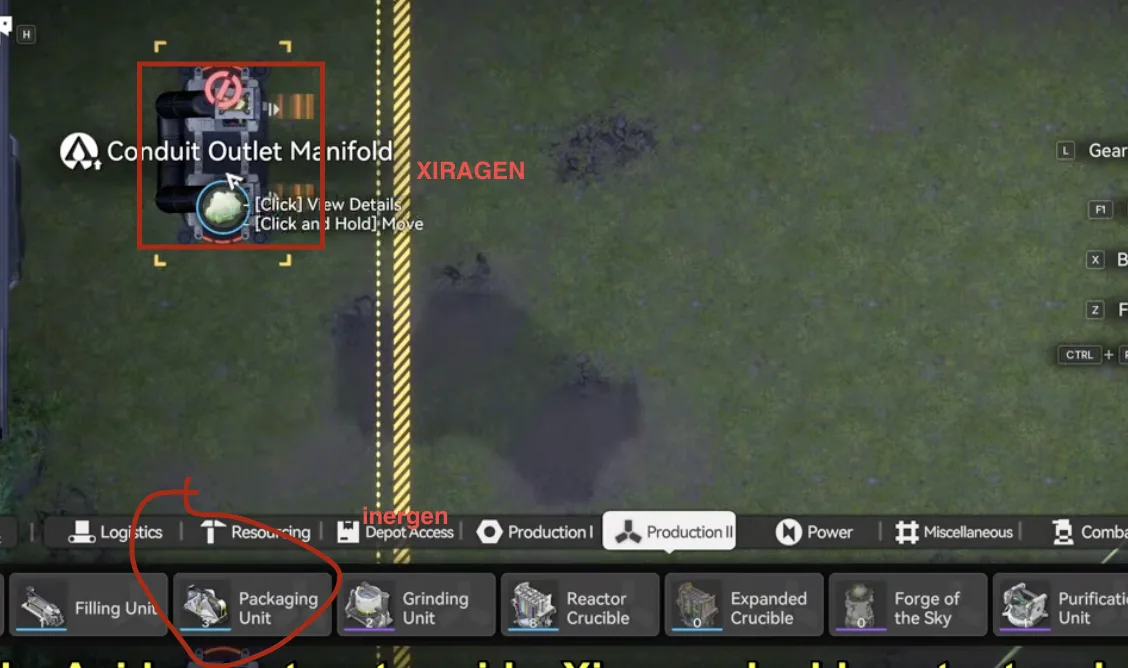
Inergen and Xiragen conduit link
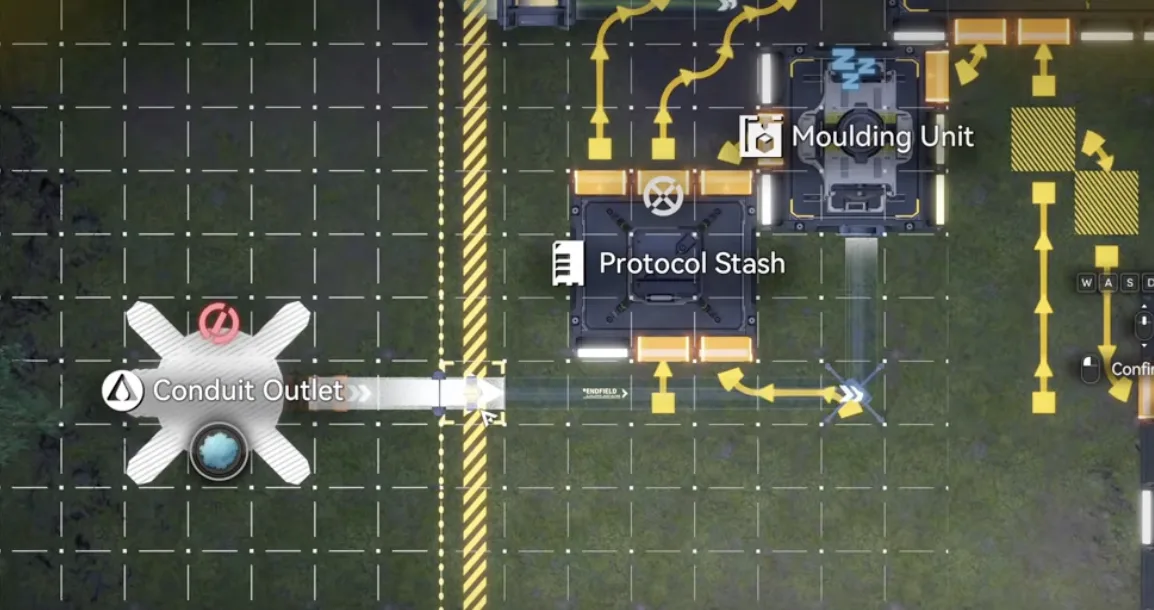
Inergen output into its pipe
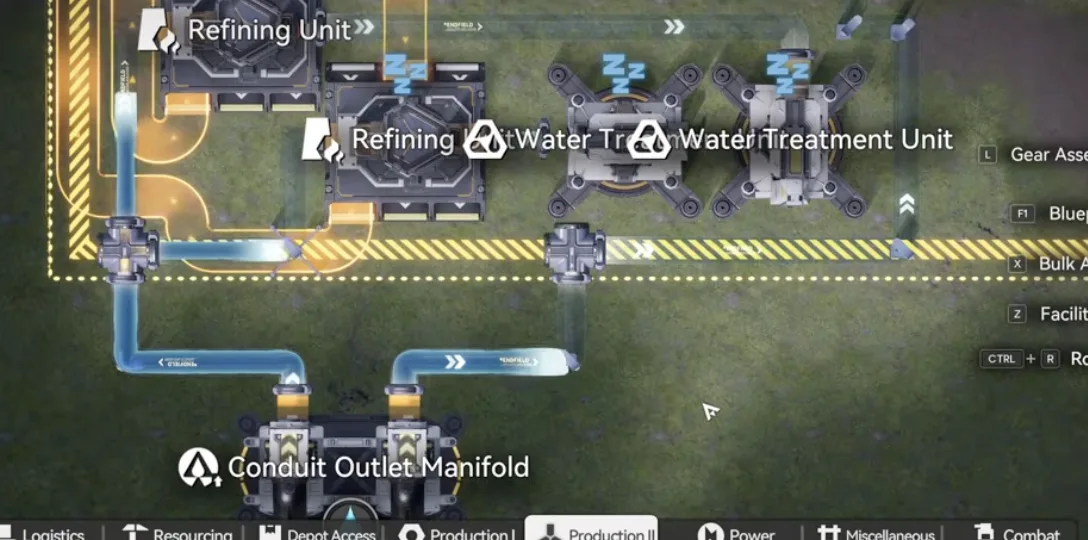
Water outputs into the two pipe splitters on the bottom side
Core Setup & Output Config
Rotate the Core so its outputs face the top and bottom sides. Then set the output slots:
- Bottom left and bottom middle: Cuprium Ore.
- Bottom right: Heavy Xiranite.
- Top left and top middle: Cuprium (the cube one, not Cuprium ore).
- Top right: normal Xiranite (not Heavy).
Now slot the Core into the empty space of the blueprint. It should start working immediately.
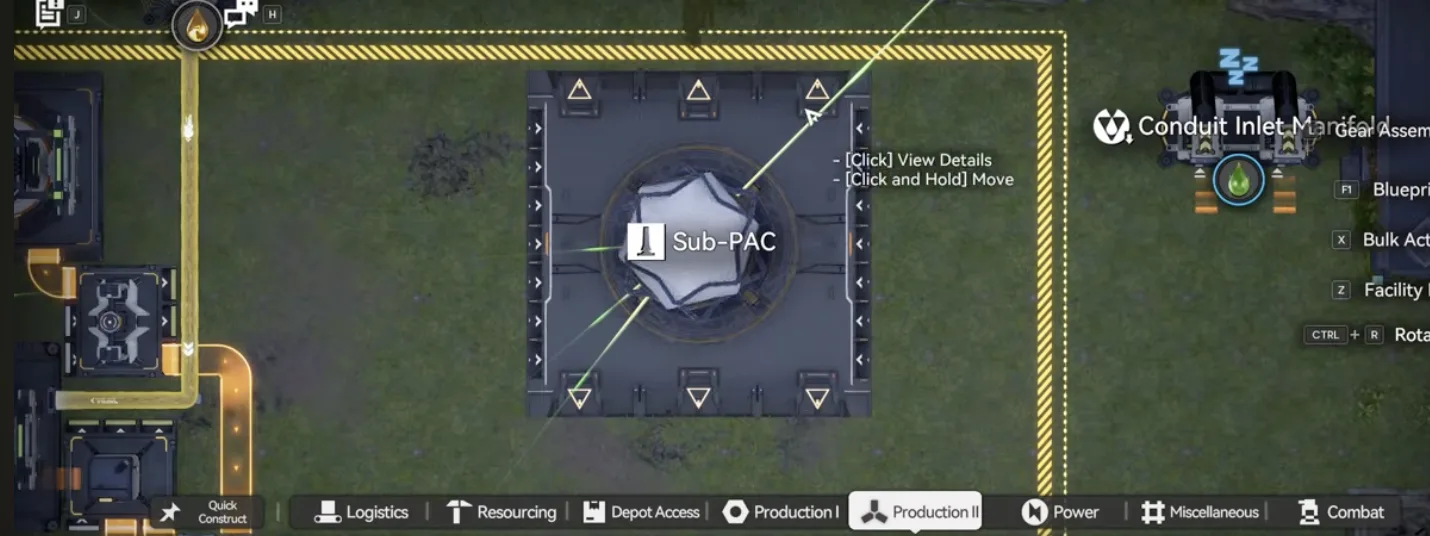
Rotate the Core so outputs face top and bottom
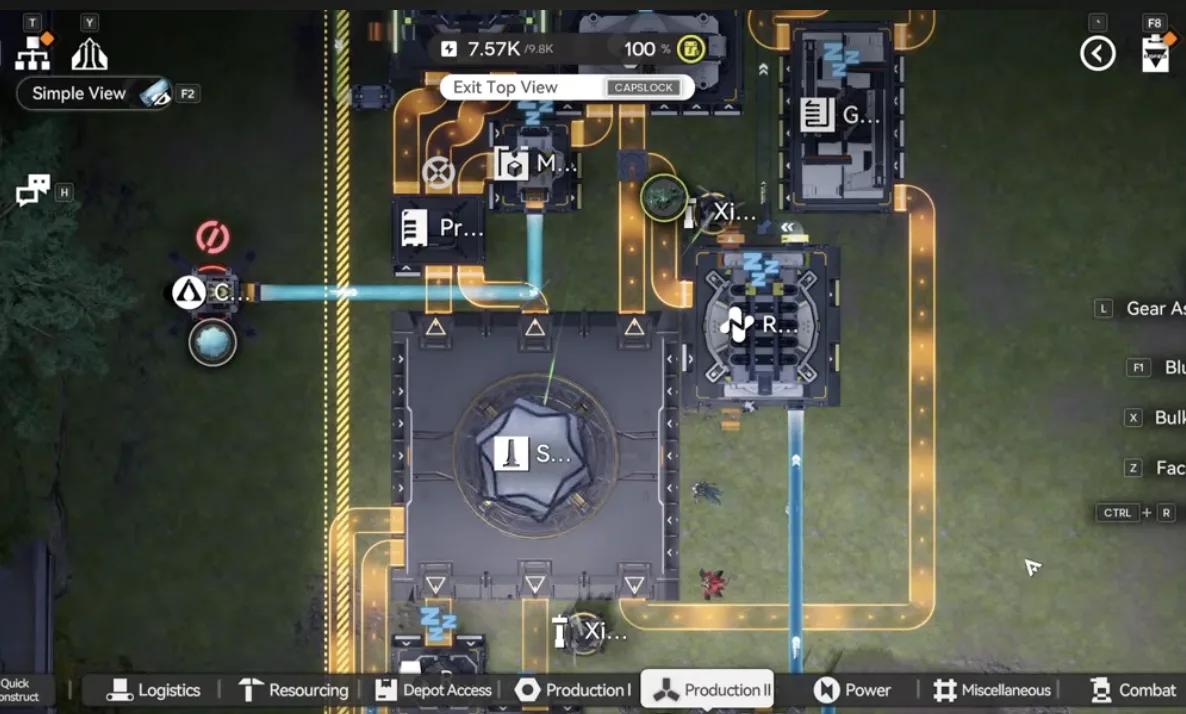
Slot the Core into the blueprint's empty space
Production & Notes
Once the Core is slotted, the build produces around 2 Pyrrolite components per minute. It draws the 60 Cuprium ore per minute from the new map along with roughly 20 Xiranite and 4 Heavy Xiranite per minute from your existing base.
If you followed the earlier blueprint guides, your Heavy Xiranite production at the Marker Stone sub AIC should be enough. You may need to toggle a switch on your Core AIC to route some Heavy Xiranite to the output so this build gets its feed. If your Core AIC follows the Part 5 blueprint guide, make sure to turn off the switch circled below (select the facility and press Tab to switch it off) to get more Xiranite supply for this build.
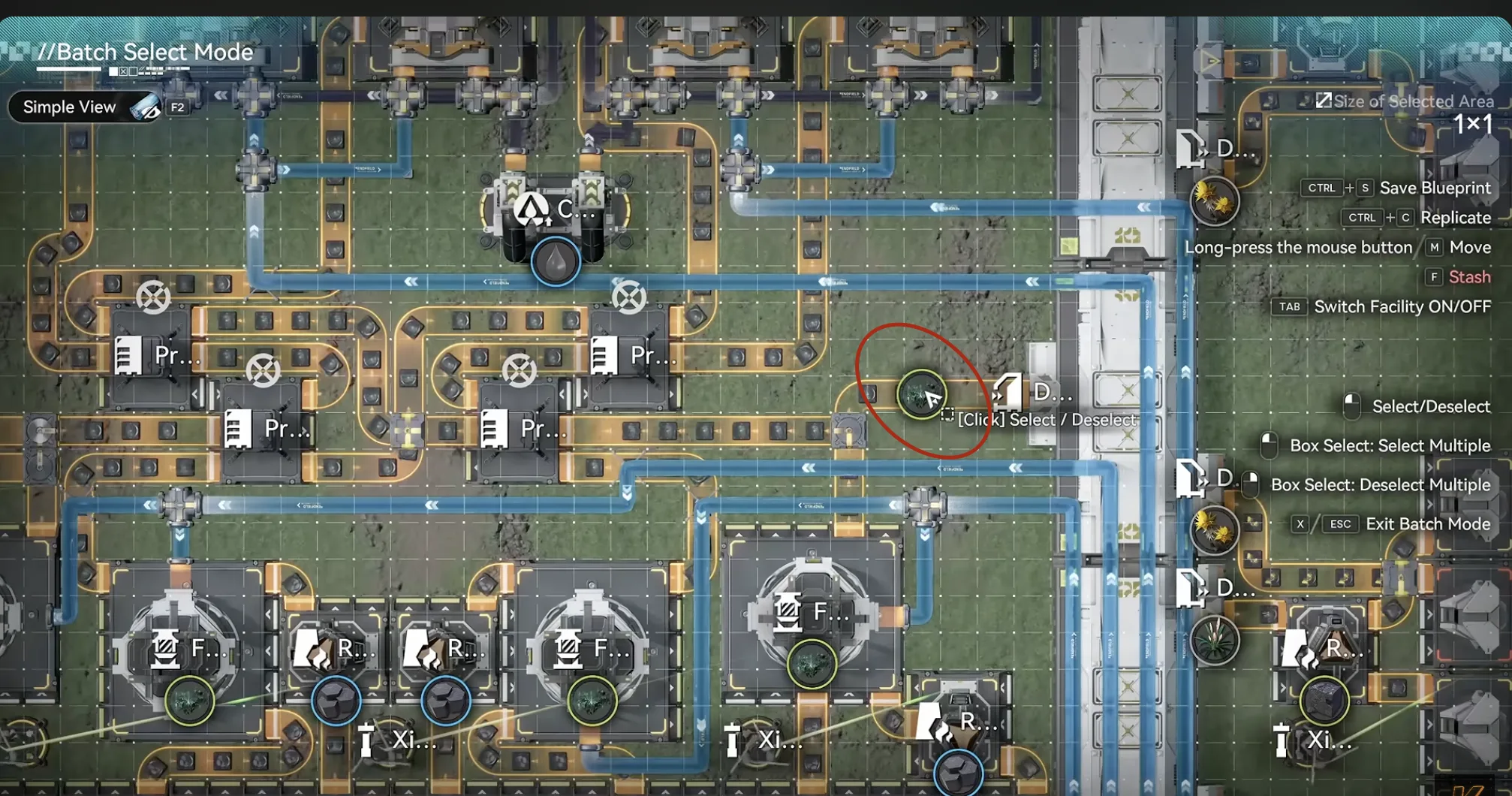
Part 5 Core AIC: turn this switch off to free up more Xiranite supply
This setup is not tuned for maximum efficiency, it is meant to let you start crafting the new gear while the full 1.4 base guide is being finished. The empty space on the right side of the layout is deliberately left open for the mission blueprint that clears the area using liquid Xiranite.
Liquid Xiranite Mission Blueprint
This is the companion build that goes in the empty space mentioned above. It is a dedicated Liquid Xiranite production blueprint that generates the 25,000 Liquid Xiranite needed to complete the Fissure Filling and Land Grouting mission. Deploy it in the open space, connect it to your existing Xiranite supply, and let it run until the mission's counter is full.
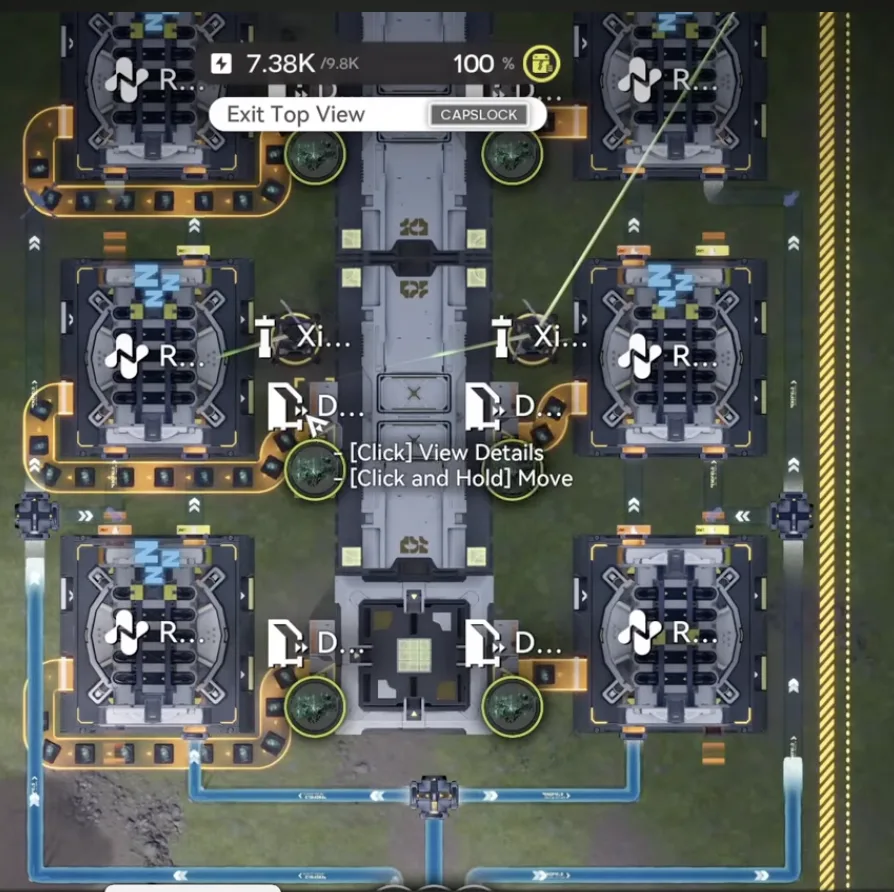
Liquid Xiranite mission blueprint, generates the 25,000 Liquid Xiranite needed for Fissure Filling and Land Grouting
| Blueprint | Asia Server Code | NA/EU Server Code |
|---|---|---|
| Liquid Xiranite Mission | EFO01u8U47U75603oAoOU | EFO01a709381i9Auoe5e |
That is the temporary 1.4 gear components build. When the full 1.4 mega base is ready it will slot in as the next part of this series. In the meantime, if you are missing any of the upstream pieces, the Part 1 Valley IV pipeline, the Part 5 and Part 8 Wuling bases, and the Part 9 1.3 Mega Base cover everything this build feeds off. The Blueprint Curation hub indexes single purpose factories by purpose.

Tap through for today's price on the official store. Affiliate link, we may earn a commission.