WULING 1.4.1 OVERFLOW PROTECTOR
 Level Up & Save at RazerUp to 25% off when you buy any 2 eligible Razer items: keyboards, mice, headsets, and more.Shop Razer Deals
Bundle any 2 items. Offer runs through 31 December 2026. Affiliate link, we may earn a commission.
Table of Contents
This is the overflow protector, or as I like to call it, the trash bin. It is a small add-on for the Part 11 Wuling 1.4 mega base that makes the factory rock solid, so it will never clog no matter what your depot limits are doing. Deploy it alongside the 1.4 blueprints and you can stop worrying about a full depot backing up your whole production chain.
The one thing worth knowing up front: when an item reaches its depot limit, it does not just stop, it drags down the production line for other items too. This trash bin quietly deletes anything that goes over the cap, so the base keeps humming. All codes are region locked for Asia and NA/EU.
Quick Answer
The overflow protector is a tiny machine that auto-deletes items once they exceed the depot limit, so the Wuling 1.4 mega base never clogs. There are two blueprints: use Trash Bin 1 if you built the Jingyu Valley sub AIC in Part 11, or Trash Bin 2 if you left that sub AIC empty. It runs on the Expanded Crucible Multi-Clog Auto-Fix feature plus a Protocol Stash priority output, so items only get deleted when the depot is genuinely full. You do not strictly need it if you sell your outpost items regularly, but it is a lifesaver if you skip a few days.
Why Depot Limits Clog the Factory
Here is the thing I forgot to mention in the 1.4 guide but pinned in the comments: if an item reaches its depot limit, it does not fail quietly, it affects the production line for another item, sometimes the entire chain. Four core items can trigger this, and they all funnel back into the shared Cuprium lines:
- SC Wuling batteries: if batteries hit the depot limit the base stops consuming sewage, which stops two lines of Cuprium and slightly slows the Pyrrolite line.
- Pyrrolite parts: if Pyrrolite parts hit the limit they clog about 90 percent of the Cuprium line, which stops sewage production and therefore stops the batteries.
- Heavy Xiranite: if Heavy Xiranite hits the limit it stops two Separator Core lines, which clogs two Cuprium lines and may slow the battery line.
- Detonate parts or healings: depending on whether you used Extra 1 or Extra 2, this is Yazhen Syringe, Jin Cao Tea, or Hetonite parts. In both cases it uses two Cuprium lines, so hitting the limit clogs those two lines and may slow the battery line, the same situation as Heavy Xiranite.
All of this is easily avoidable: just keep selling those four items from your outposts so they never reach the depot limit. In the new patch you produce almost exactly what the outpost consumes, so it is rare to hit the cap at all. But it can still happen, for players who do not check every day when selling, or who forget to log in for a while. That is exactly why a machine that deletes items over the depot limit is a lifesaver, and that is the trash bin.
Blueprint Codes
Import the codes the same way as the main guide: open Blueprints, go to Shared Blueprints, click Import Blueprints, and paste the code that matches your server region. The copy buttons below avoid the most common typo, the letter O versus the digit 0, and watch for stray leading or trailing spaces. Codes are region locked, so Asia and NA/EU are not interchangeable.
| Blueprint | Asia Server Code | NA/EU Server Code |
|---|---|---|
| 1.4 Trash Bin 1 | EFO01Ue3683812Ouu76a8 | EFO01a709O5UU6Auaou5e |
| 1.4 Trash Bin 2 | EFO01a6584543eAu5oi5e | EFO0172UA3844i5ioO2Ai |
In Part 11 you had two choices for the extra sub AIC: use the Jingyu Valley sub AIC, or leave it empty. The trash bin follows the same split. If you used the Jingyu Valley sub AIC, go with Trash Bin 1. If you left it empty, go with Trash Bin 2. The setup for each is below.
Trash Bin 1 (Jingyu Valley Sub AIC)
If you used the Jingyu Valley sub AIC in Part 11, move the Core toward the bottom right side and drop down the 1.4 Trash Bin 1 blueprint here, matching the Depot Bus.
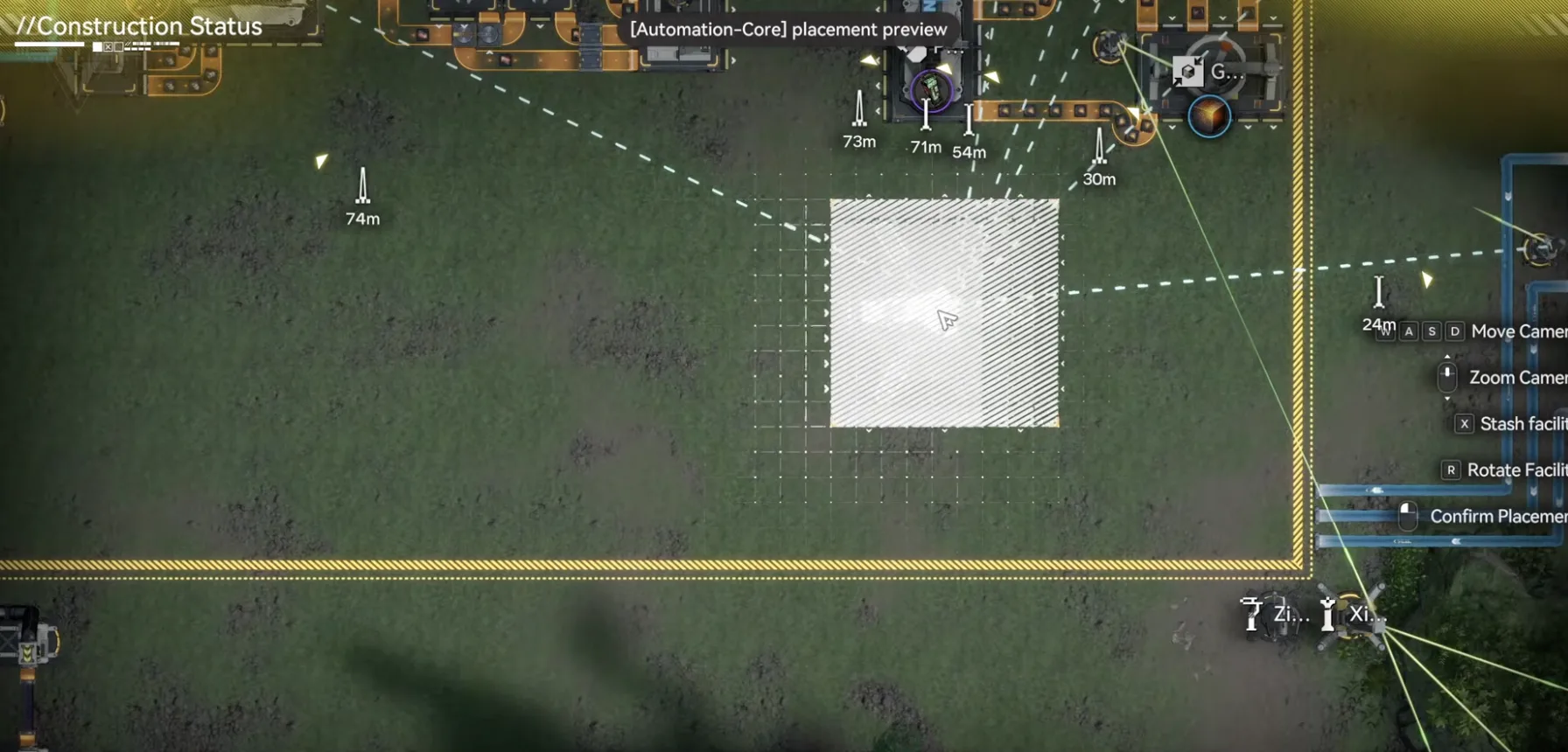
Move the Core toward the bottom right side
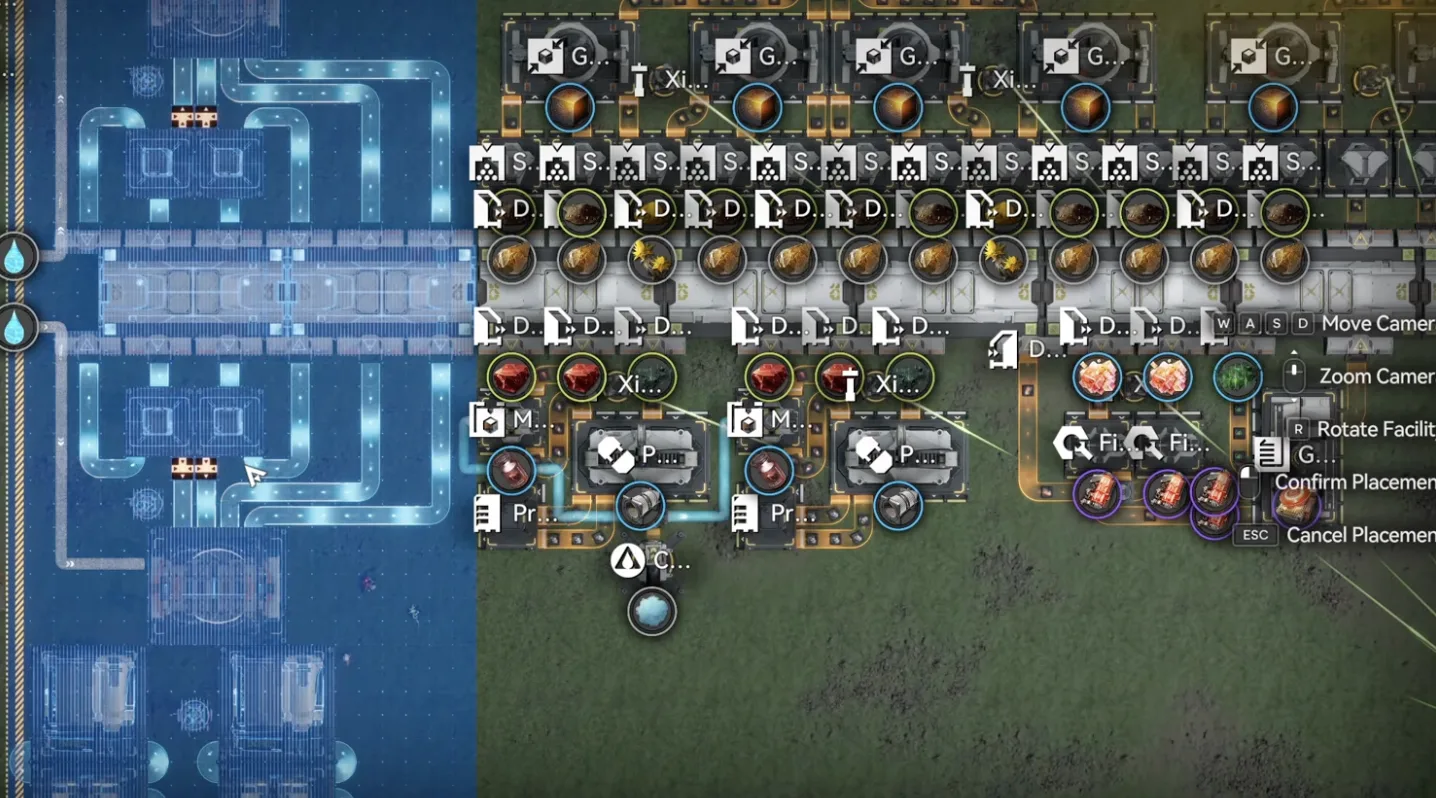
Deploy Trash Bin 1 matching the Depot Bus
Now you need three water pipes: two on the left side and one on the bottom side. On the left there is a small lake, so deploy two Fluid Pumps to get water. The bottom one just takes water from the right side river. Use a pipe control port to extend the pipe length, then connect each Fluid Pump into the three pipes marked with water.
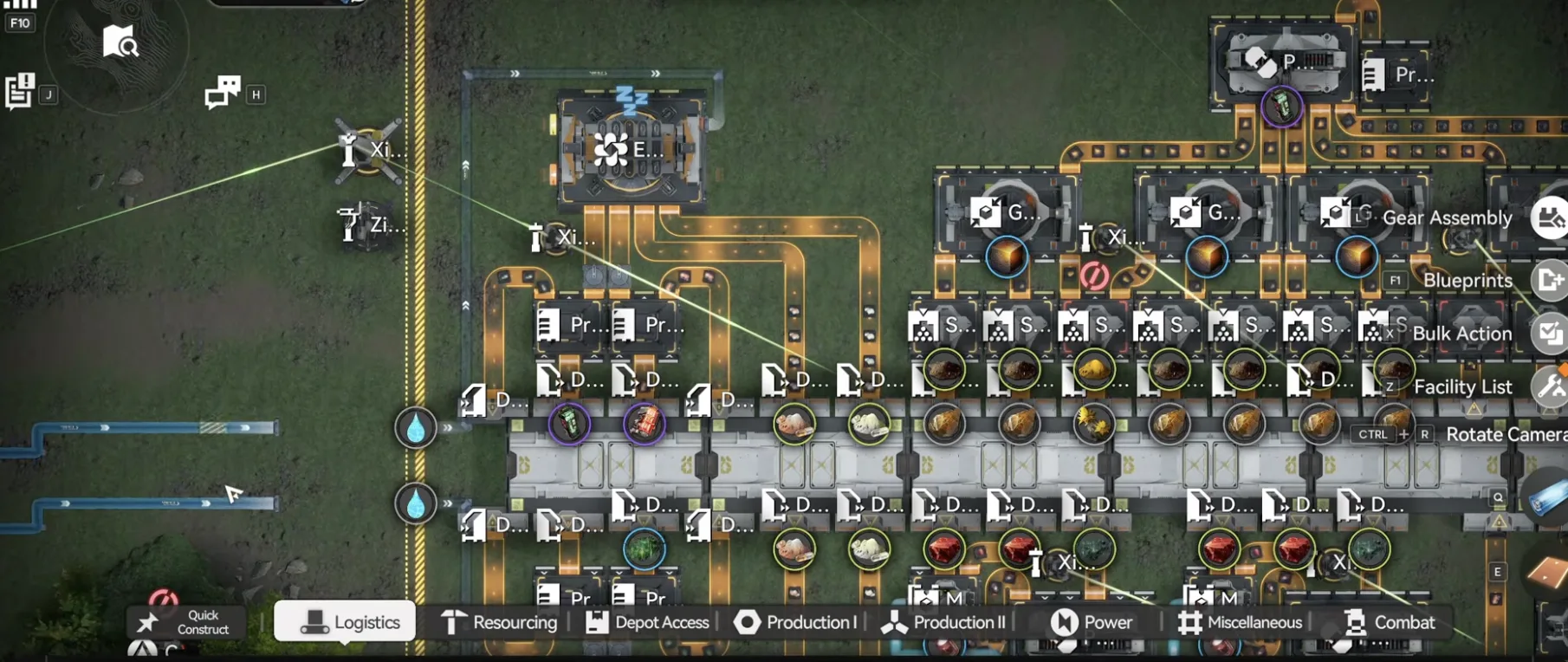
Two Fluid Pumps in the small lake on the left
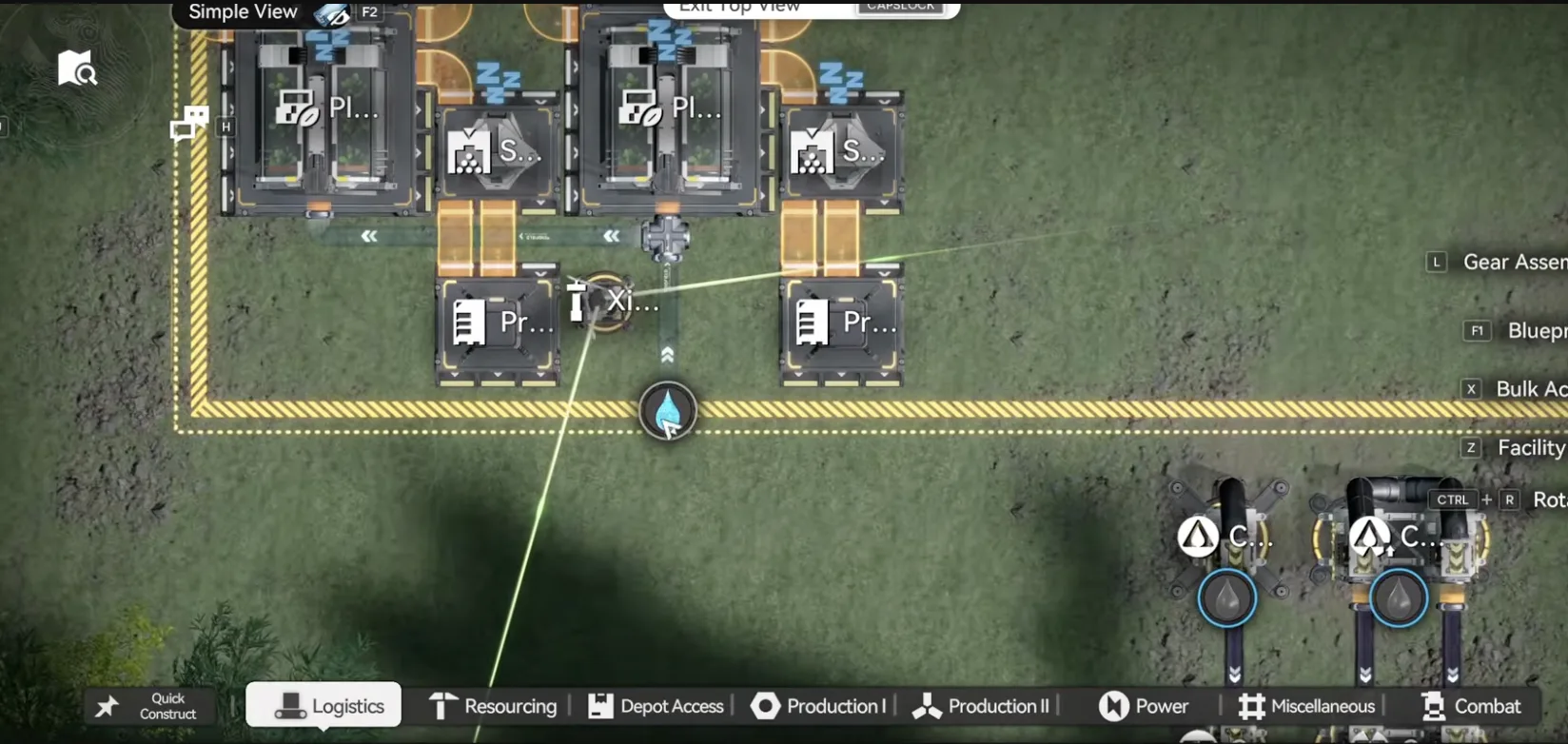
Bottom pipe takes water from the right side river
Finally, put one stack of Yazhen in one seed machine and one stack of Jin Cao in the other seed machine, one crop for each. That is the whole setup. See the How It Works section below for why the two crops matter, and the Set Up the Last Item section for the final output.
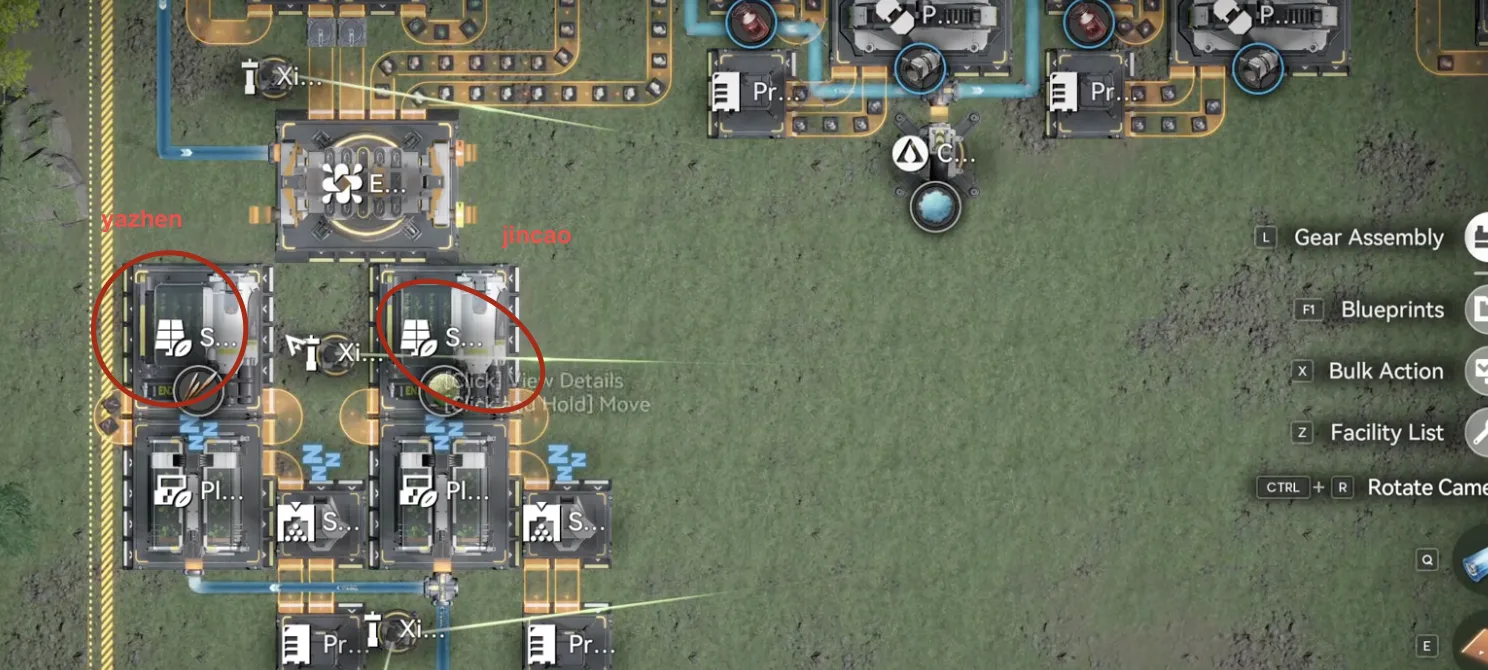
One stack of Yazhen and one stack of Jin Cao, one crop per seed machine
Trash Bin 2 (Empty Sub AIC)
If you left your Jingyu Valley sub AIC empty in Part 11, use the 1.4 Trash Bin 2 blueprint instead and deploy it on the top side. Then connect three Fluid Pumps into the three pipes marked with water, and that is it. You do not have to place any crops, because this version is automatic.
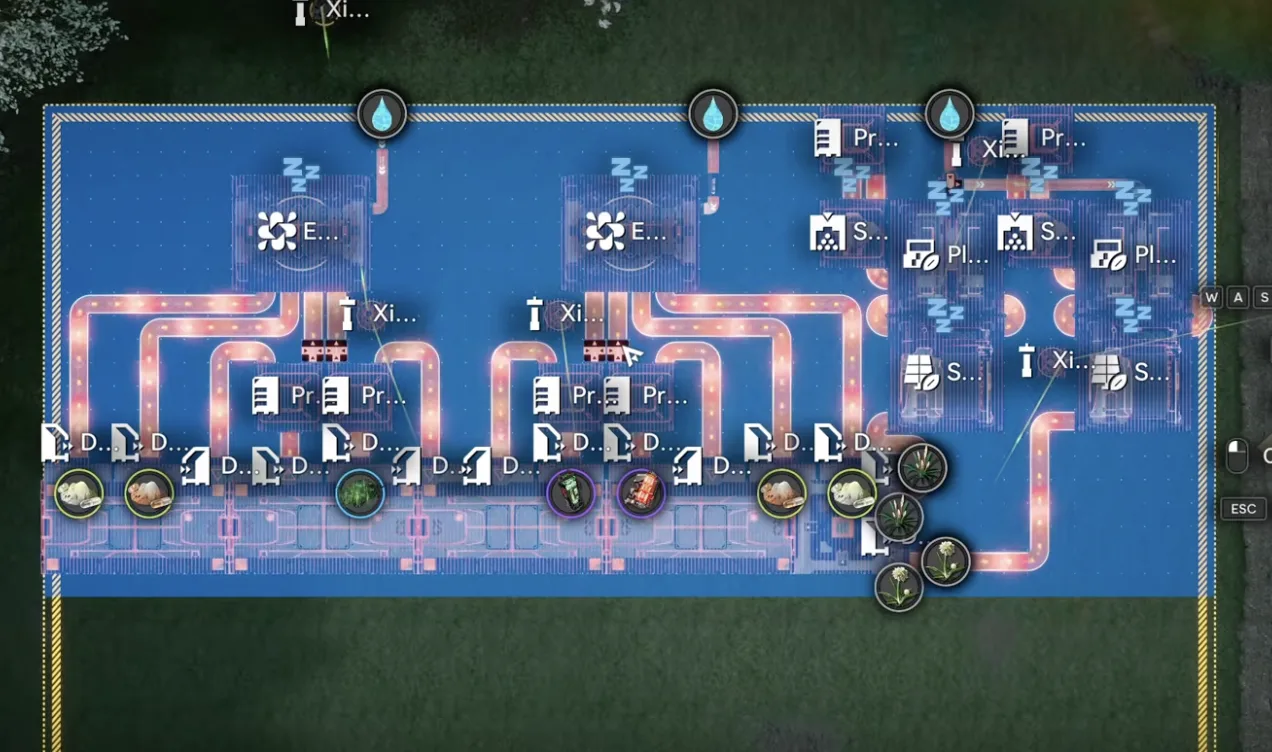
Deploy Trash Bin 2 on the top side, then connect three water Fluid Pumps
How It Works
The logic is the same for both blueprints. It uses the Expanded Crucible Multi-Clog Auto-Fix feature together with the Protocol Stash priority output.
First, the deletion. When you run two reactions at the same time in the Expanded Crucible and all the reactions clog, the crucible deletes every item in its cache. That is why we put in both crop dusts, so it is performing two reactions, and when they reach 50 it wipes everything inside. That is the first half.
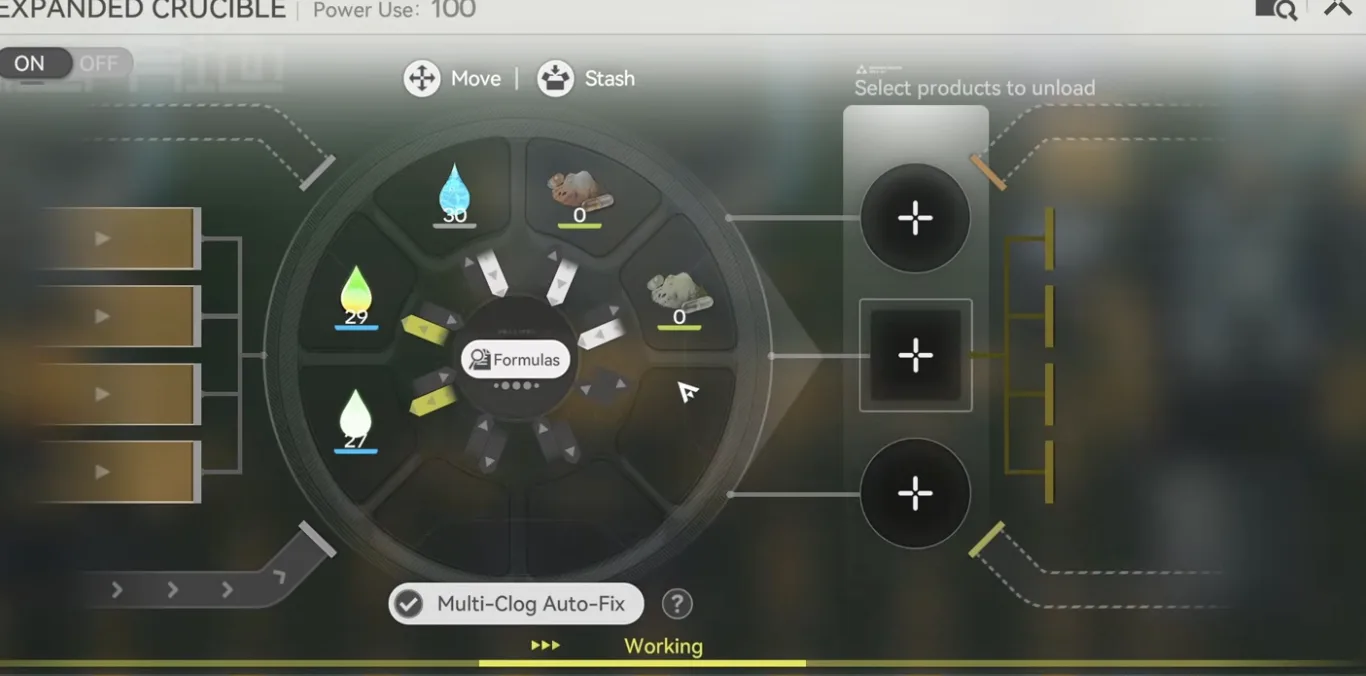
The Expanded Crucible with Multi-Clog Auto-Fix, running two reactions from the two crop dusts
The second half is how items only reach the crucible when they actually overflow. This uses the Protocol Stash priority output. When there is only one line of input going into a Protocol Stash, and the output has one normal line plus one line that starts with a converger, the stash automatically prioritises the normal line first. This only works if items come in one by one, otherwise they split across both lines. So items keep flowing back into the depot on the normal line, and only when the depot is full, so a Depot Loader can no longer put them back, do they spill into the crucible line and get deleted. Very simple logic.
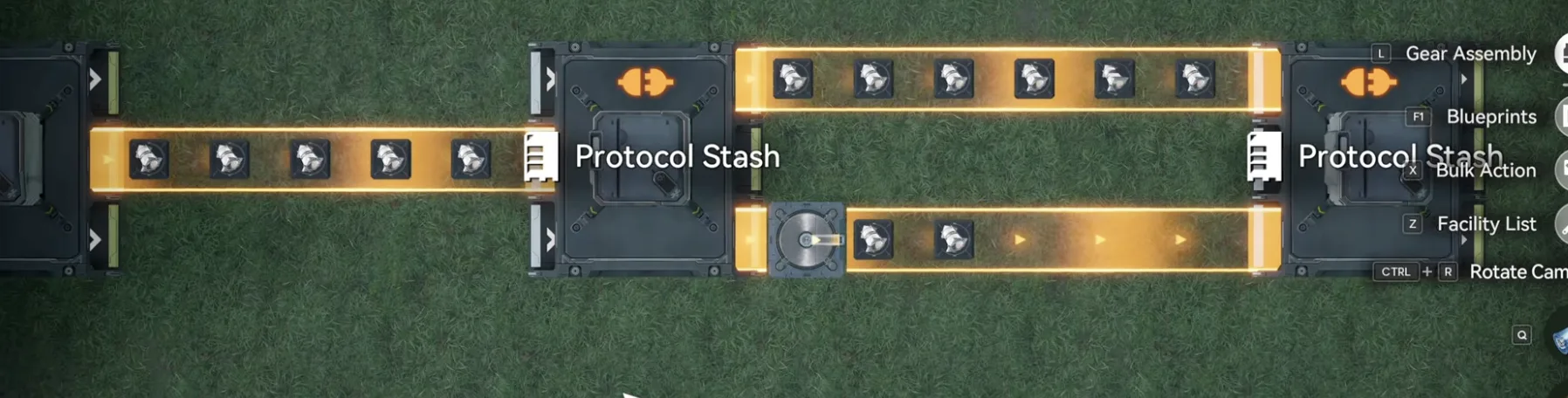
Protocol Stash priority output: the normal line is prioritised, the converger line is the overflow
Set Up the Last Item
In both blueprints there are four outputs. Three of them are already used for the main products of the Part 11 base: batteries, Pyrrolite parts, and Heavy Xiranite. The last output depends on which extra blueprint you used:
- Extra 1 (healings): choose whichever one you are making in this output, either Yazhen Syringe or Jin Cao Tea.
- Extra 2 (turrets): choose Hetonite parts for this output.
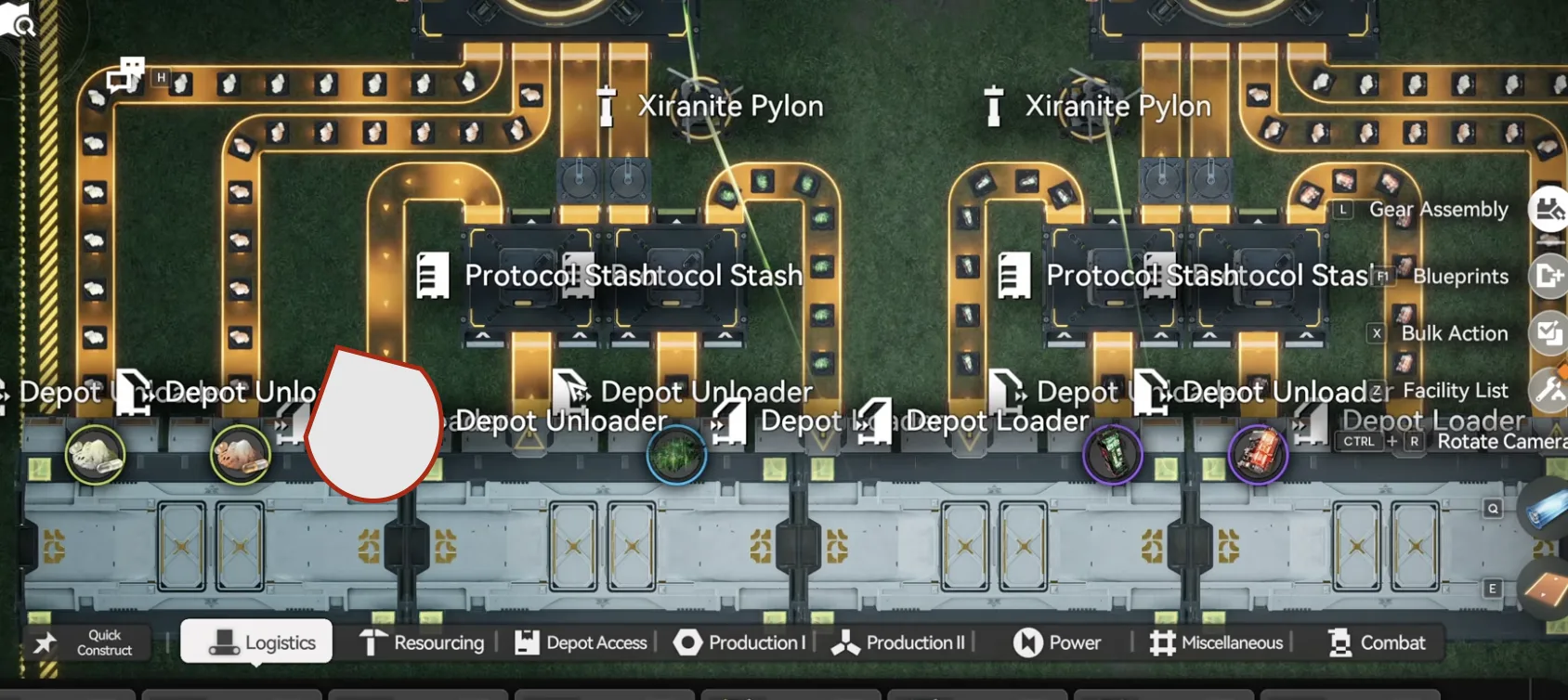
Set the fourth output to the item your Extra blueprint makes
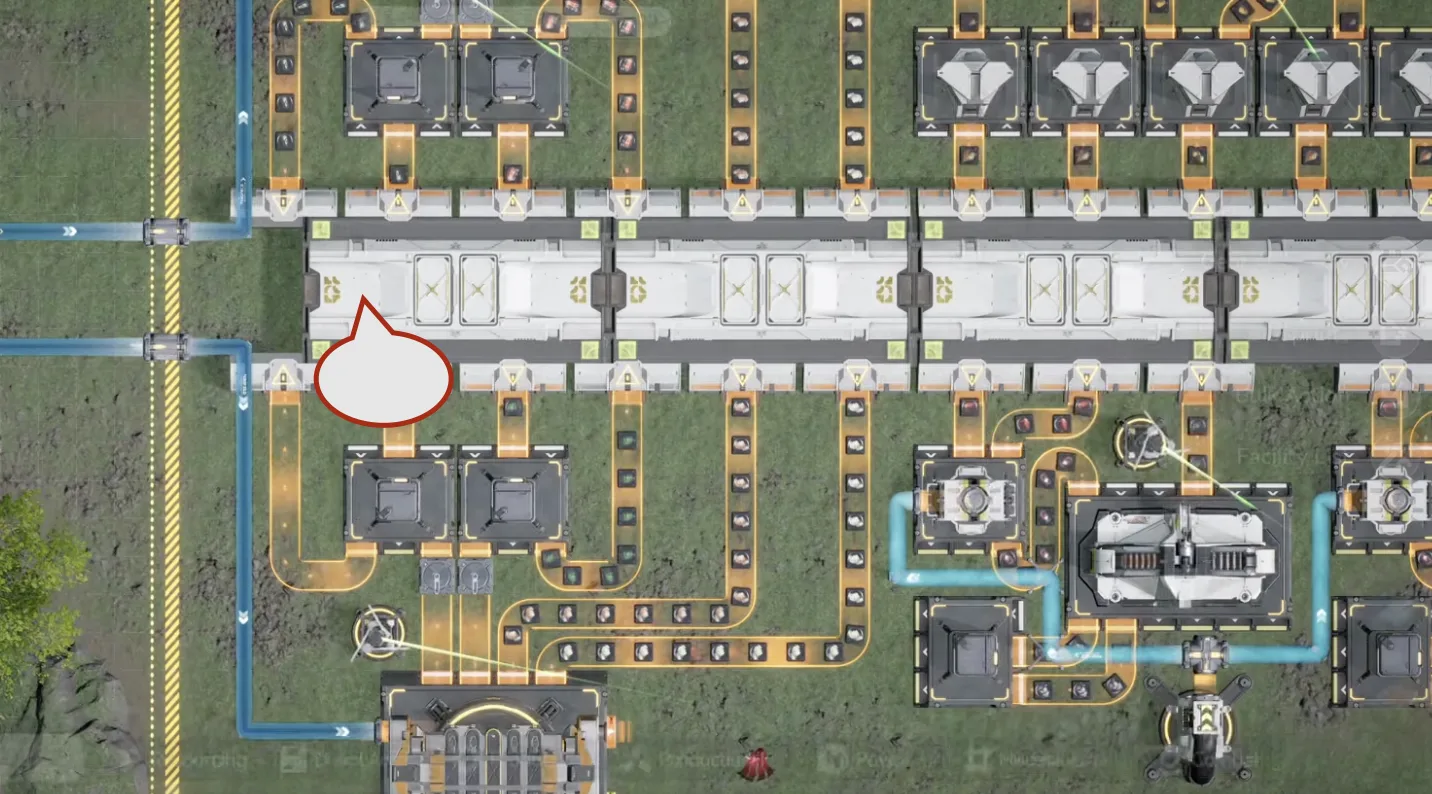
Same if you deployed the protector at the Core AIC, only the location changes
Once the overflow trash bin is set up, your base will never clog even if a produced item hits the depot limit. These two blueprints are built to fit the 1.4 guide, but if you understand the logic you can replicate it on any base: just have enough machines to turn two crops into dust and feed them into the crucible, then route the items you want to delete through a Protocol Stash priority output. And remember, you do not need any of this if you already keep those items below the limit by selling or deleting them yourself.

Tap through for today's price on the official store. Affiliate link, we may earn a commission.