RESTORE YOUR FACTORY AFTER CHUBBY LUNG ATTACKS
Table of Contents
AIC Support: Chubby Lung Attacks is over, and the temporary event lines from the Part 14 Phase 1 build and the Part 15 Phase 2 build have nothing left to make. This guide puts your factory back on the Part 13 Wuling 1.5 mega base, area by area, with the four blueprints you need in Asia and NA/EU codes.
The restore targets the 1.5 version of the base, so you need the 1.5 requirements even if you ran the event on top of the 1.4 layout from Part 11. Three of the four codes are the same ones Part 13 uses. The fourth, 1.5 Restore, is only for players who deleted part of the Core AIC during the event.
Quick Answer
Meet the 1.5 requirements first: the Snowy Forest unlocked, an extra 50 Xiragen and 90 Cuprium ore per minute from it, and Regional Development Level 24. On Yinglung Pass, move the Inergen outlet outside, delete everything, deploy 1.5 YP Bottom and 1.5 YP Top, set the top-right output to Pyrrolite, and reconnect five conduits. On the Core AIC, turn the event-stopped machines back on (or use 1.5 Restore if you deleted them) and connect the 60 per minute Inergen outlet. On Marker Stone, redeploy 1.5 MS Top and connect 20 per minute of Inergen. Last, set the overflow protector back to SC Wuling Battery, Pyrrolite parts and Heavy Xiranite.
Requirements
Compared to the 1.4 base, the 1.5 base needs three extra things:
- The Snowy Forest area unlocked.
- An extra 50 Xiragen per minute and 90 Cuprium ore per minute collected in the Snowy Forest.
- Regional Development Level 24.
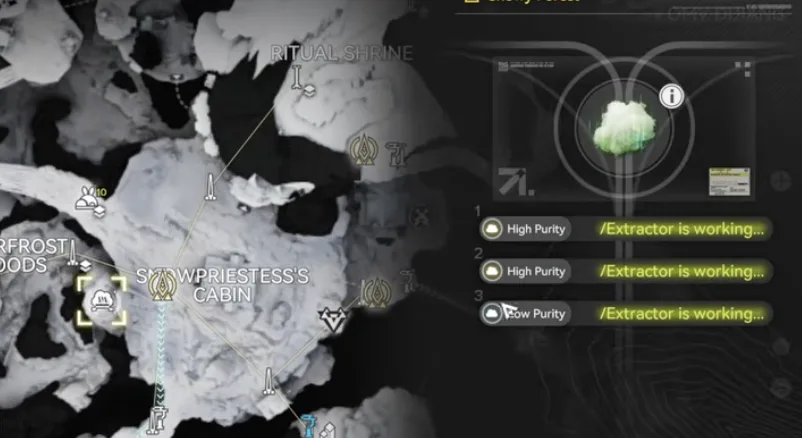
The Snowy Forest Xiragen vent, 50 per minute
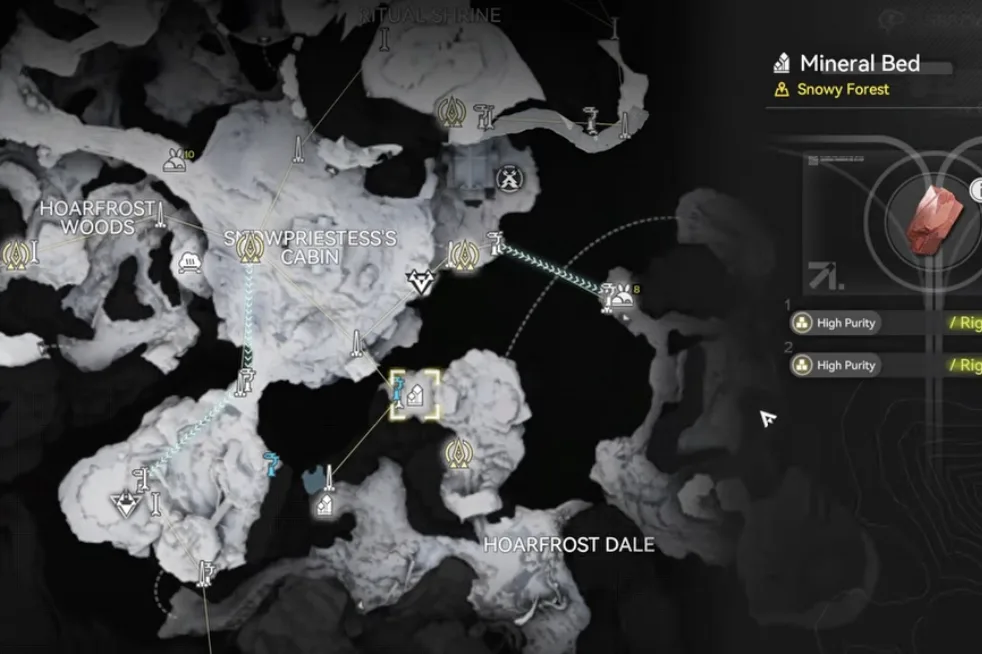
The Snowy Forest Cuprium Mineral Bed, 90 ore per minute
1.5 Restore Blueprint Codes
Open Blueprints, go to Shared Blueprints, click Import Blueprints, and paste the code for your server region. Codes are region locked, so Asia and NA/EU are not interchangeable. If you are typing by hand, there is no letter L in any of these codes, the letter O and the digit 0 are different characters, and a stray space at either end will reject the import. The copy buttons avoid all three.
| Blueprint | Asia Server Code | NA/EU Server Code |
|---|---|---|
| 1.5 YP BottomYinglung Pass, bottom edge | EFO013o72e7e49a1U0579 | EFO0172UA3844i5AaO2Ai |
| 1.5 YP TopYinglung Pass, right side | EFO017i89o8o6E5A3O0Ai | EFO01eE7U8o22A49Oo9i8 |
| 1.5 MS TopMarker Stone, top side | EFO01I3A5UAUO19u65o08 | EFO01a709O5UU6A5aoe5e |
| 1.5 RestoreCore AIC, only if you deleted it | EFO013o72e7e49aA80579 | EFO01eE7U8o22A4u2o9i8 |
Everyone needs 1.5 YP Bottom, 1.5 YP Top and 1.5 MS Top, the same three codes as Part 13. 1.5 Restore is only for the Core AIC, and only if you deleted that section during the event without saving a blueprint of it first.
Step 1: Rebuild Yinglung Pass
Go to the Yinglung Pass sub AIC. Before you delete anything, move the Inergen conduit outlet outside the sub AIC. Moving keeps it connected, so the clear will not take it with it and you will not have to rebuild the conduit from the gas vent.
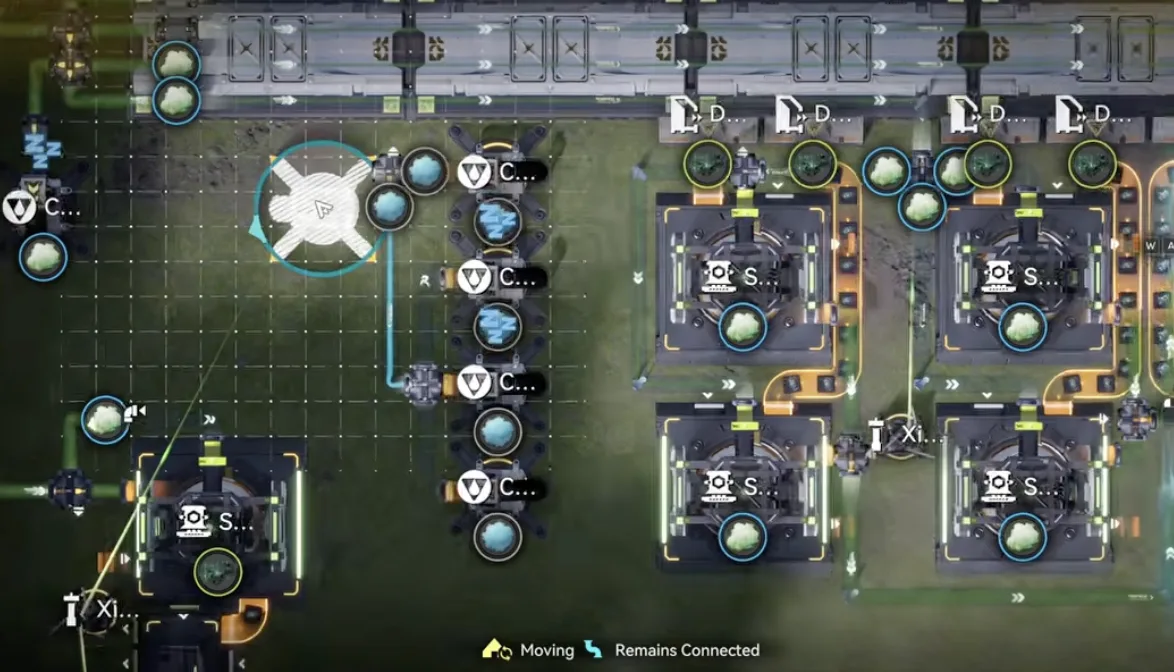
Move the Inergen outlet outside first so it stays connected
Now delete everything inside Yinglung Pass. The whole area is too big to save as a blueprint (the game caps it at 160 facilities), so this is a straight clear.
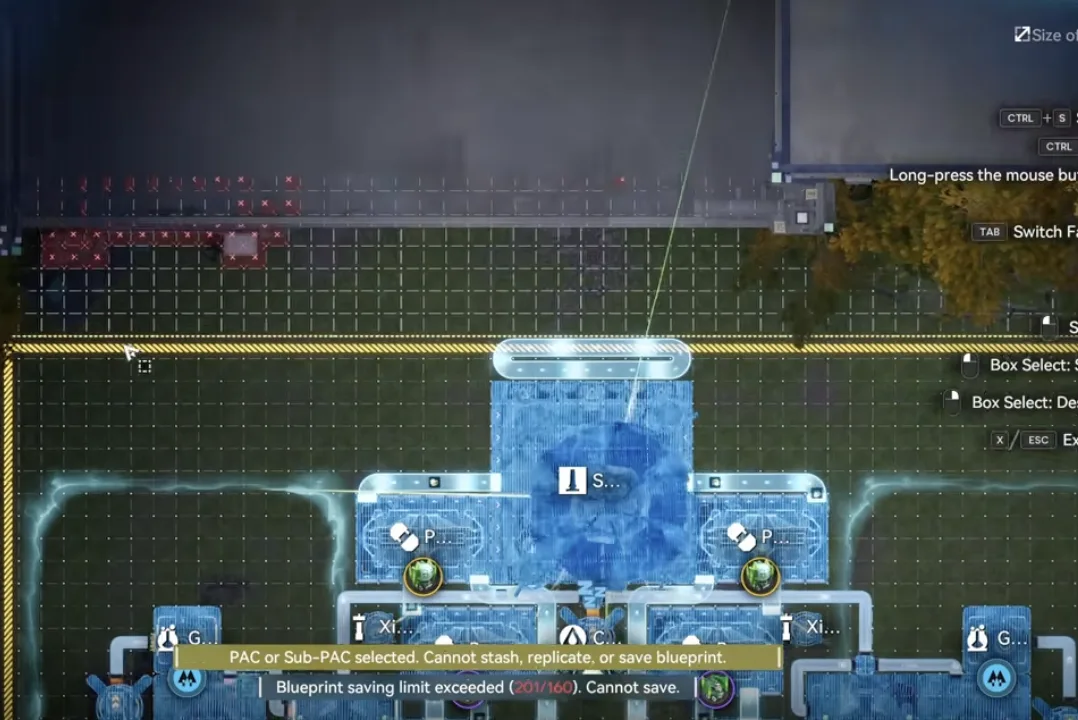
Select the whole sub AIC and delete it
Deploy 1.5 YP Bottom along the very bottom of the sub AIC. Then move the core into the small gap the blueprint leaves for it.
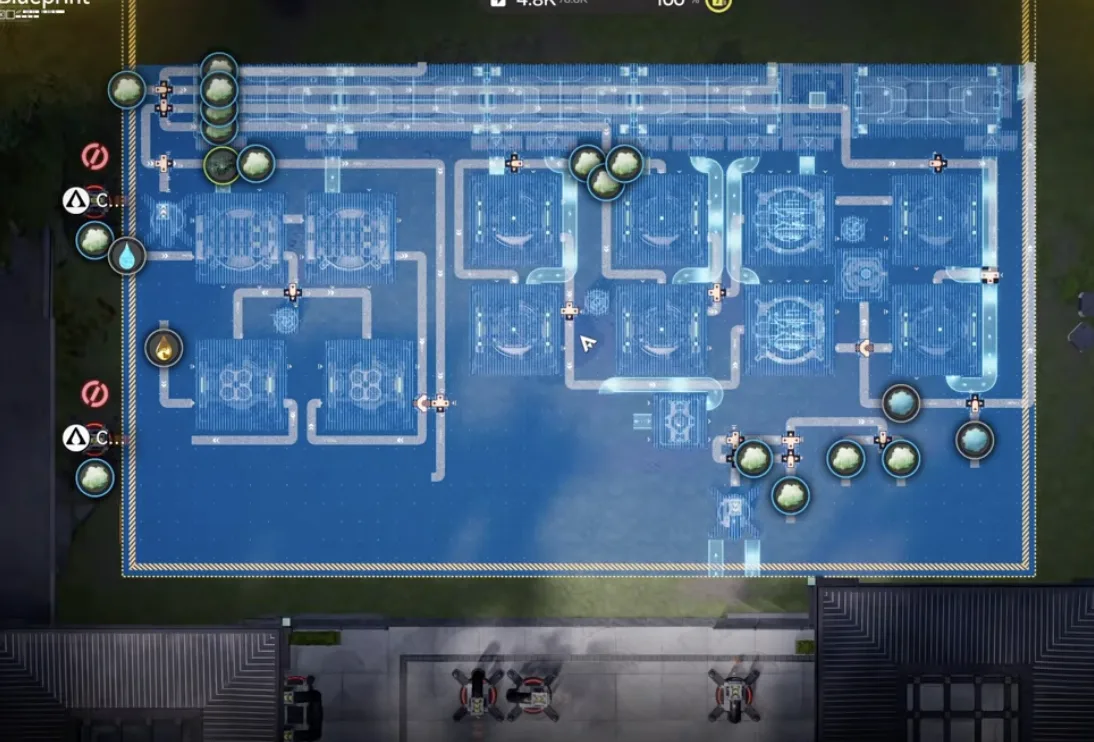
Deploy 1.5 YP Bottom on the bottom edge
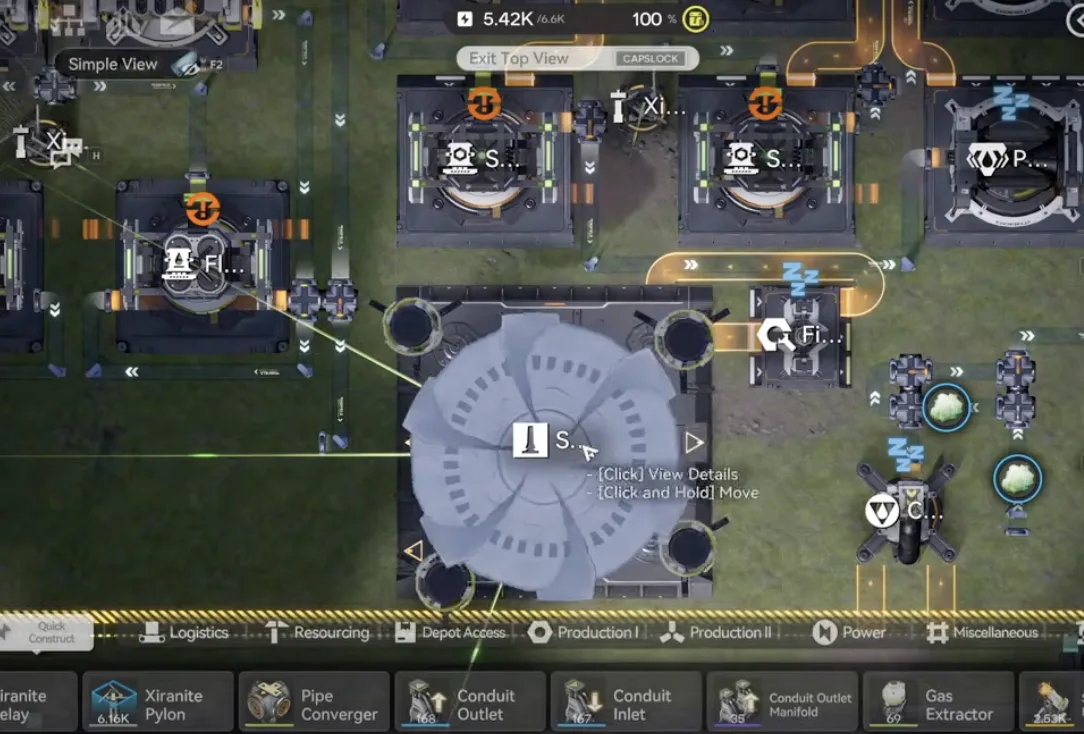
Move the core into this small space
Set the top-right output to Pyrrolite. Then deploy 1.5 YP Top on the right side of the sub AIC, above the bottom blueprint.
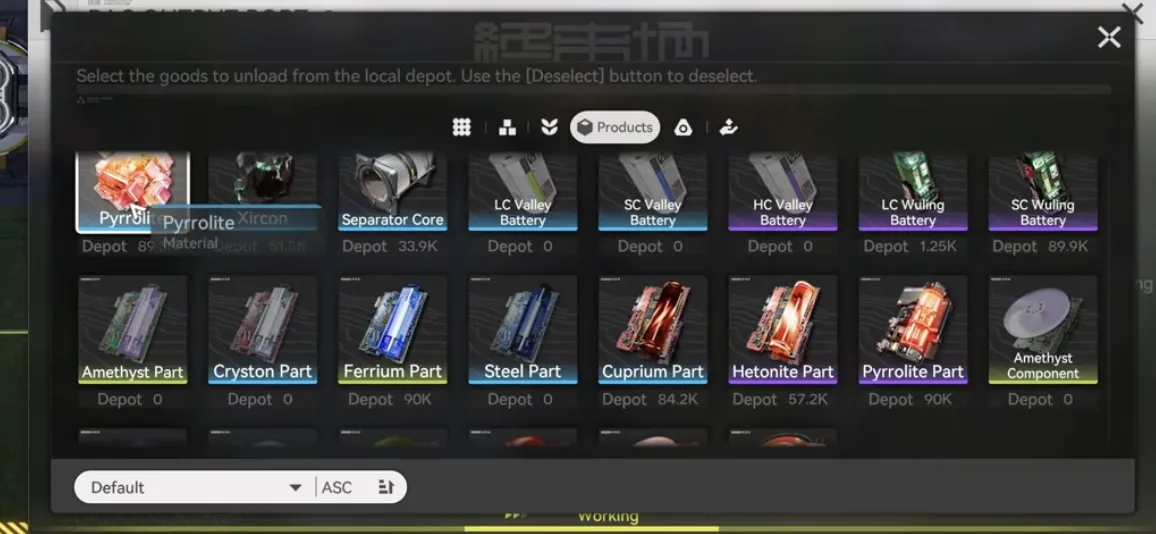
Set the top-right output to Pyrrolite
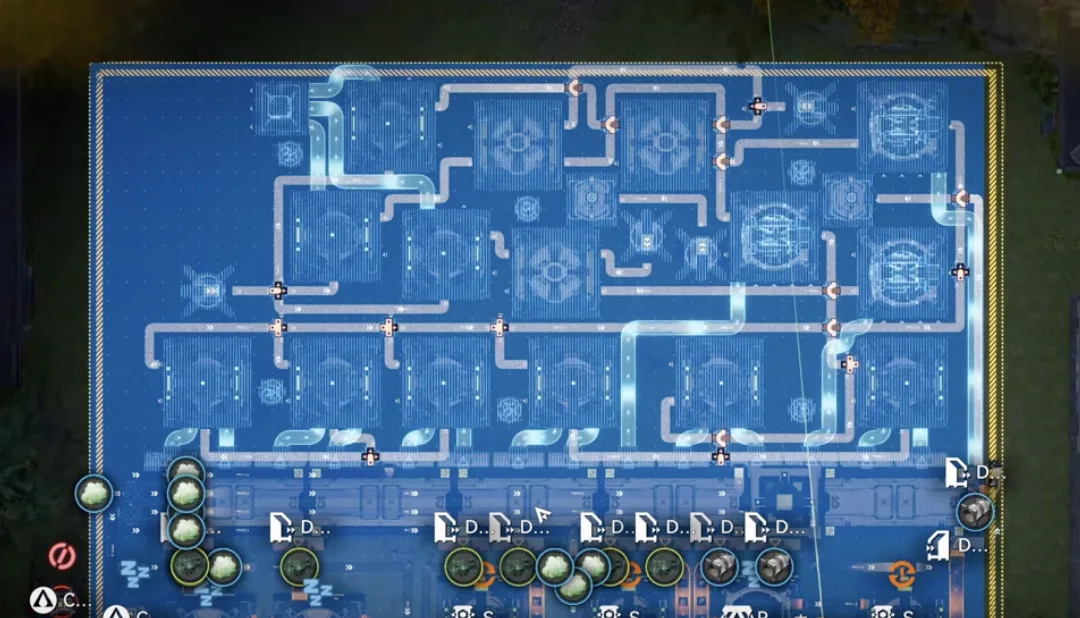
Deploy 1.5 YP Top on the right side
Step 2: Reconnect the Conduits
With both blueprints down, drag your resource conduits back in. On the left side, put the 100 per minute Xiragen outlet carrying everything from the North Wuling Exclusion Zone. Right below it goes the clean water outlet, and below that the acid outlet.
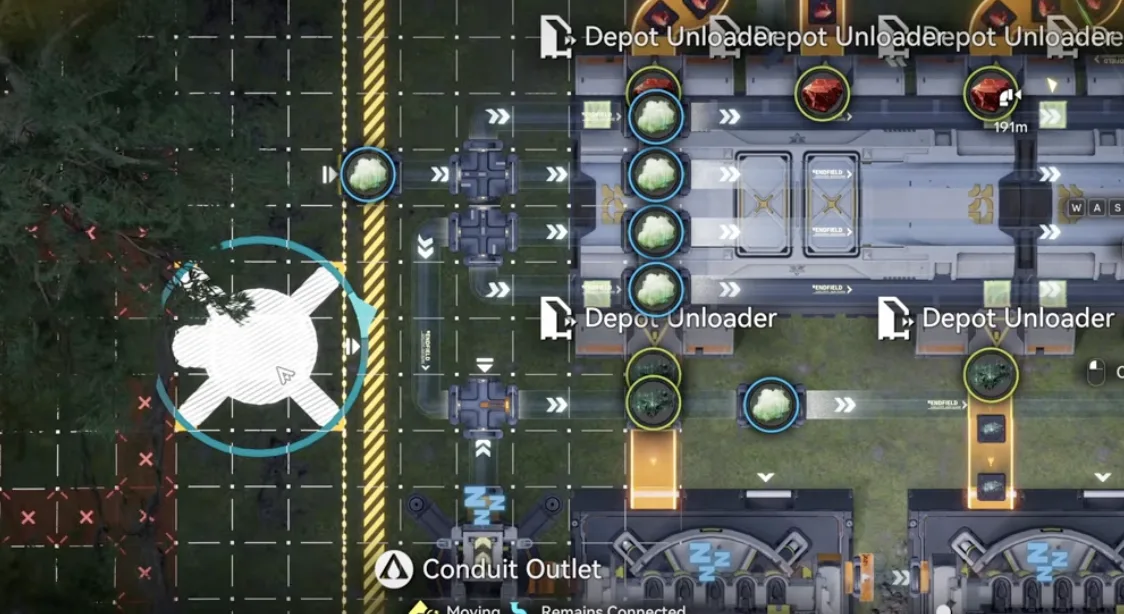
Left side: the 100 per minute Xiragen outlet
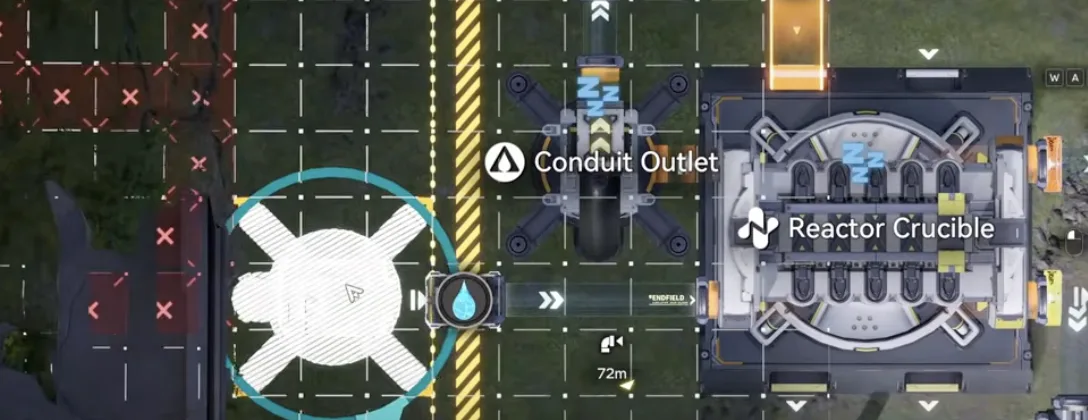
Right below it: the clean water outlet
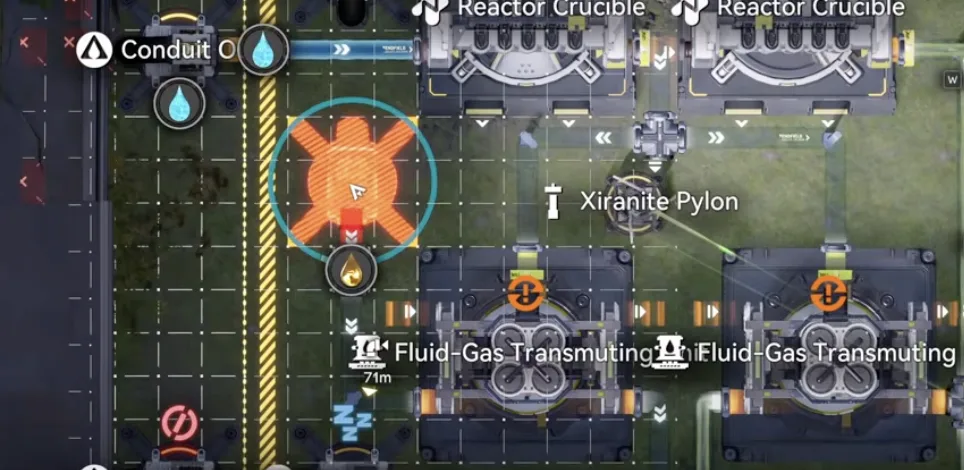
Then move the acid outlet here
Over on the right, connect the 50 per minute Xiragen from the Snowy Forest into the outlet spot at the bottom, then move the Inergen outlet you parked outside back in to feed its pipe.
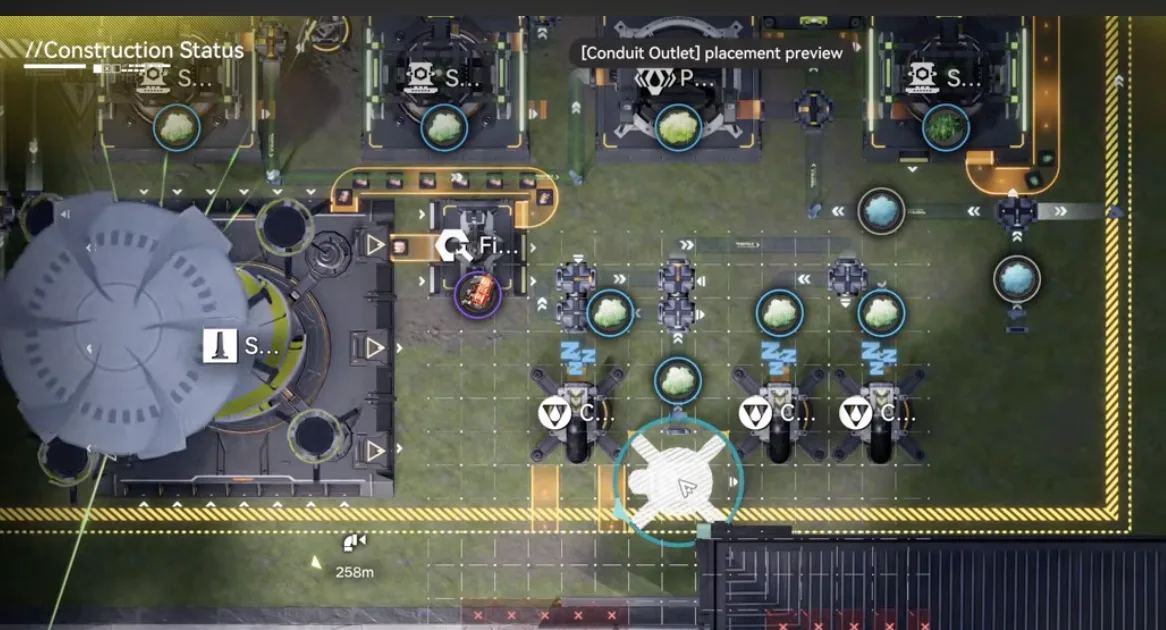
Connect the 50 per minute Snowy Forest Xiragen here
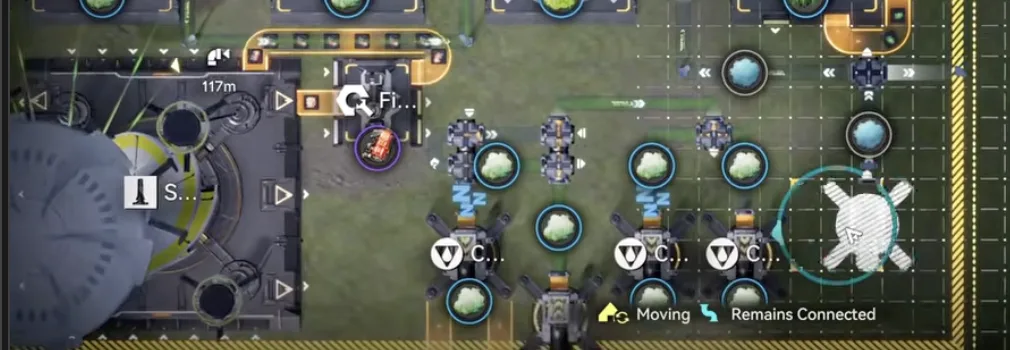
Move the Inergen outlet back to this pipe
Step 3: Core AIC
Go to the Core AIC. If you turned the bottom side machines off for the event, select them and turn them back on. That is the whole step for most players.
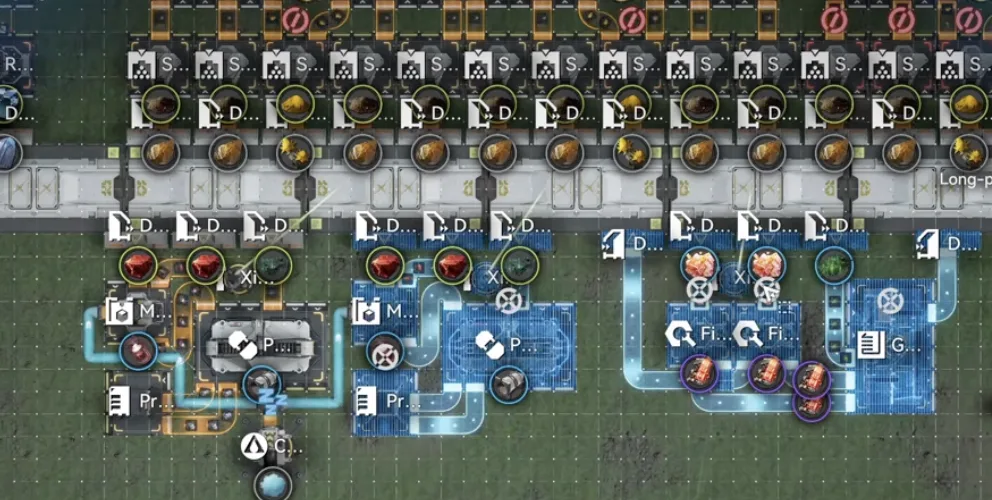
Turn the event-stopped machines back on
If you deleted something here and did not save a blueprint of it, delete the whole small section instead and deploy 1.5 Restore in its place. Either way, finish by moving the 60 per minute Inergen outlet into position.
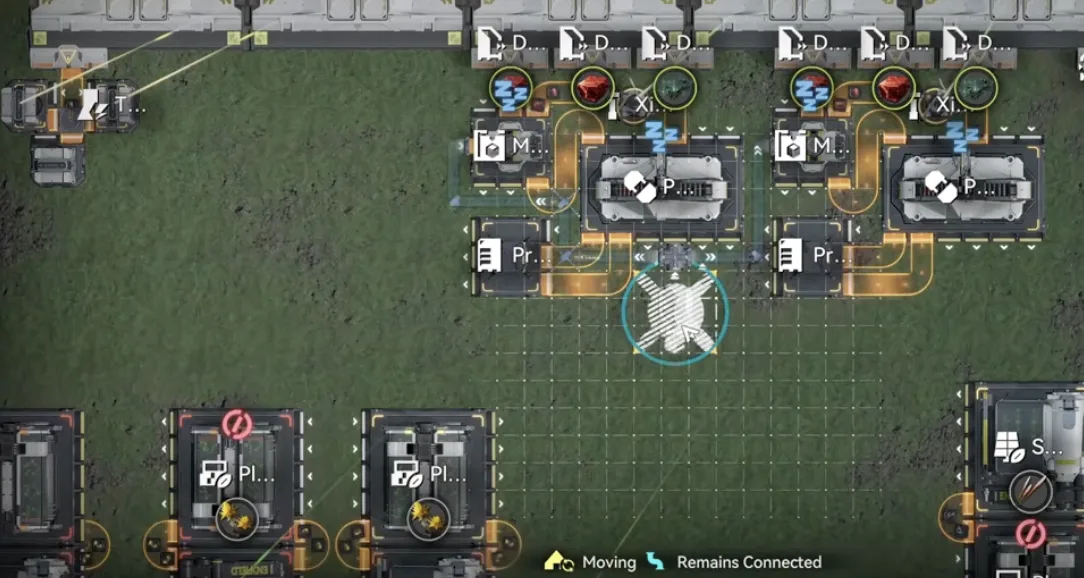
Connect the 60 per minute Inergen outlet here
Optional: if you already have plenty of Pyrrolite components for gear crafting, turn the Gearing Unit off manually. It keeps consuming components while it runs, so switch it back on when your stock runs low.
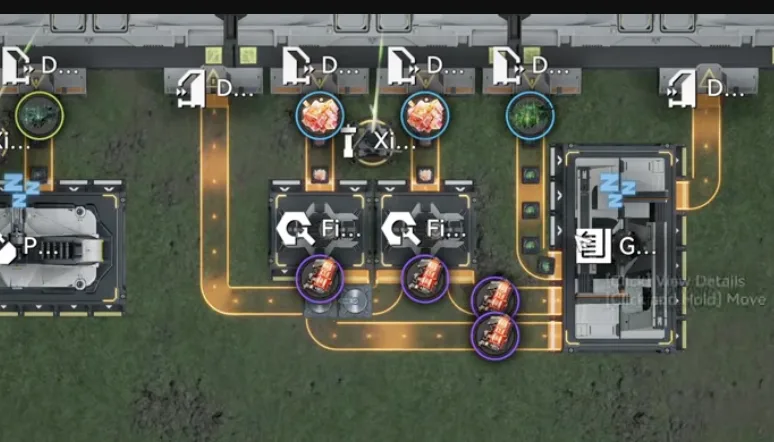
Turn the Gearing Unit off when you have enough
Step 4: Marker Stone Top
Go to the Marker Stone sub AIC. Delete the top side part and deploy 1.5 MS Top back in the same spot.
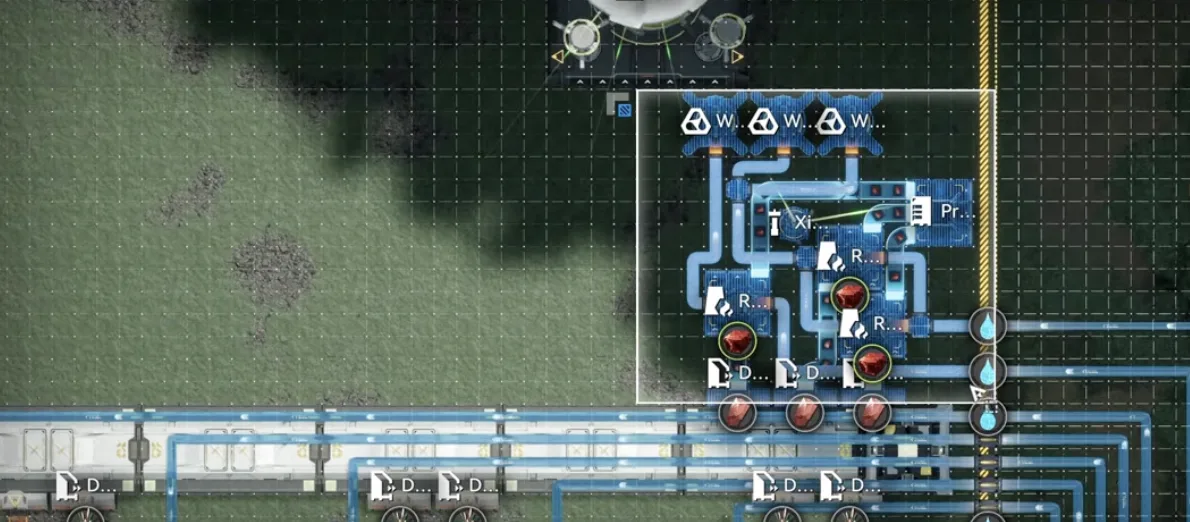
Delete the top side part
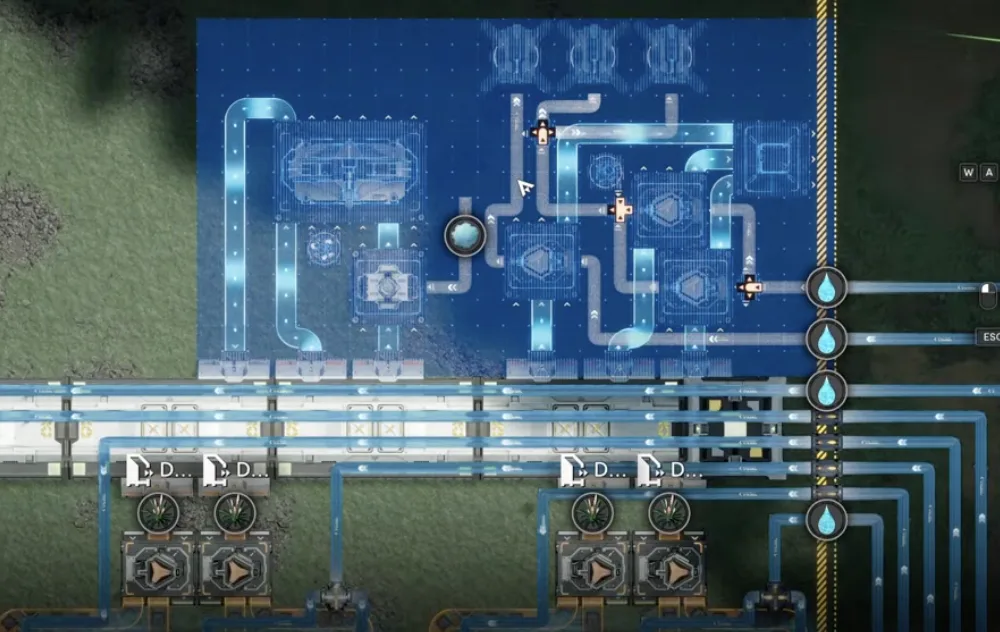
Deploy 1.5 MS Top back in its place
Then connect the 20 per minute Inergen outlet next to the Packaging Unit, and Marker Stone is done. If the lake no longer gives you water for this part, run conduits from the river instead. The blueprint only needs its water inputs fed.
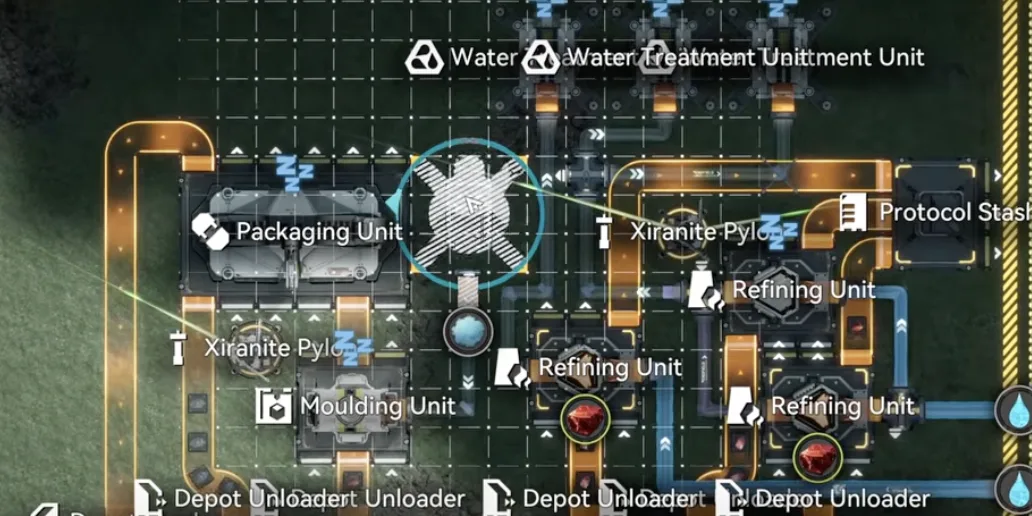
Put the 20 per minute Inergen here
Step 5: Reset the Overflow Protector
During the event, the overflow protector was probably set to Chubby Lung. Set its slots back to the three main products of the base: SC Wuling Battery, Pyrrolite parts and Heavy Xiranite. The last slot stays free.
Check before you set each slot. Each Protocol Stash must be empty or already hold the same item you are setting. If it is holding something else, the protector destroys it, the same way the event surplus was destroyed.
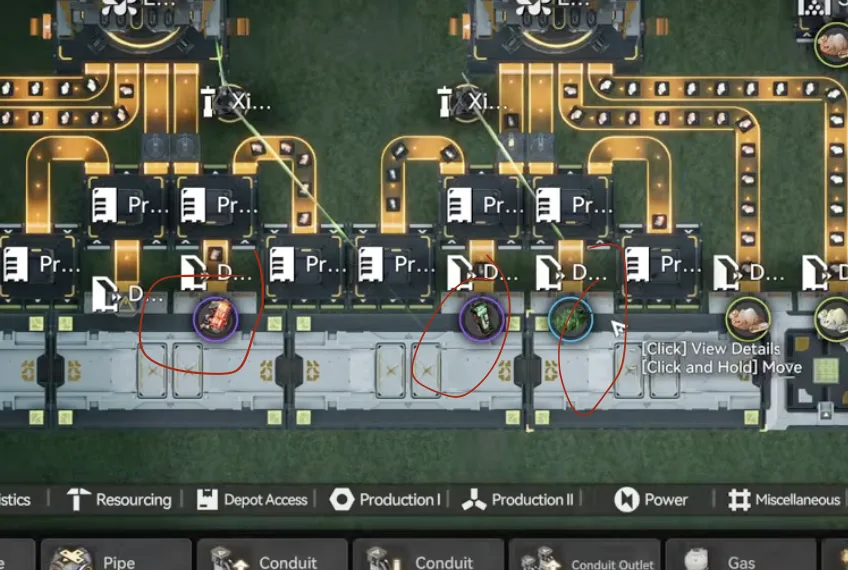
Set the overflow protector back to SC Wuling Battery, Pyrrolite parts and Heavy Xiranite
That is the full restore. If you routed the Core AIC Cuprium straight into the core during Phase 2, keep that change. It stops that section clogging for good. For the output numbers of the restored base, see Part 13.